
After years of running support for a technical hosting platform, we’ve noticed a pattern. Some customers get their issues resolved quickly. Others end up in frustrating back-and-forth exchanges that drag on for days. The difference usually isn’t the complexity of the problem—it’s how the problem gets communicated.
This isn’t about blaming customers. It’s about sharing what we’ve learned so you can get faster, better support—from us and from any technical service you use.
The Information We Actually Need
When something breaks, your instinct is to reach out immediately. That’s understandable. But a message that says “my site is down” gives us almost nothing to work with.
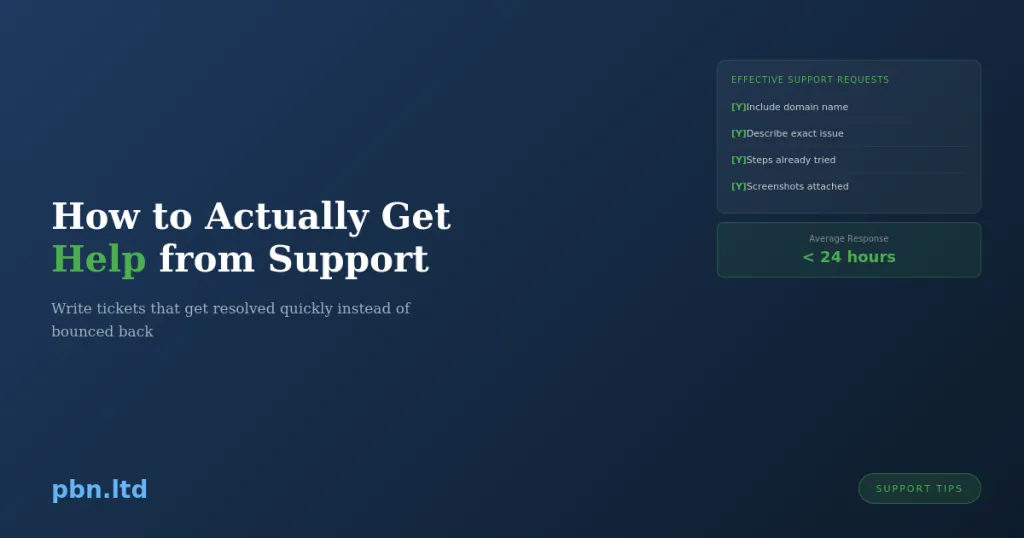
We need to know which site. We host thousands of domains. “My site” could be any of them. Even if you only have one site with us, we need the actual domain name to look it up efficiently.
We need to know what “down” means to you. Are you seeing a blank page? An error message? A timeout? A redirect to somewhere unexpected? The site loads but looks wrong? Each of these points to completely different problems with completely different solutions.
We need to know when it started. “It was working yesterday” helps. “It stopped working around 3pm after I updated a plugin” helps a lot more. Changes and timing are often the key to diagnosis.
We need to know what you’ve already tried. If you’ve cleared your cache, tried a different browser, checked from your phone, or disabled plugins—tell us. It saves us suggesting things you’ve already ruled out.
Screenshots Save Everyone Time
A screenshot of an error message is worth a hundred words of description. When you see an error, capture exactly what you’re seeing. The full browser window is ideal—it shows the URL, any error codes, and the context.
“I’m getting a database error” could mean dozens of things. A screenshot showing “Error establishing a database connection” tells us exactly what’s happening. A screenshot showing a specific MySQL error code tells us even more.
For issues that involve sequences of steps, multiple screenshots showing each stage help us understand where things go wrong. “I click this, then I see this, then it breaks” with visuals attached is infinitely more useful than a text description.
The Ticket System Exists for a Reason
We offer multiple support channels, but the ticket system is almost always the best choice for technical issues.
Tickets create a record. They can be assigned to the right team member. They can include attachments. They persist across time zones and working hours. When you reply, the full history is right there.
Telegram and live chat are great for quick questions. But for anything that requires investigation, a ticket is better. Complex issues often need to be looked at by multiple people, and tickets make that handoff seamless. Quick messages in chat don’t.
We’ve written separately about why Telegram specifically isn’t ideal for debugging sessions—the format just doesn’t lend itself to technical troubleshooting. For our Knowledge Base guidance on choosing the right support channel, see https://pbn.ltd/knowledgebase/.
One Issue Per Ticket
This one sounds bureaucratic but it genuinely helps.
When you bundle multiple unrelated issues into one ticket—”my SSL isn’t working, also I need to add a new domain, and there’s a billing question”—things get messy. Different issues need different people. They resolve at different speeds. Tracking becomes confused.
One issue per ticket means each problem gets its own thread, its own resolution, and can be closed when it’s actually fixed. It’s easier for you to track what’s been resolved and what’s still pending. It’s easier for us to ensure nothing falls through the cracks.
If issues are genuinely related—like SSL isn’t working because of a DNS problem you also need help with—that’s fine to keep together. But “here are five unrelated things” tickets slow everything down.
Be Specific About What You Expected
“It’s not working” doesn’t tell us much. What did you expect to happen? What happened instead?
“I expected to see my homepage but instead I see a directory listing” is actionable. “I expected the form to submit but instead I get a 500 error” gives us somewhere to start. “I expected the DNS to propagate within 24 hours but it’s been 48 and some regions still show the old IP” tells us exactly what to investigate.
The gap between expectation and reality is where problems live. Help us see that gap clearly.
Tell Us About Recent Changes
Most issues don’t appear randomly. Something changed. Maybe you changed it. Maybe we changed something on our end. Maybe a third party—like your domain registrar or CDN provider—changed something.
Think back to what happened before the problem started. Did you update WordPress? Install a new plugin? Change DNS settings? Restore from a backup? Modify your .htaccess file? Let your domain auto-renew?
Even if you’re not sure the change is related, mention it. “I updated to WordPress 6.5 yesterday and this morning the site won’t load” immediately focuses the investigation. Without that context, we might spend an hour checking server configurations when the answer was a plugin incompatibility.
Access Details Help
If we need to log into your site to diagnose something, we’ll need credentials. Having these ready—or being prepared to create temporary admin access—speeds things up significantly.
For WordPress issues, we often need wp-admin access. For server-level issues, we have access through our hosting panel, but your credentials for third-party services (Your domain registrar, etc.) we obviously don’t have.
If you’re uncomfortable sharing credentials—which is completely reasonable—create temporary access. Make a new admin user with a strong password, share those details, and delete the user when we’re done. Most security-conscious customers prefer this approach anyway.
Patience With Timezones
We serve customers globally. When you submit a ticket at 3am UK time, there’s a good chance we’re asleep. The ticket will be addressed when we’re back online, but it might not be instant.
Following up an hour later with “hello?” doesn’t move the ticket up the queue. It just adds noise to the thread. If something is genuinely urgent and hasn’t been addressed within our stated response times, a polite follow-up is fine. But give us reasonable time to see and respond to the original message.
For time-sensitive issues, mention the urgency clearly in your initial ticket. “This is blocking a client launch tomorrow” will be prioritised differently than “whenever you get a chance.”
When the Problem Is On Your End
Sometimes we investigate and find the issue isn’t with our hosting at all. It’s a plugin conflict. A theme problem. Malware you introduced. DNS misconfiguration at your registrar. Code you wrote that has a bug.
We’ll tell you what we found and point you in the right direction. We can often help beyond our strict responsibility—we’re not going to leave you stuck. But there’s a limit to how much free development or debugging work we can do for issues that aren’t hosting problems.
Taking this feedback constructively, rather than insisting we need to fix something that isn’t broken on our end, leads to better outcomes. We want your sites to work. We’ll help where we can. But “my custom code has a bug” isn’t something our hosting support can solve for you.
Actually Read the Response
This sounds obvious but happens constantly. We send a detailed response with diagnostic questions or specific steps to try. The customer replies without addressing any of it, just restating the original problem.
We’re not asking questions to waste your time. Each question is designed to narrow down the problem. When you skip them, we’re back to square one.
If our response doesn’t make sense, say so. Ask for clarification. But don’t just ignore it and repeat your original message. That creates a loop that frustrates everyone.
The Support Relationship
Good support is a collaboration. You know things about your site that we don’t—your recent changes, your specific setup, what you’re trying to achieve. We know things about the hosting environment that you don’t—server configurations, common issues, diagnostic approaches.
Combining that knowledge efficiently is how problems get solved quickly. Clear communication, relevant details, and responsive back-and-forth gets you to resolution faster than either of us could manage alone.
We genuinely want to help. That’s why we’ve built extensive documentation, a Knowledge Base, and maintain multiple support channels. This article exists because we want support interactions to be as smooth as possible—for you and for us.
Next time something breaks, take sixty seconds to gather the key details before reaching out. Your future self—waiting for a fast resolution—will thank you.