
Redis · a private in-memory cache
A private Redis cache that makes your sites — and the WordPress admin — noticeably faster
Without a cache, every visit asks your database the same questions again: what the menu is, which posts are on the page, what your settings are. Redis keeps those answers in memory and hands them back in a fraction of the time. It is yours alone — its own container on every server your sites are on, its own password, reachable from nobody else’s sites and not from the internet.
- $4/month, whole account
- 256 MB per server
- One click for WordPress
- Exact settings for 6 more platforms
- Your own password
- Nobody else can reach it
Already a customer? Open Redis in your dashboard. Prefer to read the steps first? Read the full how-to guide.
What it changes
Faster pages, wherever they were waiting on the database
A page is built once and the result is kept in memory. The next visitor gets it back instantly instead of your site asking the database the same questions all over again.
A much faster WordPress admin
This is usually the biggest change people notice: the admin screens you use every day — posts, media, plugins — feel quicker because WordPress’s own object cache is now backed by memory instead of the database.
Less work for the server under load
Every answer Redis can give from memory is a query your database never has to run, so your site copes better when several visitors land at the same time.
One price, however many sites you have
Redis is billed per account, not per site. Once it is on, every site you host with us can use it — on every server those sites are on, each gets its own 256 MB instance.
How it works
Add Redis to your account
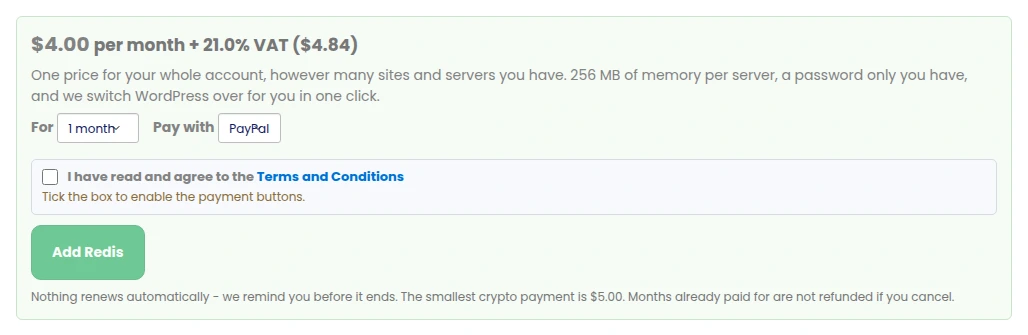
One price for everything: $4 a month for a 256 MB private Redis on every server your sites are on. Pay for 1, 3, 6 or 12 months with PayPal (which also takes cards) or with crypto. Nothing renews automatically — we remind you before it ends, and months already paid for are not refunded if you cancel.
You need an active hosting plan with us to buy it: Redis attaches to sites you host here, so it has nowhere to run without one.

Switch it on, per site
Open a site’s Usage & add-ons tab and press Switch Redis on for this site. For WordPress that is the whole job: we install the object-cache plugin and drop-in, wire in your password, and check the site is still healthy before we finish. Switch it off and we remove the plugin, the drop-in and that site’s keys again — the site works exactly as it did before.
For every other platform the same tab shows the exact settings for your software: the connection socket, your site’s own key prefix, and a Show password button that fetches your password over an authenticated request — it is never written into the page.
Yours alone, on every server
Your Redis runs in its own container, with its own password, on every server your sites are on. It only answers on a private socket — there is no network port to reach it from the internet, and another customer’s sites on the very same server get NOSOCKET when they try. It stores nothing on disk: it is a cache, so if it is ever restarted your sites simply fill it again.
Every site type, honestly
WordPress is done for you. Every other platform gets the exact settings for its own software — and where a platform genuinely cannot use a password-protected Redis, the page says so instead of pretending.
WordPress
One click on and off. We install the plugin and the drop-in, configure your password, and verify the site is healthy before we finish.
Drupal
Install the redis module and add the connection lines we show you to settings.php — your socket, your password, your site’s own cache prefix.
Joomla
System → Global Configuration → System: set the cache handler to Redis and paste in the host, password and database we show you.
Grav
Set the cache driver to redis in system.yaml (or Admin → Configuration → System → Caching) with the socket and password shown.
MediaWiki
Add the object-cache lines we show you to LocalSettings.php — your main cache, session cache and prefix all point at your private Redis.
PrestaShop
PrestaShop has no built-in Redis cache: install a Redis cache module from its marketplace and paste in the socket, password and prefix.
PHP hosting & Static HTML
Static HTML sites still run PHP for anything that needs it. Connect straight from your own PHP with the redis extension — already installed — using the socket, password and prefix shown.
OpenCart — not supported
OpenCart’s built-in Redis cache cannot send a password, so it cannot connect to a private Redis. A cache extension that supports a password and a unix socket can.
Every site keeps its own keys
Each site gets its own key prefix on the shared instance, so one site can never read or clear another site’s cache — even on the same account.
Measured, not promised
We turned Redis on for our own sites and measured the origin response time before and after, front page and WordPress admin, median of several requests:
| Site | Front page | WordPress admin |
|---|---|---|
| pbnbuilderkings.com | 1.05s → 0.93s (−12%) | 0.81s → 0.55s (−32%) |
| whitehatseobacklinks.com | 1.59s → 1.20s (−24%) | 1.23s → 0.64s (−48%) |
| pinoyfreelance.ph | 0.35s → 0.30s (−16%) | 0.41s → 0.23s (−44%) |
| aicontently.com | 2.65s → 2.63s (flat) | 0.98s → 0.59s (−40%) |
| pbnlinksforsale.com | 1.42s → 1.04s (−27%) | 2.81s → 0.70s (−75%) |
The WordPress admin got faster on every single site we tested, some dramatically. A front page only speeds up where it was actually waiting on the database — a page that is slow for another reason (large images, a heavy front-end) stays exactly that speed, and we say so rather than promise otherwise.
One price for your whole account
In US dollars, plus VAT where it applies. Pay for 1, 3, 6 or 12 months with PayPal (which also takes cards) or with crypto (from $5).
Redis 256 MB
- 256 MB of private memory, per server
- Every server your sites are on
- However many sites you have
- WordPress switched on and off for you
- Exact settings for 6 more platforms
- Your own password, never reachable from anyone else
- Cancel any time — nothing renews automatically
The $4 is billed monthly, or for 3, 6 or 12 months at once. Nothing renews automatically, and cancelling switches every site back off — months already paid for are not refunded.
Do you need a hosting plan with us?
Yes. Unlike some of our other add-ons, Redis attaches to sites you host with us — it has nowhere to run without one. If you already host with us, adding Redis to your account is all you need; if you do not, host a site with us first.
Questions people ask
How much does it cost?
$4 a month, plus VAT where it applies, for your whole account — however many sites and servers you have. Pay for 1, 3, 6 or 12 months with PayPal (which also takes cards) or with crypto (from $5). Nothing renews automatically; we remind you before it ends.
Do my sites share one cache?
No. Every site gets its own key prefix on the shared instance, so one site can never read or clear another site’s cache, even on the same account.
Is it really private to me?
Yes. Your Redis runs in its own container on every server your sites are on, with its own password and its own memory limit, and it answers only on a private socket — there is no network port for anyone to reach it through. Another customer’s site on the very same server is refused with NOSOCKET when it tries to reach yours.
What happens on WordPress when I switch it on?
We install and configure the object-cache plugin and drop-in for you, wire in your password, and check the site is still healthy before we finish. If it does not come up cleanly we undo the change ourselves and tell you — your site keeps serving throughout.
What happens when I switch a site off, or cancel?
Switching a site off removes the plugin, the drop-in and that site’s cached keys, and the site works exactly as it did before. Cancelling the whole add-on does the same for every site on your account. Months already paid for are not refunded.
What does 256 MB actually cover?
Enough cached pages and database results for a typical site’s traffic. If it ever fills up, Redis drops whatever was used least recently to make room — a cache running full is normal, not an error, and nothing is lost that could not simply be rebuilt from your database.
Does every site type work the same way?
WordPress is one click, on and off. Drupal, Joomla, Grav, MediaWiki, PrestaShop and plain PHP hosting each get the exact settings for their own software, with your connection details and key prefix already filled in. OpenCart’s built-in Redis cache cannot send a password, so it cannot connect — a cache extension that supports a password and a socket can.
Can I use my own Redis server instead?
Not from here. Sites here reach their Redis through a private socket on the same machine, which is what keeps it fast and closed off from the internet.
Do I need a hosting plan to buy Redis?
Yes. Redis attaches to sites you host with us, so it needs somewhere to run. If you already host with us, adding it to your account is all you need.
Will it slow my site down instead?
We measured it on our own sites before turning it on for customers: the WordPress admin got faster on every site we tested (32–75%), and a front page speeds up wherever it was genuinely waiting on the database. A page that is slow for another reason stays that speed — Redis is not a fix for large images or a heavy theme.
Is anything stored on disk?
No. Redis is a cache, kept entirely in memory. If it is ever restarted your site simply fills it again from the database — nothing is lost that was not already stored somewhere else.
Can I see how much memory and how many keys I am using?
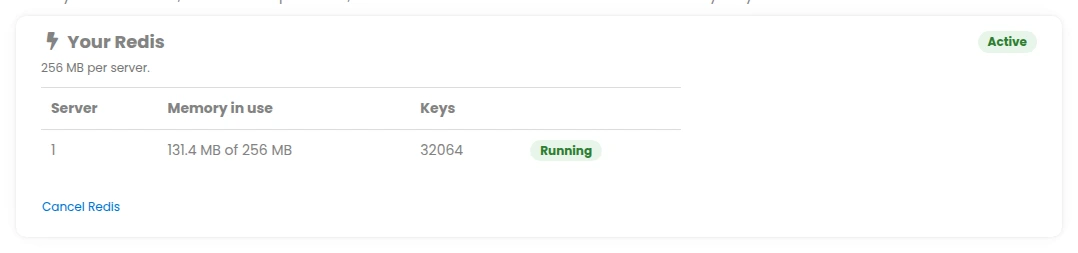
Yes — your Redis page lists every server your account has an instance on, with memory in use out of the 256 MB and the number of cached keys, refreshed regularly.
Make your sites — and your WordPress admin — feel faster
$4 a month for your whole account, 256 MB per server, one click for WordPress.