
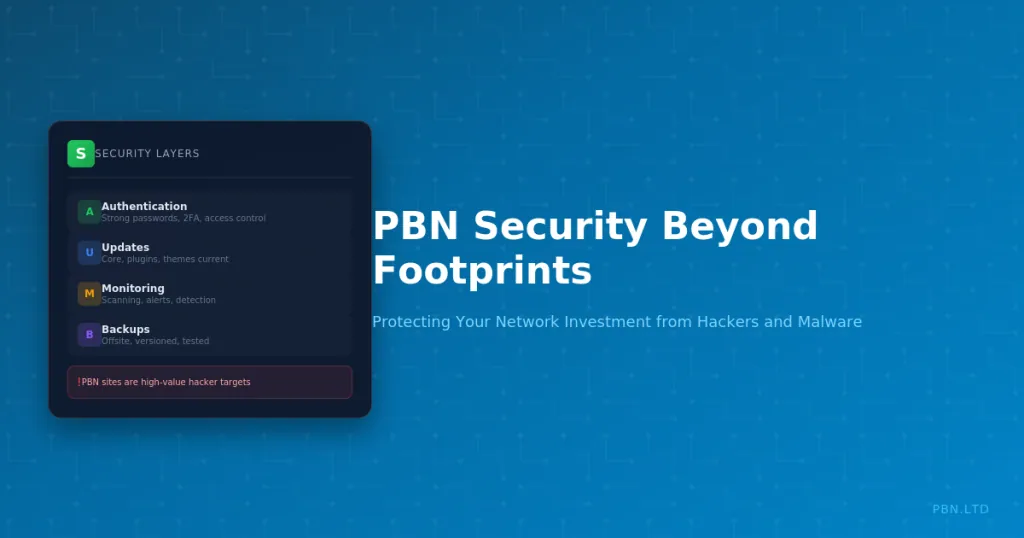
PBN security discussions typically focus on footprints and detection avoidance. But hackers pose an equally serious threat to your network. Compromised sites can be injected with spam, used for malware distribution, or completely taken over. The damage extends beyond the hacked site to your money sites and overall network integrity.
PBN sites are attractive targets. They often run outdated software, use weak credentials, and receive less security attention than money sites. Hackers exploit these weaknesses systematically, scanning for vulnerable WordPress installations and compromising them at scale.
This guide covers security practices that protect your PBN investment from hackers. We examine common attack vectors, preventive measures, detection methods, and recovery procedures. Security is not optional for serious PBN operators.
Why PBN Sites Get Hacked
Understanding attacker motivations and methods helps you defend against them.
Attractive Targets
PBN sites often have characteristics hackers love. They run WordPress, which attackers understand well. They frequently use outdated core versions, themes, and plugins with known vulnerabilities. They may have weak passwords because operators manage many sites and take shortcuts.
The distributed nature of PBNs works against security. Operators spread attention across many sites, meaning individual sites receive less monitoring. A hack might go unnoticed for weeks or months while actively damaging your network.
PBN sites also have value to hackers. They have existing authority and backlinks. Injecting spam or malware into an established site provides more value than compromising a brand new site with no authority.
Common Attack Vectors
Brute force attacks try common passwords against WordPress login pages. Automated tools attempt thousands of password combinations. Weak passwords fall quickly. Even moderately complex passwords can be cracked given enough time and no rate limiting.
Plugin and theme vulnerabilities provide entry points. Outdated plugins with known security holes are actively scanned and exploited. A single vulnerable plugin across multiple PBN sites can lead to mass compromise.
Compromised credentials from other breaches enable attacks. If you reuse passwords, credentials leaked from unrelated services can be used against your PBN sites. Credential stuffing attacks are increasingly common.
Hosting-level vulnerabilities can affect multiple sites. If your hosting environment is compromised, all sites on that environment may be affected. This is one reason proper hosting selection matters.
What Hackers Do With Access
SEO spam injection is common. Hackers add hidden links to your pages pointing to their clients’ sites. Your site’s authority flows to spam sites without your knowledge. This can trigger manual actions against your site while benefiting attackers.
Malware distribution uses your site to infect visitors. JavaScript injection redirects visitors to malicious sites or downloads malware to their computers. Google quickly detects and flags these sites, destroying their value.
Phishing pages impersonate banks, services, or other targets. Your domain hosts fake login pages that steal credentials. This creates serious legal exposure and immediate deindexation.
Cryptocurrency mining scripts use visitor browsers to mine cryptocurrency. While less immediately damaging than malware, this degrades user experience and can trigger security warnings.
Preventive Security Measures
Prevention is far more effective than recovery.
Strong Authentication
Use strong, unique passwords for every site. Password managers make this practical. A different complex password for each WordPress installation prevents credential reuse attacks and limits damage from any single compromise.
Change default usernames. The admin username is targeted first in brute force attacks. Using unique administrator usernames adds a layer of protection. Attackers must guess both username and password rather than just password.
Implement login attempt limiting. Plugins or server configuration can block IP addresses after failed login attempts. This dramatically slows brute force attacks. Most attackers move on to easier targets when rate limiting is detected.
Consider two-factor authentication for high-value sites. While adding management overhead, two-factor authentication effectively prevents credential-based attacks even if passwords are compromised.
Software Updates
Keep WordPress core updated. Security patches address known vulnerabilities. Running outdated versions exposes sites to documented exploits that attackers actively scan for.
Update themes and plugins regularly. Plugin selection should consider security track records. Plugins with histories of vulnerabilities or abandoned development pose ongoing risks.
Remove unused plugins and themes. Even deactivated plugins can contain vulnerabilities. If you are not using it, delete it. Minimizing installed software reduces attack surface.
Automated updates can help but require caution. Automatic security updates for WordPress core are generally safe. Automatic plugin updates risk breaking functionality. Balance security against stability based on your management capacity.
Access Control
Limit who has access to your PBN sites. Every person with credentials is a potential security weakness. Only provide access to those who genuinely need it, and revoke access when no longer necessary.
Use appropriate permission levels. Not everyone needs administrator access. WordPress roles allow limiting what users can do. Content editors do not need plugin installation privileges.
Secure your own devices. If your computer is compromised, attackers may harvest stored passwords or session cookies. Keep your systems updated and protected. Use antivirus software and practice safe browsing.
Hosting Security
Choose hosting with security in mind. Shared hosting where your sites run alongside unknown others creates cross-contamination risks. Compromised neighboring sites can potentially affect yours.
Proper PBN hosting infrastructure isolates sites appropriately. Each site should be contained so that compromise of one does not automatically enable compromise of others. Isolation is a security feature, not just a footprint consideration.
Use SFTP rather than FTP for file transfers. FTP transmits credentials in plain text. SFTP encrypts the connection. This prevents credential interception on networks you do not control.
Implement SSL certificates. While not primarily a hack prevention measure, SSL encrypts data transmission and prevents certain attack types. Modern browsers also warn users about non-SSL sites, affecting trust signals.
Detecting Compromises
Early detection limits damage from successful attacks.
Regular Site Monitoring
Check sites regularly for unexpected changes. Visit your PBN sites periodically and look for added content, changed layouts, or suspicious elements. Systematic health checks should include security review.
Monitor Search Console for security issues. Google reports detected malware and hacked content through Search Console. These warnings indicate serious compromise requiring immediate attention.
Watch for unexpected ranking changes. Sudden ranking drops might indicate Google detecting malicious content. While ranking changes have many causes, security compromise is one possibility worth investigating.
Automated Scanning
Security scanning plugins can detect compromises. Tools like Wordfence or Sucuri scan for known malware signatures, changed core files, and suspicious code. Regular scans catch problems between manual reviews.
External scanning services check sites from outside. Services like Sucuri SiteCheck or Google Safe Browsing API can identify sites flagged as dangerous. These external perspectives catch issues your internal tools might miss.
File integrity monitoring detects unauthorized changes. Tools that track file modifications alert you when core files, plugins, or themes change unexpectedly. Unauthorized changes indicate potential compromise.
Warning Signs
Unknown administrator accounts indicate compromise. Attackers often create backdoor accounts for persistent access. Regularly review user lists for unexpected accounts.
Strange files in unexpected locations suggest malware. PHP files in upload directories or oddly named files in core folders warrant investigation. Legitimate WordPress does not create random files.
Increased server resource usage might indicate cryptomining scripts or spam operations. If hosting reports unusual resource consumption, investigate the cause.
Outbound links you did not create are classic signs of SEO spam injection. Regularly audit your sites for links to unfamiliar destinations.
Recovering from Compromise
When prevention fails, systematic recovery is essential.
Immediate Response
Take the site offline immediately upon discovering compromise. Continuing to serve infected pages harms visitors and extends damage. A maintenance page is better than malware distribution.
Change all passwords immediately. WordPress admin passwords, hosting passwords, FTP credentials, and database passwords should all be changed. Assume attackers captured all credentials accessible from the site.
Check other sites for spread. If you use shared credentials or hosting, other sites may be affected. Investigate before assuming the compromise is isolated.
Cleanup Process
Restoring from clean backup is often the fastest recovery method. If you have backups from before the compromise, restoring them eliminates injected malware. Ensure backups are actually clean before restoring.
Manual cleanup requires thoroughness. Identify all malicious files and code. Check core files against known clean versions. Review theme and plugin files for injections. Search databases for injected content. Hackers often install multiple backdoors for persistent access.
Replace rather than clean when practical. Fresh WordPress core installation, new copies of themes and plugins from official sources, and database content review is often more reliable than trying to clean infected files.
Post-Recovery Steps
Identify how the compromise occurred. Review logs if available. Determine the entry point to prevent recurrence. Without understanding the attack vector, you cannot ensure it is closed.
Update all software immediately. Even if the attack used a different vector, take the opportunity to close all known vulnerabilities. Fresh installations should use current versions.
Request review if flagged by Google. If Search Console shows security warnings or Safe Browsing flags the site, request review after cleanup. Provide evidence that the issue is resolved.
Monitor intensively after recovery. Compromised sites may have hidden backdoors. Watch closely for signs of re-compromise. Attackers often try to regain access to previously compromised sites.
Security at Scale
Managing security across many sites requires systematic approaches.
Standardized Security Practices
Establish security standards applied to all sites. Minimum password requirements, required security plugins, update schedules, and monitoring procedures should be documented and consistently applied.
Use your centralized management capabilities for security tasks. Bulk updates, consistent plugin deployment, and network-wide monitoring become practical with proper management tools.
Create security checklists for new site setup. Every new site should receive standard security configuration before going live. Checklists prevent overlooking security steps under time pressure.
Credential Management
Password managers are essential for networks of any size. Managing unique strong passwords for dozens of sites is impossible without tools. Password managers enable security that would otherwise be impractical.
Organize credentials securely within your password manager. Group by site type, hosting provider, or however makes sense for your workflow. The ability to quickly access correct credentials enables faster response to issues.
Rotate passwords periodically. Annual password changes for all sites, or immediate changes when team members depart, limit exposure from potential credential leakage.
Backup Strategy
Regular backups enable recovery. Without clean backups, recovery from compromise requires extensive manual cleanup. Backups transform recovery from a major project into a straightforward restore.
Store backups separately from sites. If backups are stored on the same server as the site, attackers can delete or encrypt them. Offsite backup storage ensures backup availability even after complete server compromise.
Retain multiple backup versions. A single backup is useless if it was created after compromise. Keep backups going back weeks or months so you can restore to a known clean state.
Test backup restoration periodically. Backups that cannot be restored provide false confidence. Verify that your backup system actually works before you need it.
Balancing Security and Operational Needs
Security measures must be practical for your operation.
Security vs Convenience
Maximum security often conflicts with operational convenience. Two-factor authentication on every site adds security but slows management. Finding appropriate balance matters.
Consider site value when allocating security effort. High-value domains with strong authority justify more security investment. Lower-value sites might receive standard protections without extras.
Automation helps balance security and efficiency. Automated updates, scheduled scans, and alert-based monitoring provide security without constant manual attention.
Security vs Footprints
Some security practices create potential footprints. Using the same security plugin across all sites creates a connection point. Balance security needs against footprint considerations.
Vary security implementations where practical. Different security plugins, varied configurations, and distributed approaches provide security without creating obvious patterns.
Generally prioritize security over footprint concerns. A hacked site causes more damage than a detected pattern. Security should not be sacrificed for footprint avoidance.
Conclusion
PBN security extends beyond footprint avoidance. Hackers actively target PBN sites, exploiting common weaknesses to inject spam, distribute malware, or steal site value. Protection requires deliberate security practices.
Implement preventive measures across your network. Strong authentication, current software, access control, and secure hosting form the foundation. These practices prevent most attacks.
Maintain detection and response capabilities. Regular monitoring catches compromises early. Backup systems enable rapid recovery. Response procedures minimize damage when prevention fails.
For secure PBN hosting with proper site isolation and security infrastructure, our platform provides the foundation for protected PBN operations. Build your network on infrastructure designed with security in mind.