
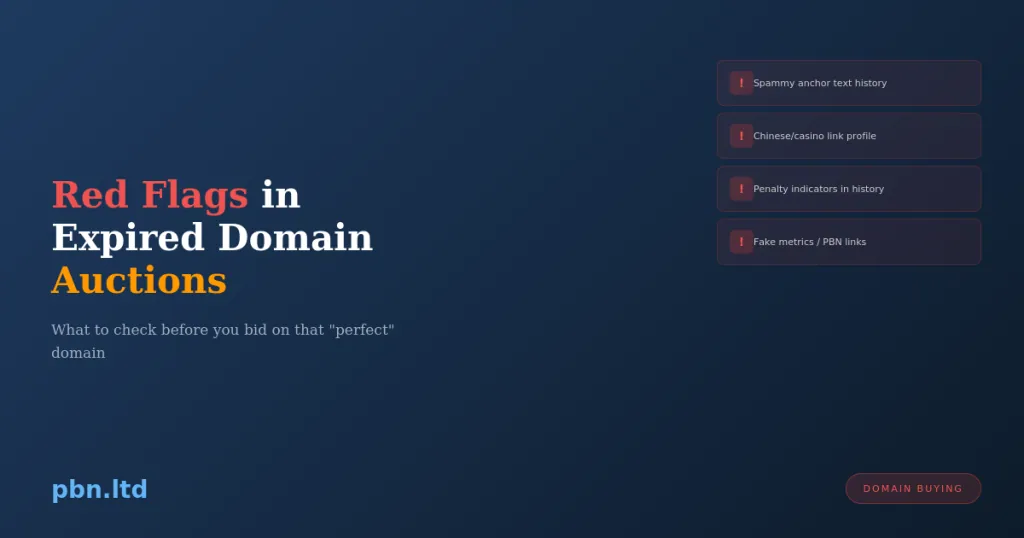
The expired domain market is full of opportunity. It’s also full of domains that look valuable but aren’t, sellers who know exactly what they’re hiding, and metrics that have been artificially inflated specifically to extract money from buyers.
Learning to spot red flags before you buy saves money and frustration. Here’s what to watch for.
The Sudden Metric Spike
Check the domain’s metric history, not just its current numbers. Ahrefs, Moz, and other tools show historical data. Look at how DR/DA changed over time.
A legitimate domain builds authority gradually over years. A domain being prepped for sale often shows a sudden spike in metrics—hundreds of new links appearing in the months before listing.
These links are typically from PBNs, link farms, or other low-quality sources. They exist solely to inflate the numbers that buyers look at. The links have no real value, and Google has likely already discounted them.
What to look for: Gradual, organic growth in referring domains over the domain’s active lifetime. Be suspicious of any domain where most of the backlink growth happened recently, especially if the domain was already inactive.
Links From Irrelevant Sources
Don’t just count backlinks—look at where they come from.
A domain that was genuinely about home renovation should have links from home improvement blogs, DIY communities, tool reviews, maybe local contractor directories. If instead you see links from random sites about cryptocurrency, weight loss, and online casinos, something is wrong.
Irrelevant links suggest either the domain was used for spam, or someone built garbage links to inflate metrics. Either way, the links aren’t providing the topical relevance that makes expired domains valuable.
What to look for: Topical consistency between the domain’s historical content and its backlink sources. Links should make sense in context.
The Anchor Text Distribution Problem
Natural backlink profiles have messy anchor text. Branded anchors, naked URLs, generic terms like “click here” and “this website,” occasional exact-match keywords mixed in randomly.
Manipulated backlink profiles show patterns. Heavy concentration of exact-match commercial anchors. Anchors that don’t match what the original site was about. Suspiciously optimised anchor text on links that supposedly appeared naturally.
If a domain about pet grooming has anchor text dominated by “best online casino” and “buy cheap insurance,” that domain was used for spam. The original value is gone, replaced by toxic link patterns.
What to look for: Diverse, natural-looking anchor text distribution. Branded and generic anchors should dominate. Exact-match commercial anchors should be a small minority. Read our detailed guide on anchor text psychology.
Wayback Machine Gaps and Anomalies
Check the domain’s history in the Wayback Machine. Look for:
Unexplained gaps. The domain was active from 2015-2018, then nothing until it appeared for sale. What happened during the gap? Was it parked? Used for spam? Redirected somewhere sketchy?
Content pivots. The domain started as a legitimate business site, then became a casino affiliate site, then a pharmacy spam page. Each pivot suggests different ownership and potentially toxic usage.
Spam content. Even brief periods of spam can poison a domain. If there’s any snapshot showing the domain serving malware, phishing, or aggressive spam, that history exists and may affect how Google treats the domain.
Parked pages. Extended periods showing registrar parking pages suggest the domain was dormant for a long time. As we’ve covered elsewhere, dormancy degrades value.
What to look for: Consistent, legitimate content throughout the domain’s history. The cleaner the history, the more likely the domain retains genuine value.
Links From Known Spam Networks
Some link sources are known to be worthless or actively harmful. Check if the domain’s backlinks include:
Links from domains that exist solely to sell links—sites with no real content, obviously generated pages, or patterns that mark them as link farms.
Links from hacked sites—legitimate sites that were compromised and had spam links injected. These links often get cleaned up, leaving the domain with a backlink profile that’s actively shrinking.
Links from foreign-language spam blogs—auto-generated content in languages that don’t match the domain’s topic or geography.
Links from blog comment spam—if the backlink profile is dominated by comment links from random blogs, those links are essentially worthless.
What to look for: Examine a sample of the actual linking pages. Are they real sites with real content? Or are they obvious spam properties?
The “High DR From One Source” Problem
Sometimes a domain has impressive metrics because of a single powerful backlink. Maybe it got mentioned on a major news site once, or linked from a government resource, or featured on a high-authority blog.
This can be legitimate, but it’s fragile. If that one link disappears, the domain’s metrics collapse. And you have no control over whether external sites maintain their links.
Sellers know this and often price domains based on their current metrics without mentioning that those metrics depend on a single link source.
What to look for: Diversified backlink sources. A domain with DR 40 from 200 different referring domains is more stable than a domain with DR 50 from 30 referring domains where one accounts for most of the authority.
Currently Penalised or Flagged
Check if the domain is currently in trouble before you buy it.
Google Safe Browsing status. Use Google’s transparency report to check if the domain is flagged for malware or phishing. If it’s flagged, you’re buying a problem.
Current index status. Do a “site:domain.com” search. If a domain that should have many indexed pages shows zero results, Google may have removed it entirely. That’s a major red flag.
Spam visibility. Search for the domain name in quotes. If the results show discussions about the domain being spammy, complaints about it, or mentions in spam databases, be cautious.
What to look for: Clean current status. No Safe Browsing flags. Reasonable index presence (or explainable absence if the domain has been down). No obvious spam reputation.
Trademark and Legal Issues
Some expired domains became available because of trademark disputes. The previous owner lost the domain or abandoned it to avoid legal action.
If a domain name contains or closely resembles a trademark, you might be buying a legal liability. The trademark owner could come after you with a UDRP complaint or worse.
Similarly, if the domain was previously used for a business that had legal problems—fraud allegations, regulatory actions, consumer complaints—that reputation may persist.
What to look for: Search for the domain name and check for any legal history. Avoid domains that clearly reference existing brands unless you’re certain there’s no trademark conflict.
The Too-Good-To-Be-True Price
If a domain with apparently excellent metrics is selling for suspiciously little, ask why.
Experienced domain sellers know what domains are worth. If they’re pricing a seemingly valuable domain cheaply, they usually know something you don’t. Maybe the metrics are fake. Maybe the domain has hidden problems. Maybe they’ve already extracted value and are dumping what’s left.
This doesn’t mean every cheap domain is bad—sometimes sellers misprice, or they’re liquidating quickly for reasons unrelated to domain quality. But treat low prices on high-metric domains as a prompt for extra due diligence, not a reason to skip it.
What to look for: Prices that align with market norms for the metrics shown. If something seems too cheap, investigate why.
Seller Behaviour Red Flags
How the seller behaves tells you something about the domain.
Pressure tactics. “Someone else is interested, you need to decide now.” Legitimate sellers don’t typically need to pressure buyers. Urgency tactics suggest they’re worried you’ll discover problems if you take time to investigate.
Refusing questions. If a seller won’t answer reasonable questions about domain history, previous usage, or why they’re selling, that’s suspicious.
Vague provenance. “I bought it from someone” with no details about when, how, or what state the domain was in. Legitimate sellers can usually explain their acquisition and ownership history.
Metric-only marketing. Listings that emphasise DR/DA numbers without discussing the domain’s actual history, content, or backlink quality are often hiding the fact that the metrics are the only good thing about the domain—and those metrics may be inflated.
Your Due Diligence Checklist
Before buying any expired domain:
Check metric history for unnatural spikes. Review backlink sources for relevance and quality. Analyse anchor text distribution for spam signals. Examine Wayback Machine history for content consistency. Verify current Safe Browsing and index status. Search for the domain’s reputation online. Consider whether the price makes sense. Ask the seller questions and note how they respond.
This takes time. But it takes far less time than recovering from buying a toxic domain, losing money on something worthless, or rebuilding a site that never performs because the foundation was rotten.
We’ve covered domain evaluation comprehensively in our framework at https://pbn.ltd/expired-domains-the-complete-evaluation-framework-for-2026/. For specific metric interpretation, see https://pbn.ltd/best-metrics-for-selecting-pbn-domains/. And if you’d rather have experts evaluate domains for you, our free advice service includes domain assessments.