
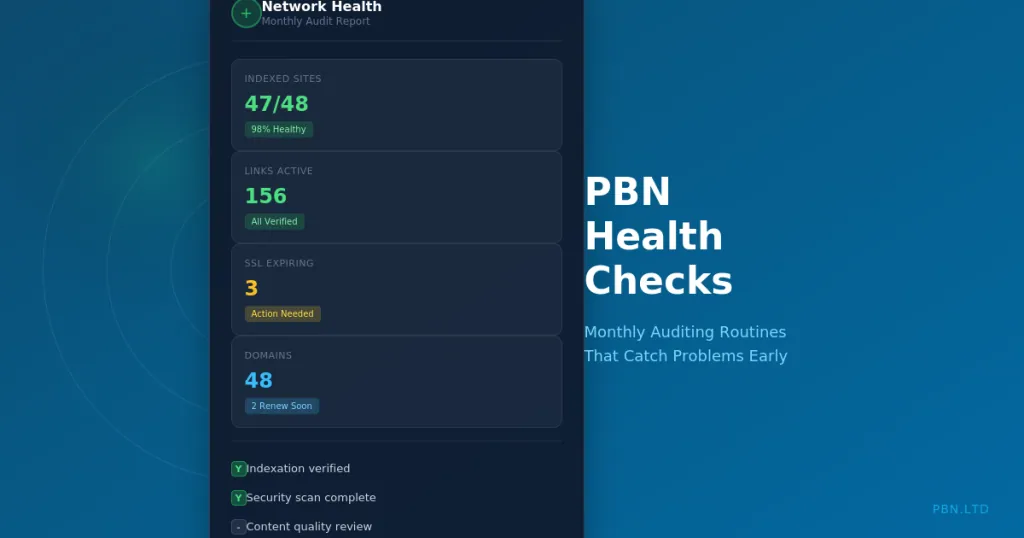
Networks decay. Sites lose indexation. Domains expire. Links break. Content becomes outdated. Security vulnerabilities appear. Without systematic monitoring, small problems become catastrophic failures before anyone notices.
The operators who maintain effective PBN networks for years share one common practice: regular health checks. They catch problems early when solutions are simple and cheap. They never discover that half their network stopped working six months ago.
This guide provides a complete monthly auditing framework for PBN networks. We cover what to check, how to check it efficiently, and what to do when you find problems. These routines scale from small personal networks to agency-level operations with hundreds of sites.
Why Regular Audits Matter
PBN sites face constant threats from multiple directions. Understanding these threats explains why passive monitoring fails and active auditing succeeds.
The Slow Degradation Problem
Most PBN failures do not happen suddenly. They develop gradually. A site loses a few backlinks. Rankings slip slightly. Crawl frequency decreases. Eventually the site drops from the index entirely. Each stage was preventable if caught early.
Without active monitoring, gradual degradation goes unnoticed. The site still exists. It still loads. From a quick glance, nothing seems wrong. But it stopped providing value months ago.
Regular audits catch degradation in early stages. A site showing warning signs can be strengthened before it fails completely. This is far easier and cheaper than replacing failed sites.
The Silent Failure Problem
Some failures produce no obvious symptoms. A domain expires and gets parked by the registrar. The URL still resolves. No error appears. But the site is gone, replaced by a parked page.
SSL certificates expire. Browsers show warnings but the site still loads for visitors who click through. Google may stop indexing pages with certificate errors without any notification.
Plugin conflicts cause subtle issues. A security plugin blocks Googlebot without blocking regular visitors. The site seems fine but stopped being crawled weeks ago.
Regular audits specifically check for these silent failures. They verify not just that sites exist but that they function correctly for their intended purpose.
The Compound Problem Effect
Small problems combine into large problems. A site with slightly thin content loses a few backlinks, which reduces authority, which decreases crawl frequency, which delays indexation of new content, which makes the site appear abandoned. Each factor reinforces the others.
Catching any element in this cascade early breaks the cycle. Adding content stops the thin content problem. Building links restores authority. The site recovers before compound effects destroy it.
Monthly audits are frequent enough to catch problems before they compound but not so frequent that they become operationally burdensome.
The Monthly Audit Framework
Effective audits are systematic. Working through the same checklist each month ensures nothing gets missed and makes the process efficient.
Indexation Status Checks
Indexation is the foundation. A deindexed site provides zero link value regardless of how good everything else looks. Check indexation first.
Site-Level Indexation
For each PBN site, verify that Google has indexed at least some pages. The simplest check is a site:domain.com search. If results appear, the site is indexed. If zero results appear, the site has been deindexed or was never indexed.
Our hosting includes automatic indexation monitoring that runs these checks automatically and alerts you to problems. But manual verification during monthly audits provides an additional layer of confirmation.
Record the number of indexed pages for each site. Tracking this over time reveals trends. A site that showed 50 indexed pages last month but only 30 this month is losing coverage. Investigate why.
Page-Level Indexation
Beyond site-level checks, verify that specific important pages are indexed. The pages containing your money site links matter most. A site might be indexed overall while specific pages are not.
Search for the exact URL of pages with important links. If the page does not appear, that link is not providing value regardless of the site’s overall indexation status.
For large networks, checking every page monthly is impractical. Sample key pages from each site. Prioritise pages with high-value links or recent additions.
Indexation Trend Analysis
Look for patterns across your network. If multiple sites show declining indexation simultaneously, something systemic may be happening. Algorithm updates, hosting issues, or footprint detection could affect multiple sites at once.
Isolated indexation problems are easier to address than network-wide issues. Individual site problems usually have specific causes. Network-wide problems suggest deeper issues with your overall approach.
Domain and Registration Checks
Domain problems can destroy sites instantly. Expired domains, registration issues, and DNS problems require immediate attention.
Expiration Date Review
Check expiration dates for all domains. Identify any expiring within 90 days. Ensure renewals are scheduled or automatic renewal is enabled.
Domain expiration is one of the most common causes of PBN site loss. A forgotten renewal can cost you a valuable domain and all the link equity it carried. Prevention is trivial but recovery is often impossible.
We provide domain management assistance including expiration monitoring and renewal reminders. But maintaining your own records as backup ensures nothing slips through.
WHOIS Privacy Verification
Verify that WHOIS privacy remains active on all domains. Some registrars disable privacy after transfers or renewals. Exposed registration details create footprints connecting your sites.
Run WHOIS lookups on a sample of domains monthly. Check that your personal or business details are not visible. If privacy has lapsed, restore it immediately.
DNS Configuration
Confirm DNS records point to correct locations. DNS changes can happen through registrar interface errors, account compromises, or propagation issues.
A quick DNS lookup for each domain confirms the A record points to your hosting. Any unexpected values warrant immediate investigation.
Hosting and Technical Checks
Technical issues can silently undermine site effectiveness. Monthly checks catch problems before they affect link value.
Site Availability
Verify every site loads correctly. Hosting problems, server errors, and configuration issues can take sites offline. A site that returns errors provides no link value.
Automated uptime monitoring handles this continuously, but manual checks during audits catch issues automated tools might miss. Load the site in a browser. Navigate to a few pages. Confirm everything functions.
Check from different locations if possible. CDN issues or geographic blocking might make sites unavailable in some regions while working in others.
SSL Certificate Status
Check SSL certificate validity for all sites using HTTPS. Expired certificates trigger browser warnings that deter visitors and may affect how Google treats the site.
Note expiration dates for certificates. Most should auto-renew, but verify this is actually happening. A certificate expiring in 30 days that should have auto-renewed indicates a problem.
For sites where SSL is unnecessary and might even create footprints, review our guidance on SSL decisions for PBN sites.
Loading Speed
Test loading speed for each site. Slow sites provide poor user experience and may be deprioritised by search engines. Sudden slowdowns indicate hosting problems, bloated databases, or plugin issues.
Compare current speeds to previous months. A site that loaded in two seconds last month but takes eight seconds now has developed a problem worth investigating.
Google’s PageSpeed Insights provides free speed testing with specific recommendations. Running key sites through this tool monthly catches performance degradation early.
WordPress and Plugin Updates
Check for pending WordPress core updates, theme updates, and plugin updates. Outdated software creates security vulnerabilities and compatibility issues.
Balance update urgency against stability. Security updates should be applied promptly. Feature updates can wait for confirmation they do not break sites. Major version upgrades warrant testing before network-wide rollout.
Track which versions each site runs. Inconsistent versions across your network are fine, but knowing what runs where helps diagnose issues when they arise.
Link and Content Checks
The links are why PBN sites exist. Verify they remain in place and functional.
Outbound Link Verification
Confirm all money site links remain in place. Links can be removed by hacked sites, accidental edits, or theme changes. A link that existed last month might be gone now.
Our outbound link tracking system monitors link placement automatically. For manual verification, visit pages with important links and confirm the links appear correctly.
Check that links point to correct destinations. URL changes on money sites might not have been reflected in PBN links. A link to a 404 page provides no value.
Link Attribute Verification
Verify link attributes have not changed. A followed link that became nofollow loses most of its value. Plugin updates or theme changes sometimes modify link handling without obvious notification.
Inspect link HTML to confirm no rel attributes have been added. Check a sample of links across different sites monthly.
Content Quality Review
Review content quality across your network. Standards evolve. Content that seemed acceptable a year ago might look thin by current standards.
Sample content from each site. Would this pass manual review today? Does it provide genuine value? Is it clearly AI-generated slop that has become more obviously detectable?
Content quality directly affects site longevity. Sites with genuinely useful content maintain indexation longer than sites with thin filler. For content improvement guidance, see our article on what content to use on PBN sites.
Broken Link Detection
Check for broken internal and external links within PBN sites. Broken links signal neglect and reduce user experience quality.
External link targets change over time. Sites you linked to as authority sources might have moved, closed, or become low quality. Update or remove broken external links.
Internal links break less often but still need checking. Deleted posts or changed permalinks can create internal 404s that make sites look poorly maintained.
Security Checks
Compromised sites can damage your entire network. Security issues require prompt attention.
Malware Scanning
Scan sites for malware infections. Hacked sites might inject spam links, redirect visitors, or serve malicious content. Any of these can result in deindexation and blacklisting.
Use security plugins or external scanning services to check for known malware signatures. Google Search Console also reports security issues for sites you have verified.
Check browser warnings. Chrome and other browsers display warnings for known malicious sites. If your sites trigger warnings, investigate immediately.
Unauthorised Access Detection
Review user accounts on WordPress sites. Hackers often create admin accounts for persistent access. Unknown user accounts indicate compromise.
Check for unexpected content. Posts you did not create, links you did not add, or plugins you did not install all suggest unauthorised access.
Review login logs if available. Failed login attempts might indicate brute force attacks. Successful logins from unexpected locations warrant investigation.
Spam Link Injection
Check for spam links injected into your sites. Hackers commonly inject hidden links to pharmaceutical, gambling, or other spam sites. These links may be invisible to visitors but visible to search engines.
View page source and search for unexpected URLs. Check footer areas, widget sections, and anywhere hackers commonly inject content. Search for common spam terms in your site’s HTML.
A site hosting injected spam links can be deindexed and may taint your network by association if the injection is traced back to other sites you control.
Metrics and Performance Tracking
Track key metrics over time to identify trends before they become problems.
Domain Authority Trends
Monitor authority metrics like Trust Flow, Domain Rating, or Domain Authority. These third-party metrics are imperfect but trends reveal meaningful changes.
A site with declining metrics is losing value. Investigate why. Lost backlinks, deindexation of key pages, or algorithm adjustments might be responsible.
Rising metrics without intervention might indicate natural link acquisition, which is excellent, or could indicate spam links being pointed at your site, which requires investigation. Understanding backlink profile analysis helps interpret what metric changes mean.
Backlink Profile Monitoring
Track incoming links to your PBN sites. New links appearing that you did not build might be natural acquisition or might be negative SEO attempts.
Lost links affect site authority. If a PBN site loses significant backlinks, its ability to pass link equity diminishes. Consider whether the site still provides sufficient value.
Traffic Patterns
If you track analytics on PBN sites, review traffic patterns. Real traffic indicates the site functions as a legitimate website. Zero traffic over extended periods is normal for pure link sites but worth noting.
Sudden traffic spikes might indicate ranking success for the site’s content. Sudden drops might indicate algorithm impact or technical problems.
Documenting and Acting on Audit Results
Audits generate information. That information only creates value when properly documented and acted upon.
Audit Record Keeping
Maintain audit records for each site. Record the date, what was checked, findings, and any actions taken. Historical records reveal trends invisible in single snapshots.
Spreadsheet tracking works well for most networks. Columns for each check category, rows for each site, and tabs for each month create clear historical records.
Note both problems and normal findings. Knowing that a site was healthy last month helps diagnose problems that appear this month.
Issue Prioritisation
Not all problems require immediate action. Prioritise based on severity and urgency.
Critical: Deindexation, security compromises, domain expiration within 30 days. Address immediately.
High: Missing links, SSL expiration within 60 days, significant metric declines. Address within one week.
Medium: Slow loading speeds, outdated plugins, broken external links. Address within the month.
Low: Content quality improvements, optimisation opportunities. Schedule for future maintenance.
Remediation Tracking
Track issues through to resolution. An identified problem is not a solved problem. Record what action was taken and verify the issue is actually resolved.
Follow up on fixes in subsequent audits. A site that was deindexed should show recovery in later audits. If it does not, the remediation was insufficient.
Scaling Audit Processes
Audit processes must scale with network size. What works for ten sites becomes impractical for one hundred.
Automation Where Possible
Automate checks that can be automated. Indexation monitoring, uptime checking, SSL expiration warnings, and basic security scanning can all run automatically with alerts for problems.
Our hosting platform automates many of these checks for hosted sites. External services can provide similar functionality for sites hosted elsewhere.
Reserve manual effort for checks requiring human judgment: content quality assessment, contextual link verification, and security deep dives.
Sampling for Large Networks
For networks exceeding fifty sites, comprehensive monthly checks become time-consuming. Implement sampling strategies instead.
Check all critical items for all sites: indexation, domain expiration, site availability. These automated checks scale easily.
Sample detailed checks across different site subsets each month. Check one-third of sites thoroughly each month so every site receives full review quarterly.
Team Distribution
For agency-level operations, distribute audit responsibilities across team members. Each person owns a subset of sites or specific check categories.
Standardised checklists ensure consistency regardless of who performs the audit. Clear escalation procedures ensure problems reach decision-makers promptly.
Conclusion
Regular health checks transform PBN management from reactive crisis response to proactive asset maintenance. Problems caught early are problems solved cheaply. Problems discovered late often mean lost sites and wasted investment.
Implement the audit framework systematically. Start with critical checks. Add comprehensive reviews as processes mature. Document everything. Act on findings promptly.
The time investment is modest compared to the protection provided. A few hours monthly prevents the kind of disasters that destroy months of work. Networks maintained with regular audits last years. Networks neglected fail within months.
For hosting that supports these operational requirements with built-in monitoring and management tools, explore our PBN hosting services. Proper infrastructure makes health checks easier and more effective.