
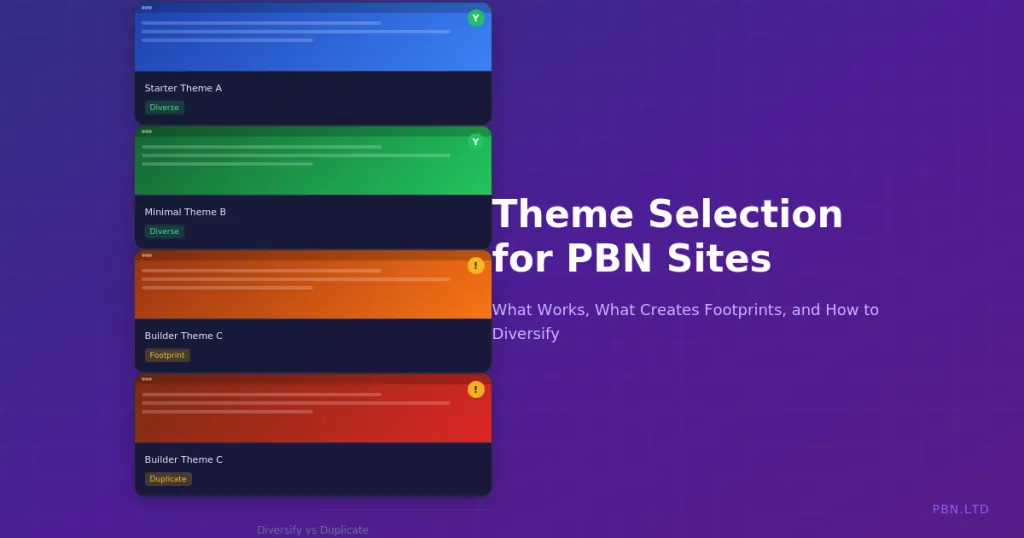
Every WordPress theme leaves traces. The HTML structure, CSS class names, JavaScript libraries, and meta tags all create signatures that can be detected and compared. When multiple sites share the same theme, that shared signature becomes a potential footprint connecting them.
Theme selection for PBN sites requires balancing multiple concerns. You need themes that work technically, look legitimate, perform well, and avoid creating detectable patterns across your network. Poor theme choices undermine otherwise careful network construction.
This guide covers theme selection strategy for PBN networks. We examine what makes themes detectable, which theme types work best, and how to diversify effectively across your network.
How Themes Create Footprints
Understanding theme detection mechanisms helps you avoid creating connections between sites.
HTML Structure Signatures
Every theme produces characteristic HTML patterns. The order of elements, nesting structures, and wrapper divisions create identifiable signatures. Automated tools can compare HTML structures across sites and identify matches.
Header layouts are particularly distinctive. How navigation menus are structured, where logos appear, and how mobile menus render all vary between themes. Two sites with identical header HTML likely share a theme.
Footer structures similarly create signatures. Widget areas, copyright sections, and footer navigation all follow theme-specific patterns. Even with different content, the underlying structure reveals the shared framework.
CSS Class Names
CSS class names are often highly distinctive. Theme developers use naming conventions that persist across all sites using their theme. Classes like theme-name-header, developer-prefix-widget, or framework-specific names appear in every installation.
Page builder themes have particularly recognisable class patterns. Elementor produces characteristic class names. Divi has its own patterns. These frameworks are popular enough that detection tools specifically look for their signatures.
Even generic themes often include distinctive classes. Developer prefixes, framework indicators, and version-specific classes all contribute to identifiable patterns.
JavaScript and Asset Loading
Themes load JavaScript libraries and assets in characteristic ways. The specific libraries included, the order of script loading, and the file naming conventions all create signatures.
Script handles in WordPress source code reveal theme identity. Viewing page source shows script tags with handles like theme-name-main-js or framework-scripts that identify the theme.
Font loading patterns also create fingerprints. Which Google Fonts are loaded, how they are loaded, and fallback specifications all follow theme defaults unless manually changed.
Meta Tags and Comments
Many themes insert identifying information into page source. Generator meta tags, HTML comments crediting the theme developer, and hidden version information all reveal theme identity.
Some themes include credits in visible footer areas by default. Powered by theme-name links must be removed but are often forgotten. These obvious identifiers are the easiest footprints to detect.
Even when visible credits are removed, source code comments may remain. Developers often leave comments for maintenance purposes that reveal the theme being used.
Theme Types and Their Footprint Risks
Different categories of themes carry different footprint risks. Understanding these categories helps with selection strategy.
Popular Premium Themes
Themes with millions of installations like Avada, Divi, or Astra are extremely common across the web. Using these themes does not automatically connect your sites because so many unrelated sites use them too.
However, using the same popular theme across multiple PBN sites does create a shared characteristic. While not definitive proof of connection, it is one data point among many. Combined with other shared characteristics, theme matching becomes more significant.
Popular themes also have the advantage of regular updates and security patches. Abandoned themes with vulnerabilities can compromise your entire network.
Niche-Specific Themes
Themes designed for specific niches like real estate themes, restaurant themes, or medical practice themes have smaller user bases. Using the same niche theme across multiple sites creates stronger footprint signals.
These themes can be appropriate when building sites in specific verticals. A restaurant-focused PBN site using a restaurant theme looks natural. But using that same restaurant theme on a tech blog would be unusual and memorable.
Match niche themes to appropriate niches and do not reuse the same niche theme across unrelated sites in your network.
Page Builder Themes
Themes built around page builders like Elementor, Beaver Builder, or Divi Builder offer extensive customisation but create distinctive code patterns. The page builder framework leaves signatures regardless of visual customisation.
Page builders also add weight and complexity. Sites built with heavy page builders load more slowly and require more server resources. For PBN sites that need to be lightweight and fast, page builder overhead is unnecessary.
If you use page builder themes, diversify across different page builders. Using Elementor across your entire network creates a shared characteristic. Mixing Elementor, Beaver Builder, and non-builder themes reduces this signal.
Starter and Minimal Themes
Minimal starter themes provide basic functionality with less distinctive signatures. Themes like GeneratePress, Neve, or Kadence in their base configurations are relatively anonymous.
These themes work well for PBN sites because they look professional without being memorable. A site using GeneratePress looks like countless other small websites across the internet.
The simplicity also means faster loading and fewer potential conflicts. Minimal themes require less maintenance and break less often during WordPress updates.
Default WordPress Themes
Default themes like Twenty Twenty-Four are commonly recommended for avoiding paid theme footprints. However, default themes carry their own risks.
Unchanged default themes signal minimal effort. Real websites rarely run unmodified default themes. An entire network of sites using Twenty Twenty-Four with no customisation looks obviously manufactured.
If using default themes, customise them noticeably. Change colours, modify layouts, and alter enough that the site does not scream default installation.
Theme Selection Criteria
Beyond footprint considerations, themes must meet functional requirements for effective PBN sites.
Performance Requirements
Fast loading matters for both user experience and search engine evaluation. Bloated themes with excessive scripts slow page loads and hurt performance scores.
Choose themes known for performance. Test loading speed before committing. A theme that looks great but loads in eight seconds harms your site’s effectiveness. Our guidance on Core Web Vitals covers the technical performance metrics that matter.
Minimal themes generally outperform feature-rich themes. For PBN sites that need basic blog functionality, a lightweight theme is usually sufficient and faster.
Mobile Responsiveness
Mobile-friendly design is non-negotiable. Google’s mobile-first indexing means your site is evaluated based on its mobile presentation. Themes with poor mobile responsiveness will struggle.
Test themes on actual mobile devices, not just browser resize. Some themes that appear responsive fail on real mobile browsers due to viewport issues or touch interaction problems.
Modern themes from reputable developers generally handle responsiveness well. Older themes or budget themes may have issues. Always verify before deploying.
Update and Support Status
Abandoned themes become security liabilities. Themes that have not been updated in years may have unpatched vulnerabilities that expose your sites to compromise.
Check theme update history before selection. Themes with regular updates from active developers are safer long-term choices. A theme last updated three years ago should be avoided regardless of how good it looks.
Premium themes with ongoing support agreements provide security updates and compatibility fixes. Free themes may be abandoned without notice. Factor maintenance expectations into selection.
Customisation Flexibility
Themes need sufficient customisation options to differentiate sites. A theme that only allows changing the logo and header colour cannot create enough visual distinction between sites.
Look for themes with colour scheme options, layout variations, typography choices, and header and footer alternatives. These options let you make each site visually distinct even when using the same underlying theme.
Child theme support allows deeper customisation without losing update capability. Themes that support child themes let you modify templates and functions while still receiving parent theme updates.
Network Diversification Strategies
Single-theme networks create obvious footprints. Effective diversification requires systematic approaches.
Theme Rotation Systems
Maintain a library of approved themes and rotate through them when building new sites. If your library contains ten vetted themes, each new site uses the next theme in rotation.
Track which themes are assigned to which sites. A spreadsheet mapping domains to themes helps avoid accidental duplication and ensures even distribution across your library.
Periodically update your theme library. Add new themes that meet your criteria. Retire themes that become problematic or stop receiving updates.
Visual Customisation Requirements
Even when using the same theme on different sites, visual customisation should make them appear different. Change colour schemes, header layouts, typography, and sidebar configurations.
Create customisation checklists for each theme in your library. When assigning a theme to a new site, the checklist ensures adequate differentiation from other sites using that theme.
Document the customisations applied to each site. If you need to rebuild a site or troubleshoot issues, knowing what was customised saves time.
Framework Diversification
Beyond individual themes, diversify across theme frameworks. Include themes built on different foundations: some page builder themes, some starter themes, some classic themes.
Mixing frameworks creates fundamental code differences between sites. An Elementor-based site and a GeneratePress site share almost no code signatures regardless of visual similarity.
This framework diversification aligns with broader footprint avoidance principles. Just as diverse hosting infrastructure protects against network-level detection, diverse theme frameworks protect against code-level detection.
Removing Theme Identifiers
Even with careful theme selection, removing obvious identifiers reduces detectability.
Footer Credits and Visible Attribution
Most themes include footer credits by default. Powered by WordPress and Theme Name links should be removed or replaced. Check theme settings first, as many themes offer built-in credit removal.
If theme settings do not allow credit removal, use a child theme to override the footer template. This maintains updateability while removing identifying information.
Replace removed credits with generic or site-specific text. Copyright notices with the site name look natural and professional.
Meta Tags and Generator Information
WordPress adds generator meta tags identifying the version. Some themes add their own generator tags. These can be removed with simple functions in your child theme or functions file.
Review page source for any identifying meta tags. Search for the theme name in your page source. Any matches indicate information that could be removed.
Source Code Comments
HTML comments in page source often identify themes. Developers leave comments for their own reference that persist in production. These can be stripped using minification or custom filters.
Minification plugins often remove HTML comments as part of their optimisation. This provides performance benefits while coincidentally removing identifying comments.
Script and Style Handles
WordPress script handles appear in source code and can identify themes. Changing these handles requires more advanced customisation but can be done via child theme functions.
This level of customisation is rarely necessary. Most footprint detection focuses on more obvious signals. But for high-security networks, handle renaming provides additional obscurity.
Managing Themes at Scale
Large networks require systematic theme management to maintain both diversity and operational efficiency.
Theme Library Documentation
Maintain detailed documentation of your theme library. For each theme, record the version, source, licence status, update schedule, and any known issues.
Document customisation procedures for each theme. When setting up a new site, clear documentation allows consistent implementation without rediscovering settings each time.
Track which sites use which themes. This mapping helps with update planning, troubleshooting, and ensuring adequate diversity as your network grows.
Update Management
Theme updates across large networks require careful management. Updating themes too quickly risks breaking sites. Waiting too long creates security vulnerabilities.
Test updates on a subset of sites before network-wide rollout. If an update causes problems, you discover this on a few sites rather than across your entire network.
Stagger updates across sites. Do not update all sites using the same theme on the same day. This prevents simultaneous breakage and avoids creating a footprint of coordinated update activity. Our central management dashboard helps coordinate updates across networks.
Child Theme Management
For themes requiring significant customisation, child themes allow modifications while preserving updateability. But child themes must also be managed.
Store child theme files in version control. When parent themes update, verify child theme compatibility. Document any parent theme updates that break child theme functionality.
Consider creating site-specific child themes to further differentiate sites. A unique child theme for each site provides maximum differentiation while maintaining the parent theme’s security updates.
Blueprint Systems for Consistent Deployment
For networks requiring efficient deployment, blueprint systems combine theme selection with broader site configuration. Our blueprint templates allow you to create reusable configurations that include theme settings, plugins, and customisations.
Create multiple blueprints with different theme configurations. When deploying a new site, select a blueprint that has not been recently used in your network.
Blueprints should include theme customisation settings that differentiate the deployment from the theme’s defaults. This provides efficiency without sacrificing diversity.
Common Theme Selection Mistakes
Awareness of common mistakes helps you avoid them.
Using One Theme Across All Sites
The most obvious mistake is using a single theme across an entire network. Even with customisation, the underlying code signature remains identical. This creates an easily detectable footprint.
Always maintain theme diversity. No single theme should represent more than a small fraction of your network. The larger your network, the more themes you should use.
Choosing Distinctive Uncommon Themes
Using rare or unusual themes makes sites more memorable. A theme with only a hundred installations worldwide creates a stronger connection signal than a theme with millions of users.
Select themes with substantial user bases. Common themes provide anonymity. Unusual themes stand out in ways that can connect your sites.
Neglecting Theme Updates
Failing to update themes creates security risks that can compromise your entire network. A single compromised site can expose connections to other sites through shared infrastructure or account access.
Maintain themes actively. Schedule regular update reviews. Replace themes that no longer receive updates from their developers.
Ignoring Performance Impact
Selecting themes based only on appearance ignores performance implications. A beautiful but slow theme harms site effectiveness. Performance affects both user experience and search engine evaluation.
Always test theme performance before deployment. A few seconds of additional load time might not seem significant but can meaningfully impact site quality scores.
Conclusion
Theme selection is a foundational decision for PBN sites. The right themes provide professional appearance, good performance, and footprint diversity. Poor choices create technical problems and detectable network patterns.
Build a diverse theme library with themes meeting your performance and functionality requirements. Rotate through this library systematically. Customise each deployment to create visual distinctiveness.
Remove obvious identifying information. Manage themes actively with regular updates. Document your choices and configurations for long-term network management.
Theme diversity is one component of comprehensive footprint avoidance. Combined with proper hosting infrastructure, content diversity, and careful operational practices, theme selection contributes to networks that remain effective long-term.