
You built the links. You waited. Nothing happened. Or worse, it worked for months, then stopped. Rankings plateaued or dropped. The PBN links that once moved needles now seem to do nothing at all.
This is one of the most frustrating situations in SEO. You know you have link equity pointing at your pages. You can see the links exist. But the expected results are not materialising.
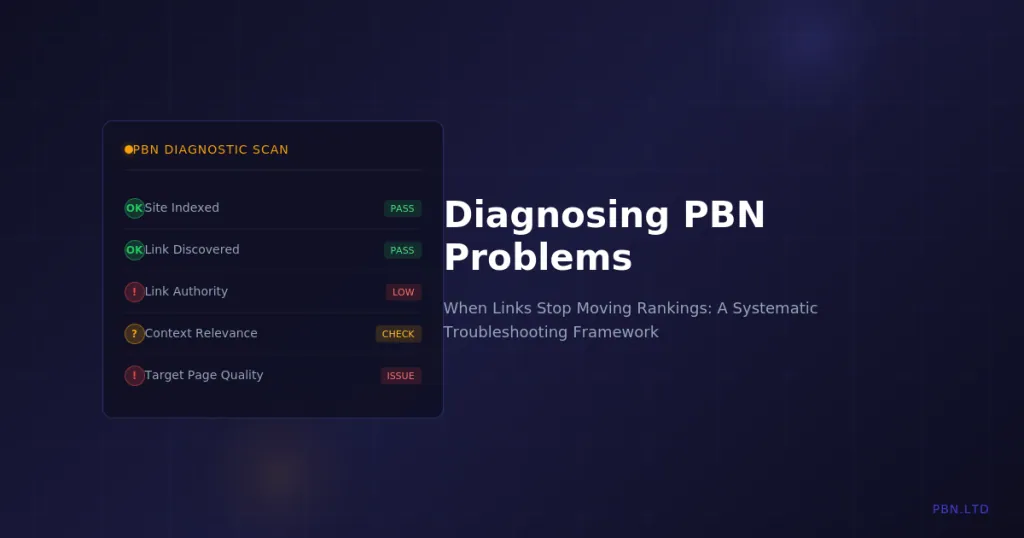
This guide is a systematic troubleshooting framework for diagnosing why PBN links are not delivering results. We cover every common cause, how to identify each one, and what to do about it.
The answer is rarely simple. Usually multiple factors combine to reduce effectiveness. Working through this diagnostic process methodically will identify what is actually happening.
Before You Diagnose: Setting Realistic Baselines
Before assuming something is wrong, verify that your expectations are realistic. Many perceived PBN problems are actually expectation problems.
Timeline Expectations
Links do not work instantly. Google must crawl the linking page, discover the link, process it, and incorporate it into ranking calculations. This takes time. Expecting movement within days of placing links sets you up for false alarms.
Realistic timelines vary by situation. New links to pages Google crawls frequently might show impact within two to four weeks. Links to pages crawled less often might take six to eight weeks. Links during periods of algorithmic volatility might take longer to stabilise into clear patterns.
If you placed links last week and see nothing yet, that is normal. If you placed links three months ago and see nothing, that warrants investigation.
Competitive Context
Links move rankings relative to competition. If your competitors are also building links, your links might maintain position rather than improve it. This is still working, just not producing visible gains.
Assess the competitive landscape honestly. How strong are competing pages? What are their backlink profiles? Are they actively building? A handful of PBN links will not overcome a massive authority deficit in competitive niches.
If you are targeting competitive terms with minimal link investment, the problem might be insufficient firepower rather than broken links.
Measurement Accuracy
Ranking trackers have limitations. They check from specific locations. They can show different results than what users see. Daily fluctuations are normal and do not indicate problems.
Verify ranking data through multiple sources. Check Search Console for impression and click data. Use incognito browsers from different locations. Look at trends over weeks, not daily snapshots.
Sometimes the perceived problem is measurement noise rather than actual performance issues.
The Diagnostic Framework
Work through these categories systematically. Check each one before moving to the next. The most common causes come first.
Category 1: Link Discovery Issues
The most common reason links do not work is that Google has not found them. Links that have not been discovered cannot pass value.
PBN Site Not Indexed
If the PBN site itself is not in Google’s index, no links from it will have any effect. This is the first thing to check and the most common cause of non-performing links.
How to check: Search for site:domain.com in Google. If zero results appear, the site is not indexed. If some pages appear but not the page with your link, that specific page is not indexed.
Common causes: New domains that have not been indexed yet. Sites that were indexed but got dropped due to quality issues. Sites blocked by robots.txt or noindex tags. Sites penalised or manually removed.
Solutions: For new sites, focus on getting them crawled and indexed before expecting link value. For dropped sites, investigate why and address the underlying issue. Check technical configurations for accidental blocking.
We provide automatic indexation monitoring for all sites on our hosting, which catches deindexation quickly. But you should verify independently when troubleshooting.
Linking Page Not Crawled
The site might be indexed, but the specific page containing your link might not have been crawled recently or at all.
How to check: Search for the exact URL in Google. Check if the page appears in site:domain.com results. Use Google’s URL inspection tool if you have Search Console access for the PBN site.
Common causes: New pages on sites with low crawl frequency. Pages with no internal links pointing to them. Deep pages that crawlers rarely reach.
Solutions: Ensure the linking page has internal links from other indexed pages. Submit the URL to Google Search Console. Build external links to the PBN page to encourage crawling.
Link Not Visible to Crawlers
Sometimes links exist on the page but are not visible to crawlers due to technical implementation.
How to check: View the page source and search for your link. Check if it appears in the raw HTML or only renders via JavaScript. Use Google’s mobile-friendly test or URL inspection tool to see how Google renders the page.
Common causes: Links inserted via JavaScript that Google does not execute. Links inside iframes. Links that only appear after user interaction. Links hidden by CSS.
Solutions: Ensure links are in the static HTML source. Avoid JavaScript-dependent link insertion on PBN sites. Test rendering from Google’s perspective.
Category 2: Link Value Issues
Google may have found your links but assigned them minimal or no value. Several factors can cause this.
Nofollow or Sponsored Attributes
Links with rel=”nofollow”, rel=”sponsored”, or rel=”ugc” attributes tell Google not to pass PageRank through them. These links may still have some value as hints, but dramatically less than followed links.
How to check: Inspect the link element in page source. Look for rel attributes on the anchor tag. Some themes or plugins add nofollow to all external links by default.
Common causes: WordPress plugins that add nofollow to external links. Theme settings that nofollow outbound links. Manual addition during content creation.
Solutions: Check plugin settings for external link handling. Review theme options. Ensure content creation process does not add these attributes.
Low Authority Source
A link from a site with no authority passes minimal value. If your PBN sites have weak metrics, the links may simply not carry enough weight to move rankings.
How to check: Review metrics for your PBN sites. Check Trust Flow, Domain Rating, or Domain Authority. Look at the backlink profiles of the PBN sites themselves.
Common causes: New domains with no link equity. Expired domains that lost their backlinks. Sites that have never received external links.
Solutions: Build links to your PBN sites to increase their authority. Use tiered link building strategies. Focus on acquiring better domains with existing backlink profiles.
Our guide on powering up your PBN covers strategies for increasing PBN site authority.
Link Placement Issues
Where a link appears on a page affects its value. Links buried in footers, sidebars, or author bios typically pass less value than contextual links within main content.
How to check: Review actual link placement on PBN pages. Is the link in the main content area? Is it surrounded by relevant text? Or is it in a sidebar widget or footer section?
Common causes: Automated link insertion that places links in suboptimal locations. Site-wide links that appear on every page. Links in template areas rather than content.
Solutions: Place links within the main content body. Surround links with relevant contextual text. Avoid site-wide or template-based link placement.
Irrelevant Context
Google evaluates the context around links. A link to a plumber from an article about cryptocurrency makes no contextual sense and may be devalued or ignored entirely.
How to check: Read the content surrounding your links. Does the link make sense in context? Would a human reader expect that link to appear there?
Common causes: Forcing links into unrelated content. Using generic PBN sites for any client regardless of niche. Prioritising link quantity over contextual fit.
Solutions: Match PBN site topics to money site topics. Create content specifically designed to support relevant outbound links. Build niche-focused PBN sites rather than general-purpose sites.
Category 3: Target Page Issues
Sometimes the links are fine but the target page has issues that prevent ranking improvement.
On-Page SEO Problems
Links cannot overcome fundamental on-page problems. If the target page has poor content, bad user experience, or technical issues, links alone will not fix rankings.
How to check: Evaluate the target page objectively. Is the content comprehensive and useful? Does it satisfy search intent? Are there technical issues like slow loading, poor mobile experience, or indexation problems?
Common causes: Thin content that does not satisfy searchers. Poor user experience metrics. Technical SEO issues on the money site. Content that does not match search intent.
Solutions: Improve target page content quality. Fix technical issues. Ensure the page genuinely deserves to rank for target terms. Links amplify page quality but cannot replace it.
Review our guide on on-site SEO importance for comprehensive on-page optimisation advice.
Cannibalisation Issues
If multiple pages on your site target the same keyword, Google may struggle to determine which should rank. Link equity gets split across competing pages, reducing effectiveness.
How to check: Search for your target keyword with site:yourdomain.com. Do multiple pages appear? Check Search Console for which URLs get impressions for the keyword. Look for fluctuation between different pages ranking.
Common causes: Blog posts and service pages targeting the same term. Category pages competing with product pages. Old content competing with newer content.
Solutions: Consolidate competing pages. Use canonical tags to indicate preferred versions. Ensure clear topical separation between pages. Redirect or noindex redundant pages.
Manual Actions or Penalties
If the target site has received a manual action or algorithmic penalty, links will not help until the penalty is resolved.
How to check: Review Search Console for manual action notifications. Look for sudden, dramatic ranking drops that correlate with known algorithm updates. Check if the site ranks for its own brand name.
Common causes: Unnatural links detected by Google. Thin or duplicate content issues. User experience problems. Policy violations.
Solutions: Address the specific issues identified. Submit reconsideration requests for manual actions. Improve overall site quality for algorithmic issues. This must be resolved before links will help.
Category 4: Network-Level Issues
Problems can exist at the network level rather than with individual links.
Footprint Detection
If Google has identified your PBN as a link network, it may be devaluing all links from it. Detected networks continue to exist and appear functional but their links carry no weight.
How to check: This is difficult to confirm directly. Look for patterns: do links from this network move rankings for any sites? Have multiple clients using the same network all seen declining effectiveness? Did effectiveness drop suddenly after an update?
Common causes: Hosting footprints connecting sites. Similar site designs or templates. Linking patterns that reveal network structure. Registration details that connect domains.
Solutions: Audit for footprints across the network. Diversify hosting infrastructure. Vary designs and content approaches. If the network is compromised, building new infrastructure may be necessary.
Proper hosting infrastructure prevents most footprint issues. See our explanation of why IP diversity alone is not enough for understanding what proper footprint elimination requires.
Algorithmic Devaluation
Google’s algorithms may have learned to devalue links with certain characteristics that your network shares. This is not a penalty but a pattern recognition that reduces link value.
How to check: Compare link characteristics across your network to known quality signals. Are your PBN sites thin? Do they have suspicious link profiles themselves? Do they match patterns Google has targeted in updates?
Common causes: Low-quality PBN site content. PBN sites with no external links themselves. Unnatural outbound link patterns. Sites that match known PBN characteristics.
Solutions: Improve PBN site quality to match legitimate independent sites. Build natural-looking backlink profiles for PBN sites. Ensure PBN sites would pass manual review as real websites.
Category 5: External Factors
Sometimes the links are working but external factors mask or counteract their effect.
Competitor Activity
If competitors are building links faster than you, your rankings may decline even though your links are providing value. You are running uphill.
How to check: Monitor competitor backlink profiles over time. Are they acquiring new links? Are new competitors entering the space with strong link profiles?
Solutions: Increase link building velocity. Diversify link sources beyond PBN. Focus on acquiring higher-quality links. Consider whether the competitive landscape is viable for your resources.
Algorithm Updates
Major algorithm updates can change how links are valued. An update might reduce the weight of certain link types or increase the importance of other ranking factors.
How to check: Correlate ranking changes with known update dates. Review industry discussion about update impacts. Compare your situation to broader patterns others are reporting.
Solutions: Adapt link building strategy to current algorithm realities. Diversify ranking factors beyond links. Ensure overall site quality matches current standards.
Our analysis of the SpamBrain system covers how Google’s current link evaluation works.
SERP Feature Changes
Changes to search results layout can affect click-through rates and perceived ranking value even when actual position has not changed.
How to check: Review how SERPs look for your target keywords. Have featured snippets, knowledge panels, or other features appeared? Is organic real estate shrinking?
Solutions: Optimise for SERP features where possible. Target keywords with more organic-friendly result pages. Adjust traffic expectations based on current SERP reality.
Systematic Troubleshooting Process
When links are not working, work through this process methodically.
Step 1: Verify expectations are realistic. Have you waited long enough? Is the competition level appropriate for your link investment?
Step 2: Check link discovery. Are PBN sites indexed? Are linking pages indexed? Are links visible in source?
Step 3: Verify link value. Check for nofollow. Assess source authority. Review placement and context.
Step 4: Evaluate target page. Is on-page SEO solid? Any cannibalisation? Any penalties?
Step 5: Assess network health. Any footprint concerns? Quality issues across sites?
Step 6: Consider external factors. Competitor activity? Recent updates? SERP changes?
Document findings at each step. Often multiple issues combine. Address them in order of impact and difficulty.
When to Abandon vs When to Fix
Sometimes fixing the problem is worthwhile. Sometimes starting fresh makes more sense.
Fix when: Issues are clearly identifiable. Solutions are straightforward. The underlying assets have value worth preserving.
Abandon when: The network appears compromised. Multiple serious issues exist. Fixing would cost more than replacement.
Make this decision rationally based on cost-benefit analysis, not emotional attachment to existing infrastructure.
Conclusion
When PBN links stop moving rankings, the cause is rarely obvious. Multiple factors can contribute, and finding the actual problem requires systematic investigation.
Start with the most common issues: indexation problems and unrealistic expectations. Work through the diagnostic framework methodically before concluding that something fundamental is broken.
Most issues are fixable once identified. The key is accurate diagnosis rather than guessing and hoping.
Maintain monitoring systems that catch problems early. Regular audits of indexation status, link placement verification, and network health checks prevent small issues from becoming major problems.
The operators who maintain effective networks over time are not luckier than others. They are more systematic about identifying and addressing problems before those problems destroy value.