
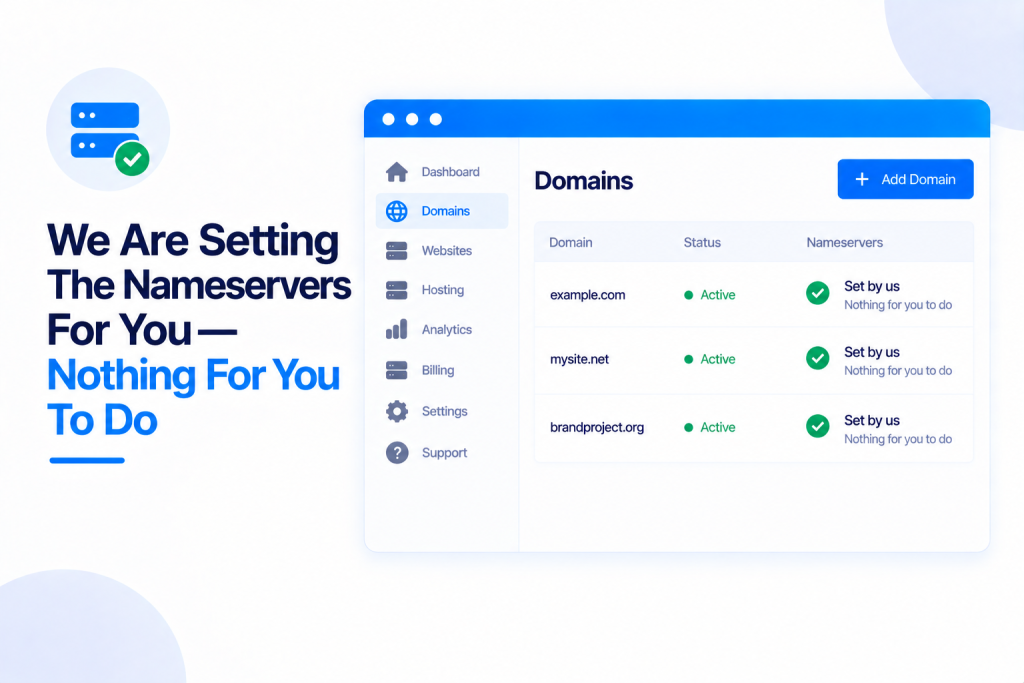
You may have spotted this message on one of your sites: “We are setting the nameservers for you — nothing for you to do.” It means exactly what it says. For any domain we’re able to handle, we update your nameservers at the registrar for you automatically — so your site goes live without you ever logging in to a registrar. Here’s what’s happening behind that message, and the rare times you’d need to step in.
💡 Heads-up
If you see that message, there’s genuinely nothing for you to do — we’re on it. It usually happens within about 10 minutes, and your site goes live as soon as DNS catches up. You only need to set nameservers yourself if we tell you we can’t do it for a particular domain.
What nameservers do
Nameservers are what link your domain name to your hosting — they tell the internet that your domain should load the site you’ve set up here. Until your domain points at our nameservers, the site can’t go live on it. Setting them is normally a fiddly step over at your registrar, and that’s exactly the bit we take off your hands wherever we can.
When we set them for you
Whenever we’re able to, we set your nameservers for you automatically — no logging in to a registrar, no copying and pasting. That covers:
- Domains you buy through PBN.LTD — as soon as the registration completes, we update the nameservers at the registrar for you automatically.
- Domains where you’ve connected your registrar account (Namecheap, Porkbun or ZinnDigital) so we can update the nameservers for you (see Automatically Update Nameservers – Connect Your Registrar Accounts).
When it’s automatic, you genuinely don’t need to do a thing.
What the notice tells you
We show a single, plain-English notice, and it’s the same everywhere it appears in your dashboard — on the site’s page, on its card in your Sites list, in the Add a site form, and in the daily reminder email — so no two screens ever disagree. Depending on the stage, it’ll say something like:
- “We are setting the nameservers for you — nothing for you to do” — naming the registrar, usually within about 10 minutes.
- “We set the nameservers for you at [your registrar] a few minutes ago — the site goes live as soon as DNS catches up.”
- For a domain you bought through our checkout: “as soon as the registration completes we point it at your site by ourselves.”
Even as you type a domain into the Add a site form, it tells you up front: “We will set this domain’s nameservers for you.” And if a daily reminder email would only list domains we’re already handling for you, we don’t send it at all.
When you need to do it yourself
Occasionally we can’t set the nameservers for a domain — for instance one registered somewhere we’re not connected to. When that happens we don’t leave you guessing: we show you the exact nameservers to use and the steps to add them at your registrar. And if an automatic attempt failed, we show the registrar’s own message too, so you can see what went wrong.
How long it takes
Setting the nameservers usually happens within about 10 minutes. After that, the change needs to spread across the internet (this is called DNS propagation), which is normally quick but can occasionally take a little longer. Your site goes live by itself as soon as it catches up — there’s nothing to keep pressing or checking.
✅ Quick summary: For any domain we can handle — one you bought through us, or one where you’ve connected your registrar (Namecheap, Porkbun or ZinnDigital) — you don’t need to touch nameservers. We set them automatically, usually within about 10 minutes, and your site goes live on its own once DNS catches up. You’ll see one consistent “nothing for you to do” notice across your dashboard. Only when we truly can’t set them do we ask you to — and then we hand you the exact nameservers and steps.