PBN.LTD automatically keeps an eye on all your sites and quietly fixes the common problems that break them — usually the kind caused by an import, a restore or a half-finished update. When it repairs something it takes a backup first and emails you to say what it did, and you can also run the same check and repair yourself, any time, in one click.
💡 Heads-up
The health check only ever fixes the “plumbing” — the settings that connect your site to our platform — and puts back damaged core files from the official version. It never touches your themes, plugins, uploads or content, and every repair takes a backup first, so you can always go back.
What it checks and fixes
Every hour, we check all your sites — every type we host — for the kind of damage that a customer’s own import, restore or interrupted update usually causes, such as:
- The platform settings that connect your site to us going missing (for example the lines in
wp-config.php). - The site left pointing at an old host or its temporary preview address.
- An administrator shown on the site page who no longer exists inside the site.
- One-click login not working as it should.
Once a day — and whenever you press the button — it also compares your core files with the official release and puts back any that are damaged or missing. Anything it can fix safely, it fixes automatically: it takes a backup first, makes the repair, and emails you to say what it did (“We repaired [your domain]”).
Where to find it
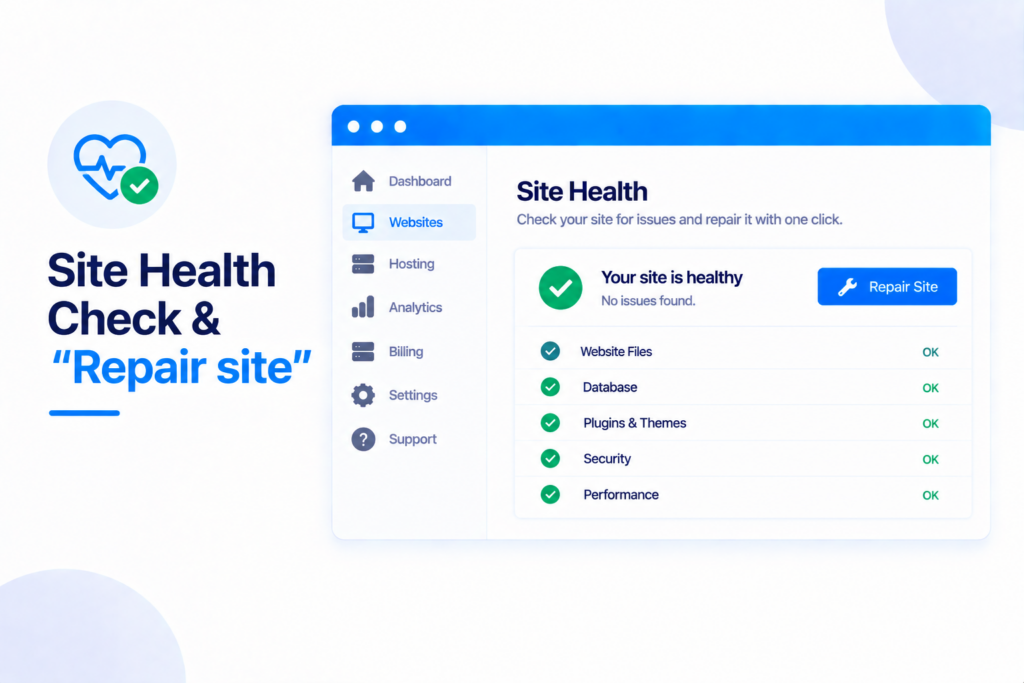
Open the site and go to its Control panel. Near the top, under the status banners, there’s a Site health check box. If it finds something wrong it shows a red “(Number) problems found” with a blue Repair site button; if all is well it simply says so.
Repair site & Check and repair
There are two buttons in that box:
- Repair site — appears when a problem has been found. Press it to fix what can be fixed (a backup is taken first).
- Check and repair — always there. It checks the site on the spot, core files included, and repairs anything it finds — or answers “No problems found”.
Reset admin password
The same box has a Reset admin password button. It sets a new password for your site’s administrator and shows it to you once — handy if you’ve been locked out of your own site. The new password also appears on the site’s page as usual.
What it never touches
The health check is deliberately careful. It only ever repairs the plumbing — the settings that link your site to our platform — and replaces damaged core files with the official version. It never changes your themes, plugins, extensions, media or content. And because every repair takes a backup first (kept for 7 days, alongside your regular automatic backups), you can always undo it.
✅ Quick summary: PBN.LTD checks your all your sites every hour and safely repairs the common breakages from imports, restores and interrupted updates — taking a backup first and emailing you what it did. Run it yourself anytime from the Site health check box on your control panel with Check and repair or Repair site, and reset a locked-out admin password there too. It only fixes the plumbing and core files — never your themes, plugins or content.