
Domain overview answers one question about any domain on the internet: what does it rank for, and how much traffic is that worth? Use it on your own sites, on the competitor above you in the results, or on a domain you are thinking of buying. No hosting plan is needed, and the report is yours to re-open free for 14 days.
💡 Reports are cached for you
One credit buys one report. Opening it again within 14 days — or asking for the same domain, country and language again — costs nothing.
Run a report
Open Domain overview, type a domain (with or without www), choose the country and language, and press Get report. If you host sites with us, your own domains are offered in the box.
Pick the country your buyers are in: a domain can be invisible in one country and dominant in another, and the whole report is per country.
What the report shows
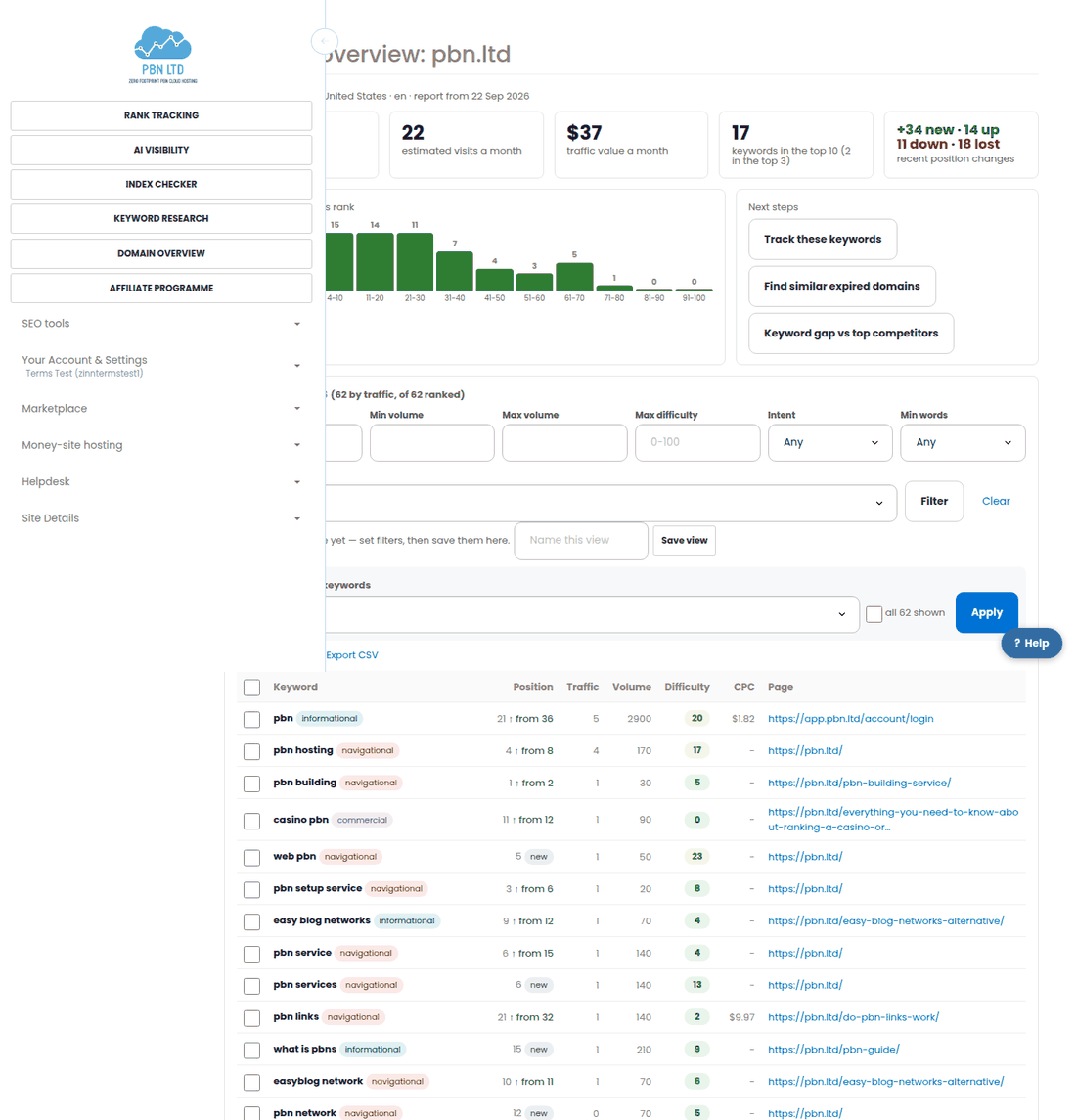
- Ranked keywords – how many keywords the domain ranks for in the top 100.
- Estimated visits a month – an estimate from volume and position. Treat it as a size, not a visitor count: 8,000 and 80 are different leagues.
- Traffic value – what the same clicks would cost as ads. The fastest way to see whether a niche has money in it.
- Position spread – how many keywords sit at #1, in the top 3, top 10 and so on down to 100. A site with hundreds of keywords on page 4 is one good push away from traffic.
- Recent changes – new, up, down and lost keywords since the last measurement.
The keyword table underneath carries the position, the movement, the estimated traffic, the volume, the difficulty, the CPC and the page that actually ranks — and it has the same filters and saved views as keyword research.
Top pages and competitors
Top pages shows which pages earn the traffic and how many keywords each one ranks for. That is the fastest way to see what kind of content works in a niche: reviews, guides, product pages or tools.
Competitors lists the domains ranking for the same keywords, how many they share and how big they are. Each one has a Report button, so you can walk from one competitor to the next.
The keyword gap
Tick up to three competitors and press Keyword gap. You get every keyword they rank for in the top 100 that your domain does not rank for at all, most-shared first — if two or three competitors all rank for something, it is proven.
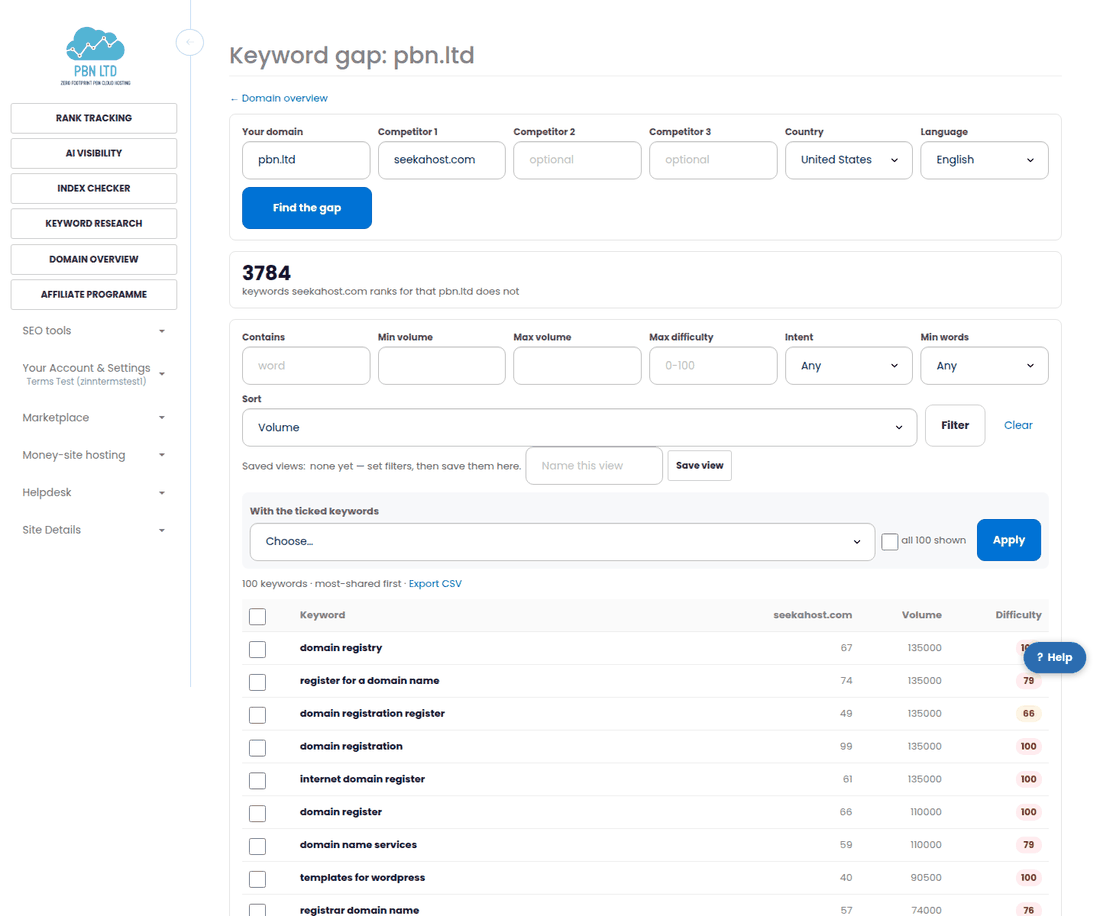
- Each competitor in a gap uses one credit; a competitor you have already compared inside the last 14 days is free.
- Filter the gap by volume, difficulty or intent, save the view, and export it to CSV.
- Tick the ones you want and add them to a keyword list, or send them to rank tracking.
Checking a domain before you buy it
Backlink metrics alone do not tell you whether a domain works. A report takes seconds and shows whether it actually ranks for anything today, in the country you care about, and whether that traffic has any value.
Our aged-domain shop and the domain search in your dashboard pair naturally with this: find a candidate, run the report, then decide.
Through the API or an AI assistant
Domain reports and keyword gaps are in our public API and MCP server too, with an API key scoped to research:run — handy for checking a list of domains in one go.
Related
More about Domain overview: Domain overview on pbn.ltd · all SEO tools