
Your SEO tools page is where rank tracking, AI visibility, the index checker and every newer SEO tool live. Each of them works on any domain — your own sites, a client’s or a competitor’s — and none of them needs a hosting plan: an account with no hosting sees them from the moment it is created. This guide shows the page, the one checkout that buys several tools together for less, and how changing your mind later works.
💡 One order, one renewal date
Tools bought together share one period, one payment and one invoice. Add a tool later and it is charged only for the days left and ends on the same day as the rest, so you never end up juggling renewal dates.
The SEO tools page
Open SEO tools → All SEO tools in the menu (or go straight to app.pbn.ltd/seo/). Every tool has a tile that shows what it is doing for you right now — keywords tracked, how visible you are in AI answers, how many of your pages are indexed — and a button to open it or add it.
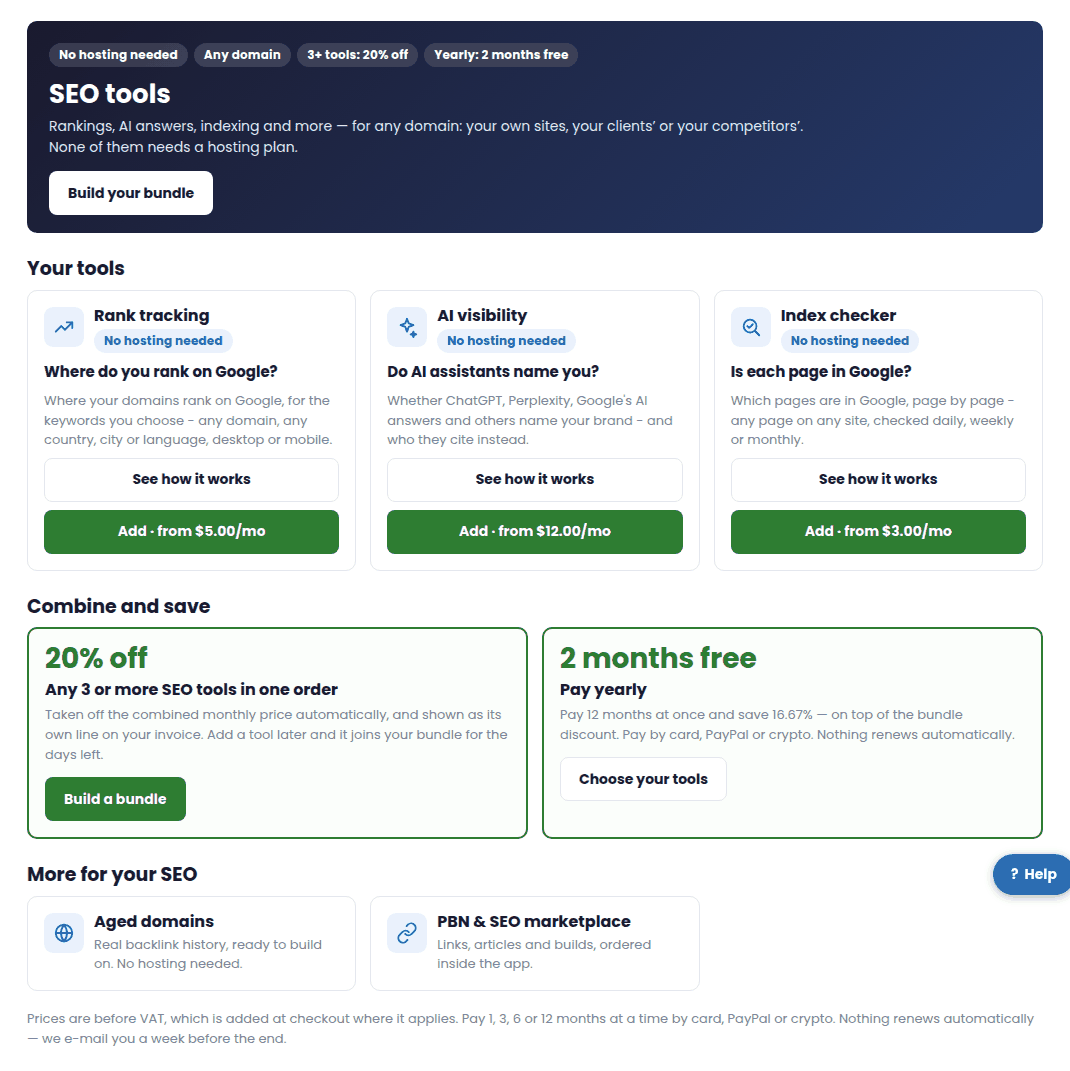
Tiles marked No hosting needed can be bought on their own. If you do host sites with us, the same tools appear on each site’s own page as well — there is nothing extra to buy for that.
Buying several tools in one order
Choose Build your bundle (or SEO tools → Bundle & yearly billing). Pick a plan for each tool you want, add extra packs if you need them, and choose how long for. The summary on the right is priced by us, not by your browser, and updates as you change the selection.
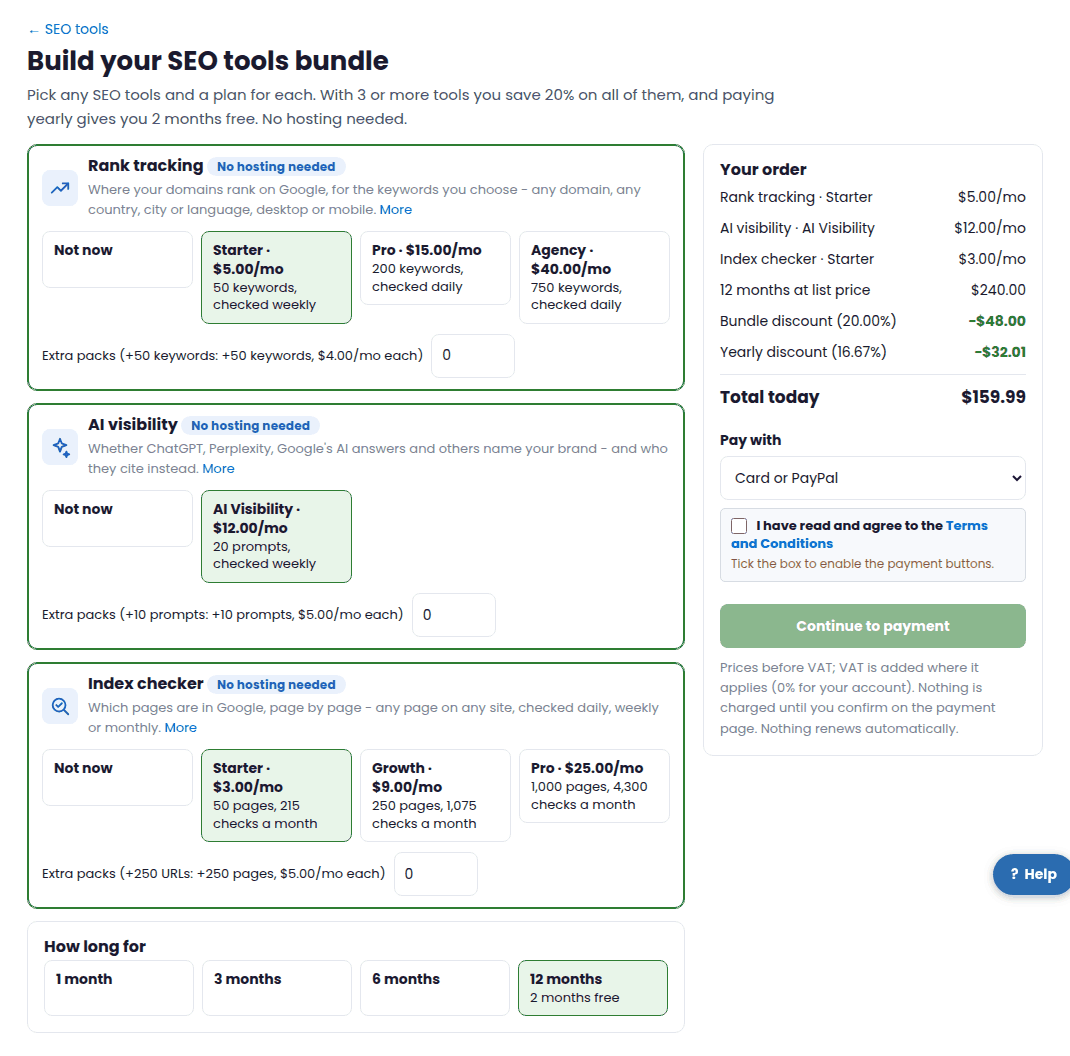
- Three or more tools in one order — the bundle discount comes off the combined monthly price, every month of the order.
- Paying for a year — a further discount comes off on top of that; the page says how many months it is worth before you pay.
- One payment — by card through FastSpring, with PayPal or with crypto, for 1, 3, 6 or 12 months. With PayPal or crypto VAT is added where it applies; with card through FastSpring, FastSpring adds any sales tax or VAT for your country at its checkout.
- One invoice — with a line per tool and each discount on its own line. It is in your account under Invoices.
Nothing is charged until you confirm on the payment page. Paid with PayPal or crypto, nothing renews automatically: we e-mail you a week before your SEO tools end. Paid by card through FastSpring, your SEO tools renew automatically every period, at the price of what you chose for the renewal, until you press Stop automatic renewal on your SEO tools subscription page — the period you already paid for still runs to its end. If a renewal payment fails, FastSpring tries again and e-mails you a link to update your card; you can also pay with PayPal or crypto instead.
Adding, upgrading, dropping
Your subscription page (SEO tools → All SEO tools → Manage) shows what you hold, until when, and every order you have placed.
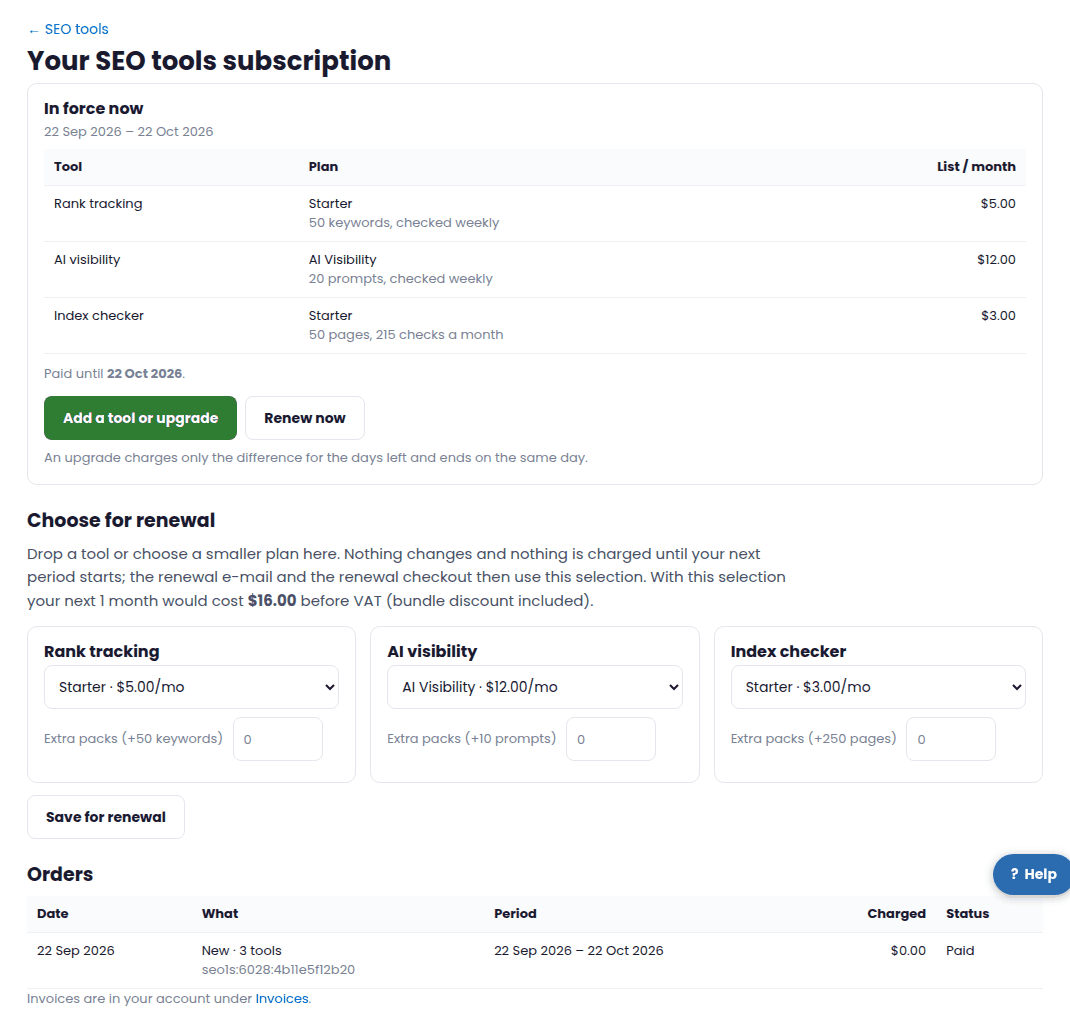
- Adding a tool or moving up a plan is charged only for the days left in your current period, and the new selection ends on the same day as the old one. If adding a tool unlocks the bundle discount, the difference can even come to nothing.
- Dropping a tool or choosing a smaller plan is saved under Choose for renewal. Nothing changes and nothing is charged now; your renewal simply uses the new selection, and the page shows what it will cost.
- Renewing early is fine: the new period starts when the current one ends.
Using the tools without hosting
When you create an account, choose No hosting needed. You land on the SEO tools page, the tools are in your menu, and you can buy any of them straight away. You can add hosting later without touching your SEO tools, and your sites will pick the tools up automatically.
Common questions
- Do the discounts need a code? No. They are applied at checkout and printed on the invoice.
- Can I keep a tool I already bought on its own? Yes. It keeps its own dates and its own invoice; a bundle simply adds to what you have, and you always keep the bigger of the two.
- What happens if I get a refund? The tools stop and you get a credit note.
- Are staff accounts charged? No — staff accounts have every SEO tool included, unlimited.