
Every domain carries one or more status codes at its registry. Most are harmless – a transfer lock, for example, is normal and good. A few stop a site outright: the domain is switched off on the internet, or it cannot be changed. When one of those is set, your site stays in Waiting DNS update or Activating CDN whatever the nameservers say, and only your domain registrar (the company where you bought the domain) can change it.
💡 The short version
Press Check again now on the site, or ask the assistant in your dashboard “why is my site not live?”. If the domain is blocked at the registry, the answer says which status it is and what to do at your registrar – usually pay a renewal, verify the owner’s e-mail address, or restore an expired domain.
How you know
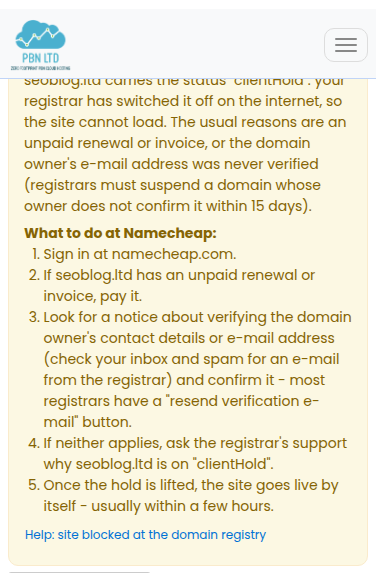
The site page shows a yellow notice naming the status and the steps for your registrar, and we send you one e-mail about it (one e-mail listing all your affected sites, if there are several). Check again now and the dashboard assistant give the same answer.
Prefer not to fix the domain? You can move the site to another domain you own: open the site, choose Edit under Site functions in the left menu, change the domain and save, then set the nameservers shown for it.
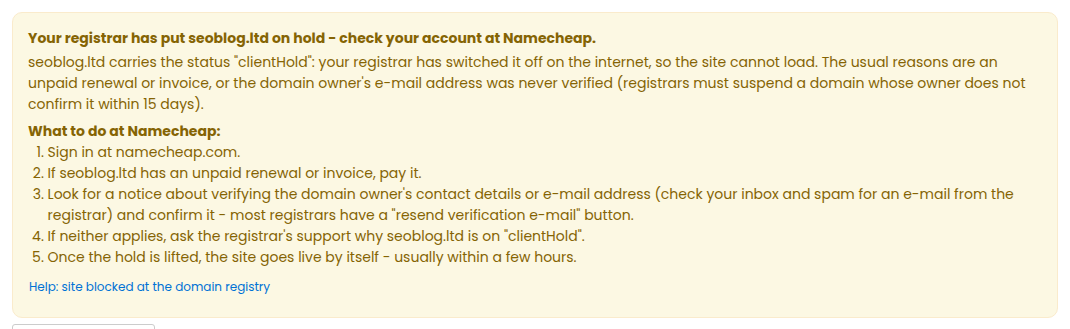
On hold (clientHold or serverHold)
clientHold means your registrar has switched the domain off. The usual reasons are an unpaid renewal or invoice, or the domain owner’s e-mail address was never verified – registrars must suspend a domain whose owner does not confirm it within 15 days. Sign in at your registrar, pay anything unpaid, and look for a notice about verifying the owner’s contact details (check your inbox and spam for the registrar’s e-mail; most registrars have a “resend verification e-mail” button). If neither applies, ask the registrar why the domain is on hold.
serverHold is set by the registry itself (for example after a complaint, a legal or verification issue, or an unpaid renewal). Contact your registrar’s support and ask what is needed to lift it.
Expired, redemption period or pending delete
- Expired: renew the domain at your registrar. Afterwards check it still uses the nameservers shown on the site page – some registrars switch an expired domain to their own parking nameservers.
- Redemption period: the domain has expired and is switched off, but can still be restored for a limited time, usually for a restore fee. Restore it now at your registrar (often under an “Expired” filter in the domain list) – after this period it is deleted.
- Pending delete: the registry is deleting the domain and it can no longer be renewed. When the deletion finishes (usually within 5 days) the name can be registered again – by you or anyone else.
Locked against changes, or a transfer in progress
These only matter while the nameservers still have to be changed:
- clientUpdateProhibited is a domain lock at your registrar. Many registrars lift it by themselves when you change the nameservers; if yours refuses to save the new nameservers, switch the domain lock off, save them, then switch it back on if you like.
- serverUpdateProhibited is a lock set by the registry. Ask your registrar’s support to set the nameservers for you (or to lift the lock).
- pendingTransfer: the domain is moving to another registrar, and the nameservers usually cannot be changed until the transfer finishes (up to 5–7 days). Then set them at the new registrar. If you did not start the transfer, contact your registrar at once.
A transfer lock (clientTransferProhibited) or a delete lock is normal and never stops a site – we never report those.
What happens next
While a domain is blocked we check it once a day. Once the registrar has lifted the status, the site goes live by itself, usually within a day. Press Check again now on the site to check at once (see My site is waiting for DNS – check it now). Nothing on your site is lost while it waits.
Still stuck?
Ask the assistant in your dashboard – it runs the same check on your site and tells you what it found – or open a support ticket with the domain name.