
Rank Tracking shows where a domain ranks in Google for the keywords you care about – in the exact country, region or city, language and device you choose – and keeps the whole history. It works for any domain: your sites here, sites hosted elsewhere, a client’s site or a competitor.
💡 No hosting plan needed
Rank Tracking is sold on its own. You can use it with a hosting plan or without one – choose “No hosting needed” when you create your account.
What you see for every keyword
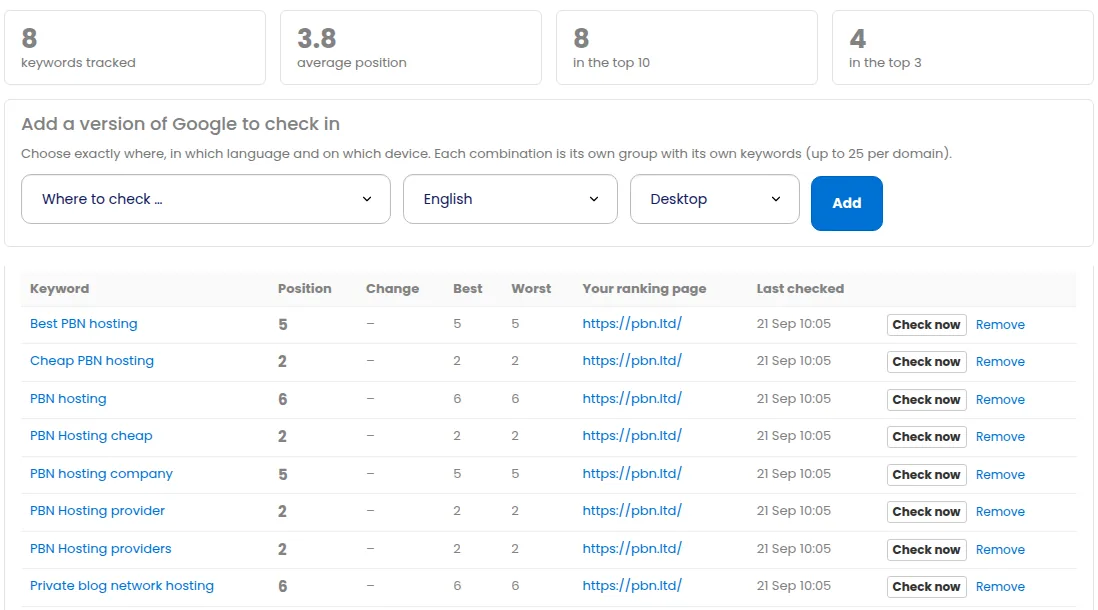
- Today’s position in Google’s organic results for that location, language and device.
- The change since the previous check, so a drop is obvious the day it happens.
- Best and worst ever since you started tracking it.
- The page that ranks – if Google picks the wrong page or swaps between two, you will see it.
- Full history of every completed check.
Each domain also gets a summary: keywords tracked, average position, and how many keywords are in the top 10 and top 3.
Getting started
- Open Rank Tracking from the menu.
- Choose a plan on the plans page. You can pay for 1, 3, 6 or 12 months.
- Add a domain – any domain at all.
- Choose the version of Google to check: a country, region or city, an interface language, and desktop or mobile. Each combination is its own group, so you can track the same keywords in two cities or on both devices.
- Paste your keywords, one per line. New keywords get their first check within a few minutes; after that they are checked weekly, or daily on a daily plan while the month’s check budget lasts (see below).
Plans, keyword packs and how often keywords are checked
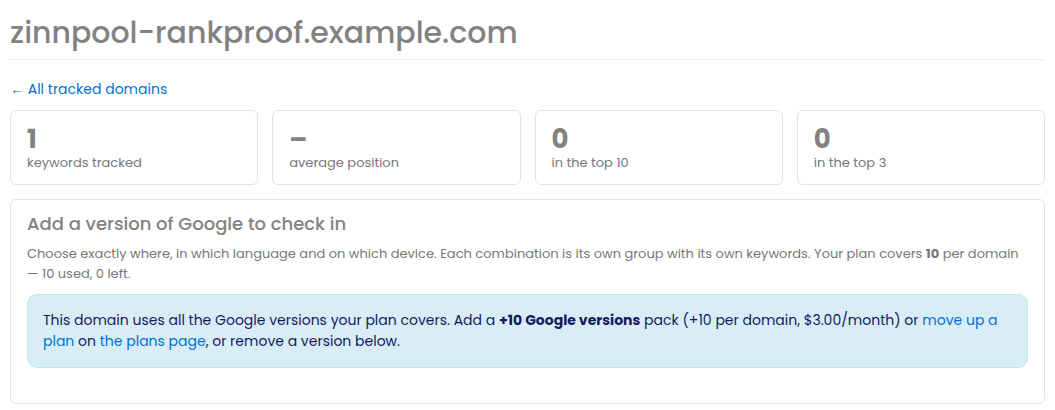
Every plan includes a number of keywords, a number of Google versions per domain (a version is one country or city, one language and one device) and a checking frequency (weekly or daily). If you need more keywords without changing plan, add keyword packs; if you want to track more countries, cities or languages on a domain, add an extra Google versions pack – it raises the limit on every domain you track. Both work on any plan, and both are also on the SEO tools checkout with the bundle and yearly discounts. The current plans, what each includes and the prices are always on the Rank Tracking plans page.
A domain page shows how many Google versions your plan covers and how many are used. When a domain is full, add a pack, move up a plan, or use Remove version on a version you no longer need (its keywords and their history go with it). If a plan ever covers fewer versions than a domain already has, nothing is removed: those versions keep being checked; you just cannot add another until there is room.
How checks work. Every plan includes a monthly check budget, and the weekly check of every keyword always runs. On a daily plan keywords are checked every day while the month’s budget lasts, then once a week until the 1st. “Check now” and the first check of a new keyword use the fast queue while the budget lasts, then the standard queue (usually within the hour). Once the month’s extra checks are used up, “Check now” pauses and a new keyword is first checked in the weekly round; the domain page says so. Everything resets on the 1st, and keyword packs or a bigger plan raise the budget. No history is ever lost.
Tips
- Track the place you actually trade in. Local results differ a lot from the national average.
- Watch “the page that ranks”: two of your pages swapping places is often the first sign they compete with each other.
- Use Index Checker first if a page is not ranking at all – it may not be in Google yet.
Related
More about Rank tracking: Rank tracking on pbn.ltd · all SEO tools