
The site audit crawls a site page by page and tells you what to fix first – not a spreadsheet of everything that is technically imperfect, but a list sorted by what it is actually costing you, with what each finding means and the change to make. It works on any site you own, hosted with us or anywhere else. For sites hosted with us it adds a second half that no outside tool can do, because it reads what we already know about the site from our side.
💡 One issue, every page it affects
A site with three hundred pages missing a description gets ONE finding listing all three hundred, not three hundred rows. The CSV has the full list when you need it.
Run an audit
Open the site audit, type the address and press Audit it. If you host sites with us they are listed as buttons so you can start one in a single click. An audit usually takes a few minutes; the result appears on the same page.
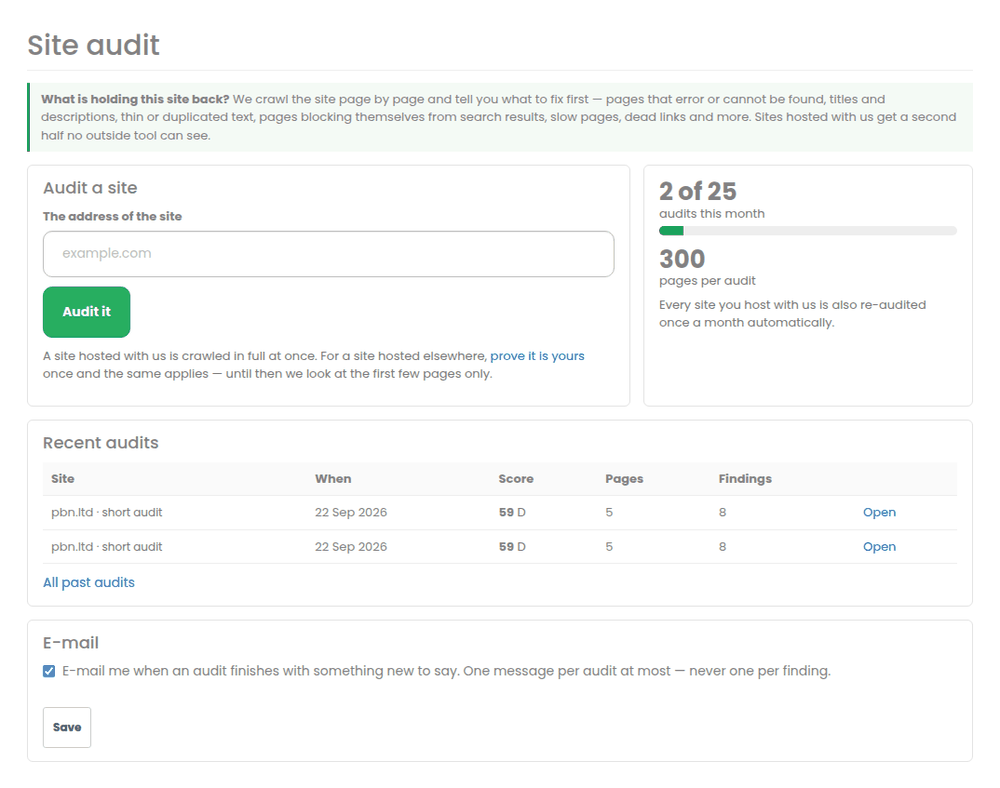
What it checks on every site
- Pages that error, cannot be found, or refuse to load – including ones your own site links to.
- Titles – missing, duplicated, too short, or long enough to be cut off in results.
- Descriptions – missing, duplicated or cut off. Not a ranking factor, but it is what decides whether people click.
- Headings – pages with no main heading, or with several.
- Thin, empty and duplicated text – pages with very little to say, pages that are blank unless scripting runs, and pages whose text matches another page.
- Pages blocking themselves from search results – a “noindex” instruction left on after launch is one of the most common ways a site quietly disappears, and it is the first thing this looks for.
- Canonical links pointing at an address that was not found.
- Images with no alt text.
- Slow and very large pages.
- Pages served without encryption, or loading something insecurely – the padlock disappearing is something every visitor sees.
- Links to other sites that are dead.
The extra half, for sites hosted with us
None of this is visible from outside, so no outside tool can tell you any of it. For a site hosted with us the audit also reports:
- whether the site is fully set up, or still waiting for something such as its nameservers being pointed at us;
- whether the malware scan and our integrity check are clean;
- any plugins on the site that are not permitted here, and why that matters;
- whether the site is close to its disk or file-count allowance – which starts breaking uploads and updates in ways that look like unrelated bugs;
- whether there is a recent backup to restore from;
- the PHP version, whether HTTPS is on, and whether the site is served through a content network.
Proving you own a site
A site hosted with us needs no proof – we already know it is yours. For a site hosted elsewhere we audit the first few pages until you prove it is yours, and the whole site afterwards. This is deliberate: it keeps the audit from being pointed at sites nobody has asked us to crawl.
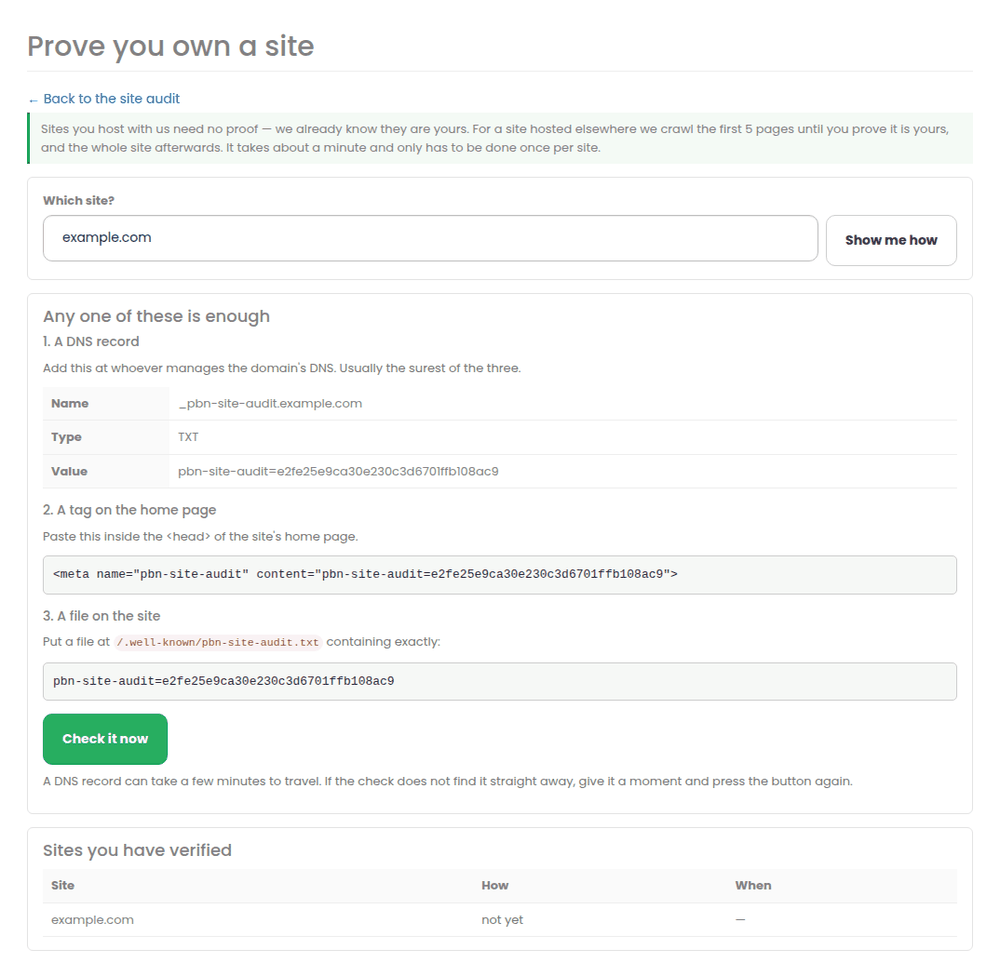
Open Prove you own a site, type the domain, and use whichever of the three is easiest. Any one of them is enough, and it only has to be done once per site.
- A DNS record – add the TXT record shown, at whoever manages the domain’s DNS. Usually the surest of the three. It can take a few minutes to travel, so if the check does not find it straight away, wait a moment and press the button again.
- A tag on the home page – paste the line shown inside the page’s <head>.
- A file on the site – put the file shown at the path shown.
Reading the report
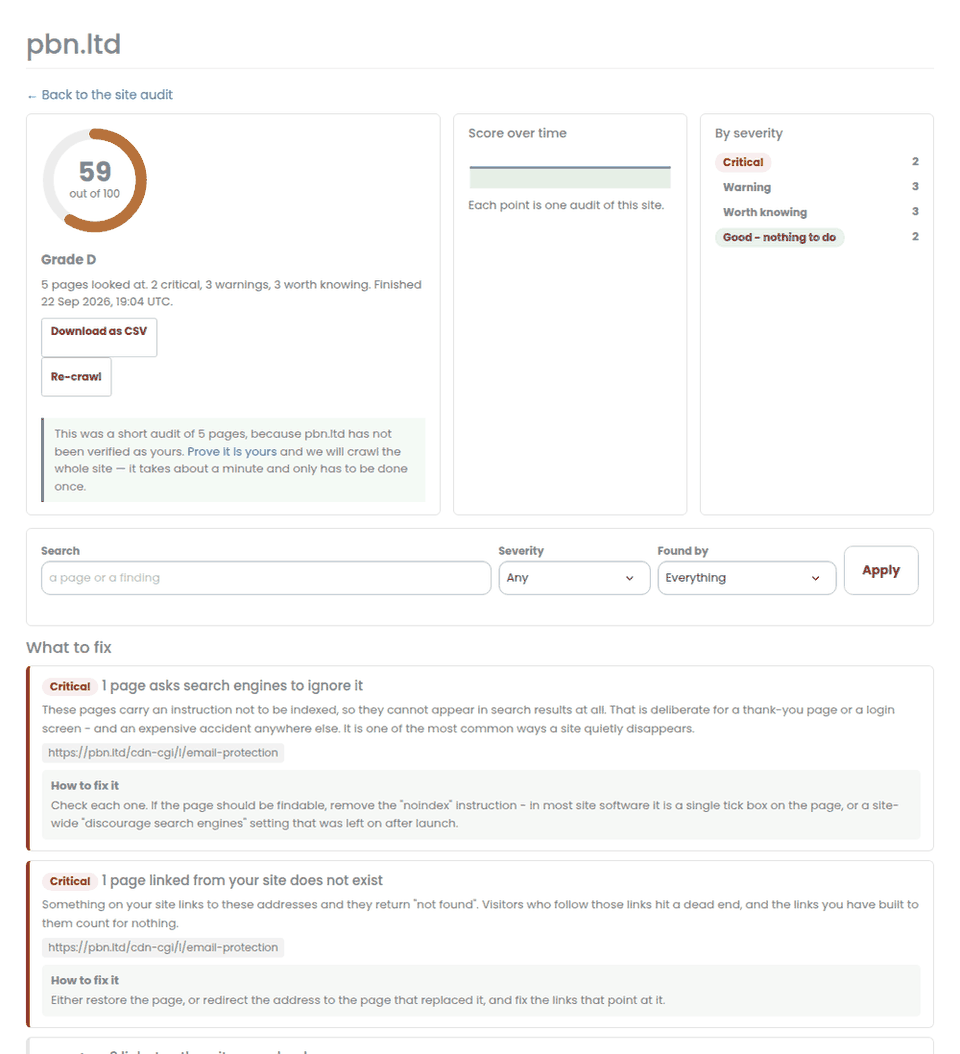
Findings are sorted by what they cost you. Critical means the page cannot be found, cannot be indexed, or is broken for visitors. Warning means it works but is losing you something measurable. Worth knowing is for when you have time. There is also a Checked and clean block, which we only fill in from checks that actually ran and actually passed.
- Filter by severity, by whether the finding came from the crawl or from your hosting with us, or by searching for a page or a phrase.
- Save a filter as a view and it is one click next time.
- Download as CSV gives you every finding with every affected page – the easy way to hand the work to a developer.
- Re-crawl after you have made changes, and the score history on the report shows what they did.
How we crawl
Politely, and that is not just a word: we read the site’s robots.txt first and obey it, including any crawl delay it asks for; we fetch one page at a time with a pause between them; we never fetch more pages than your plan allows; and we identify ourselves honestly in every request. An audit should never be something a site owner notices as load.
When we e-mail you
One message per audit at most, and only when there is something to say – the first audit of a site, or a score that has moved. Never one message per finding. You can turn them off on the site audit page.
Related
- The footprint checker – what publicly joins your sites together
- Ask the support assistant what to fix first
Site audit — prices today
- Starter$5.00/month5 audits a month, 100 pages each
- Growth$15.00/month25 audits a month, 300 pages each
- Pro$39.00/month100 audits a month, 500 pages each
- +10 audits$4.00/month+10 audits a month
Buy several tools together and save. Put 3 or more SEO tools in one order and you take 20% off the combined monthly price. Pay for 12 months at once and you save a further 16.67% on top — about two months free. Terms offered: 1 month, 3 months, 6 months and 12 months. Build your bundle →
Step-by-step guide: The Site Audit – What Is Holding A Site Back in the knowledge base.
Available on its own — no hosting plan needed. See every SEO tool →
More about Site audit: Site audit on pbn.ltd · all SEO tools