
If you look after many websites — clients’ sites, prospects or your own network — Agency SEO data gives you the numbers for all of them in one table, every week: domain rank, referring domains (with the new and lost ones), backlinks, spam score and the organic traffic estimate. The domains can be hosted anywhere, and you do not need hosting with us.
💡 One domain in depth, or all of them at a glance?
Agency SEO data is the weekly table of many domains. For the full picture of one domain — every keyword it ranks for and its competitors — use Domain overview; to watch competitors’ keywords and top pages, use Competitor tracking.
Switch it on
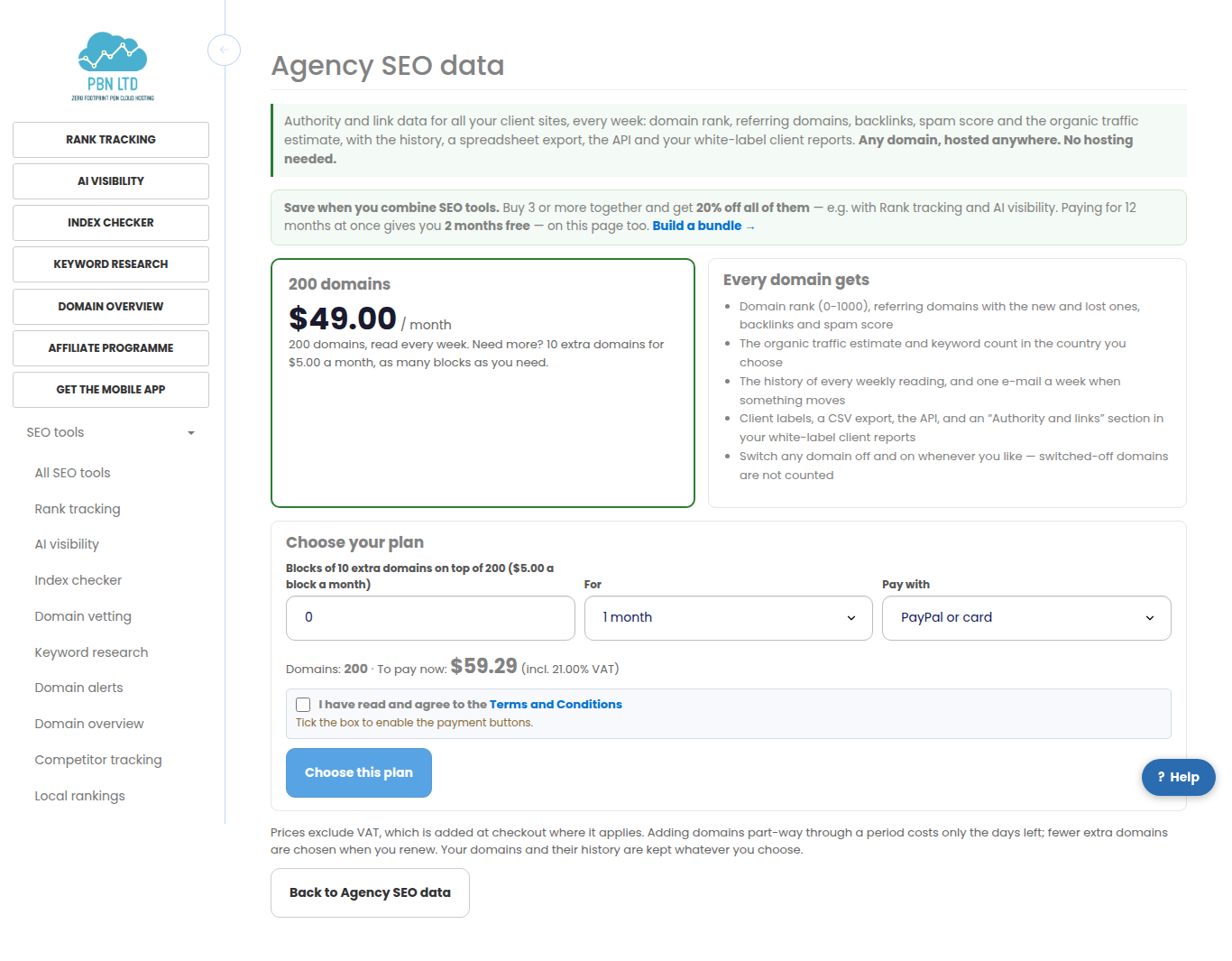
Open Agency SEO data (in the menu under SEO tools) and choose the plan on Plan. The plan covers a set number of domains; add blocks of extra domains if you track more. The total is worked out as you choose.
Add your domains
Press Add domains and paste your list — one per line, or separated by commas. Full addresses are fine; we keep the domain. Give them a client label (for example the client’s name) so you can filter the table and your reports by client, and choose the country for the organic traffic estimate.
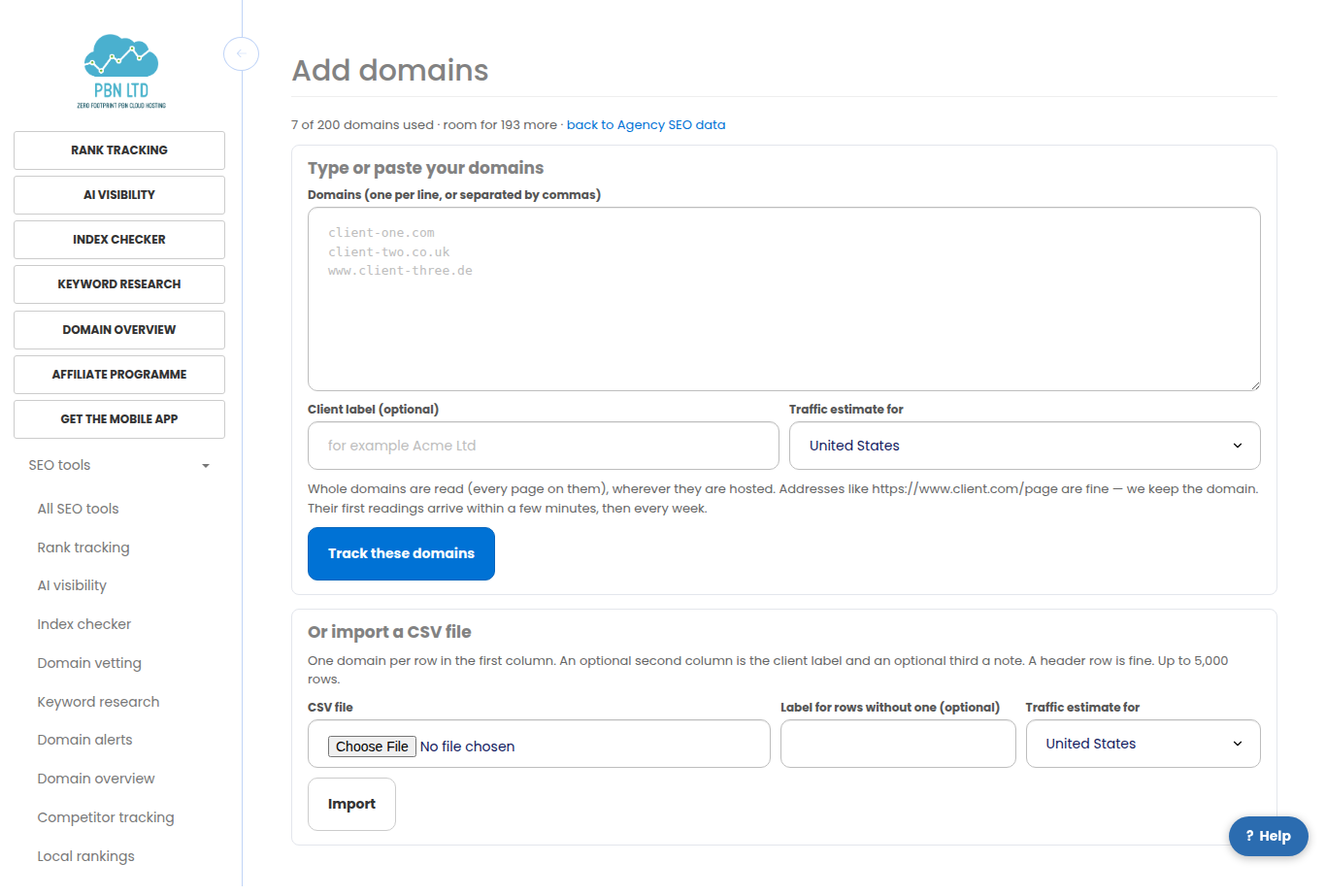
- Import a CSV file: the domain in the first column, an optional client label in the second and an optional note in the third. A header row is fine.
- We add as many as your plan has room for and tell you why any were not added (already in your list, not a public domain, or no room left).
- The first readings arrive within a few minutes; the page refreshes by itself.
- We only read what the public web shows — nothing is installed on the sites and nobody is contacted.
The table
Every domain is one row with its latest reading. Press a client label at the top to show only that client’s domains.
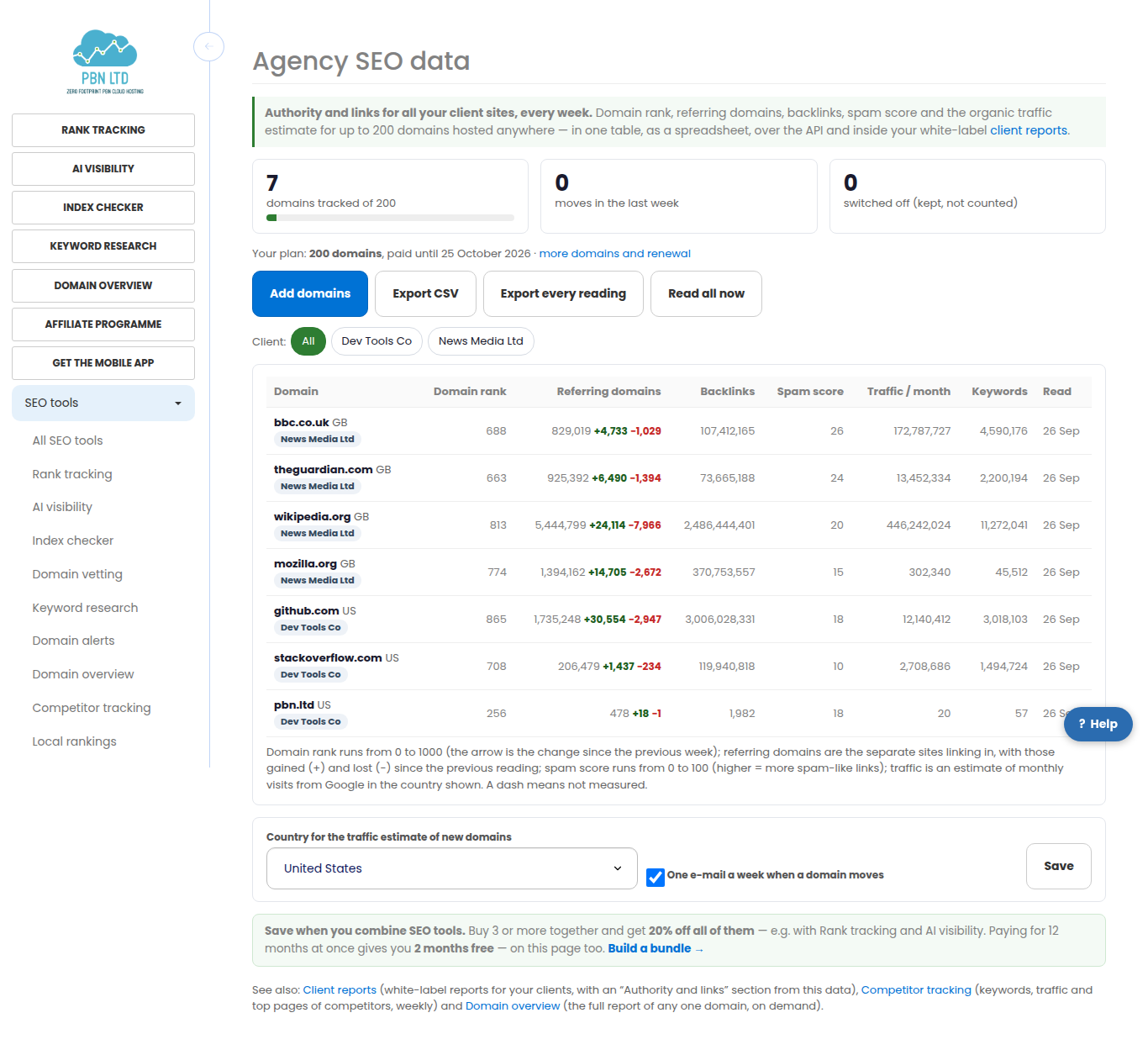
- Domain rank runs from 0 to 1000 and reflects the strength of the links to the domain; the arrow is the change since the previous week.
- Referring domains is how many separate websites link to it, with the ones gained (+) and lost (−) since the previous reading. Backlinks counts every link.
- Spam score (0 to 100) shows how much of the link profile looks manipulative — a rise is worth a look.
- Traffic / month is an estimate of monthly visits from Google in the country shown, and keywords how many searches it appears for.
- A dash means that figure could not be measured this time — never a zero.
One domain and its history
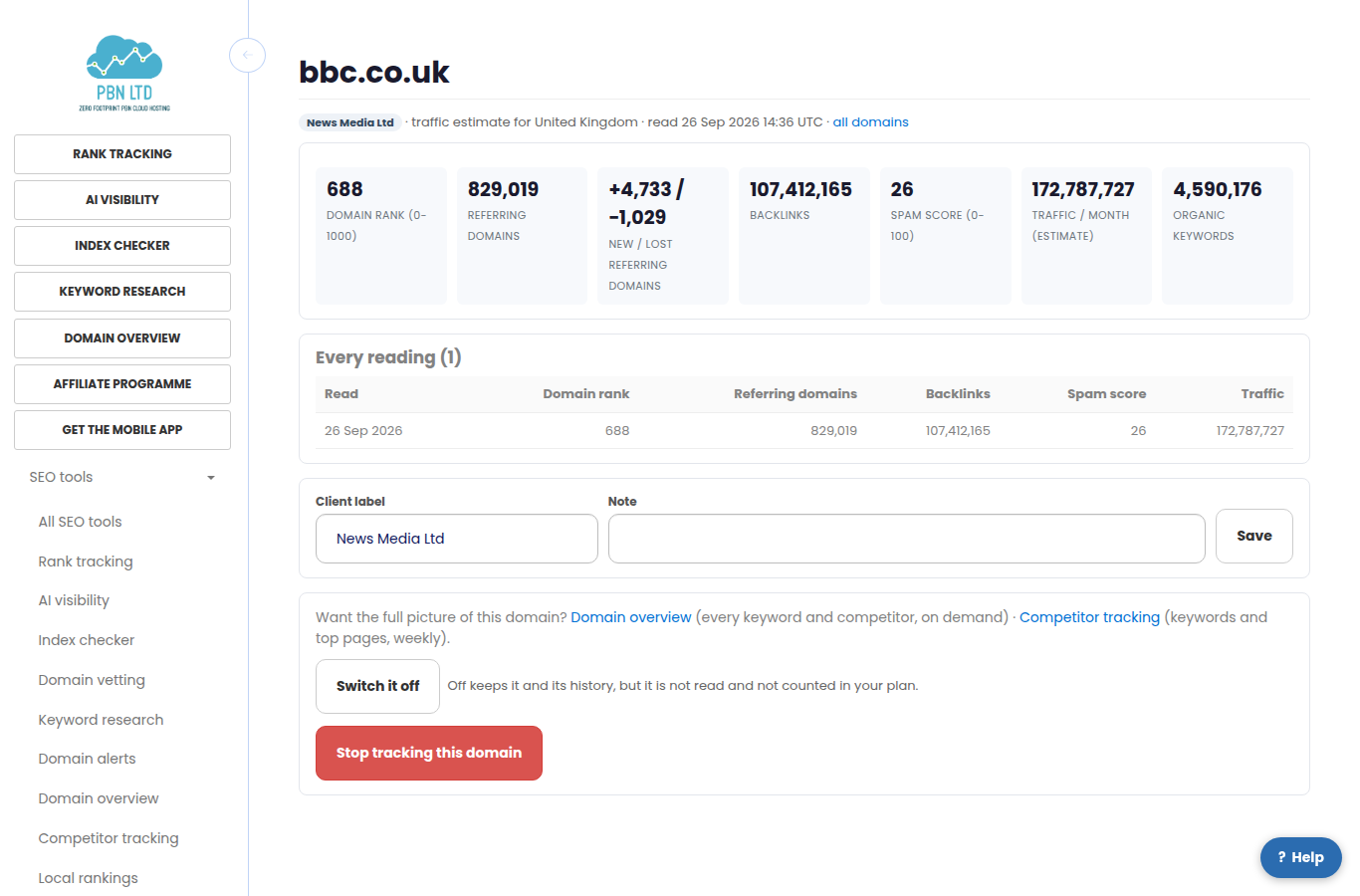
Open a domain for its figures, its domain rank week by week and every reading we have taken. Here you can also change its client label and note, switch it off (it keeps its history, but it is not read and not counted in your plan) and switch it on again, or stop tracking it.
Export, API and client reports
- Export CSV downloads the table as a spreadsheet (only the client you have filtered, if any). Export every reading downloads the whole history.
- The same data is on our API, and AI assistants connected to your account over MCP can read it and add domains.
- In Client reports, tick the Authority and links section: each client’s report then shows the domains that belong to that client — by the domains you gave the client, or by the client label matching the client’s name — under your own brand.
Every week, and the e-mail
- Every domain is read every week by itself. Read all now asks for a fresh reading of every domain once a day.
- When a domain moves — its domain rank, its referring domains or its traffic changes by more than a set amount, or its spam score rises — it is listed on the domain’s page and in one e-mail a week at most. Switch the e-mail off at the bottom of the page, or with the link in any of them.
More domains
Add blocks of extra domains at any time on Plan: adding part-way through a period costs only the days left; fewer are chosen when you renew, and your domains and their history are kept either way. If a plan covers fewer domains than you have, the oldest ones are read and the rest wait. Take three or more SEO tools together and the bundle discount applies.
On your phone
Every screen works on a phone: each domain becomes a card and nothing scrolls sideways.

Related
More about Agency SEO data: Agency SEO data on pbn.ltd · all SEO tools