
A vetting report tells you what a domain’s history really is before you pay for it: who links to it and how spammy those links look, what the anchor texts say, the keywords and search traffic it has now and used to have, whether Google still has it in the index, what the site actually was over the years, and when it was registered. It ends with a plain verdict — Looks clean, Proceed with care or High risk — and a score out of 100 with every reason listed. You do not need hosting with us: it works for any domain, from any auction, broker or drop catcher.
💡 One free report with every aged domain you buy
Buy a domain in our aged-domain shop and a report credit lands on your account automatically, so you can vet the next name on your shortlist for nothing.
Run your first report
Open Domain vetting (Marketplace → Domain vetting in the menu), type the domain and press Vet this domain. The report is built while you wait — usually under a minute — and the public web archive part fills itself in as you read the rest.
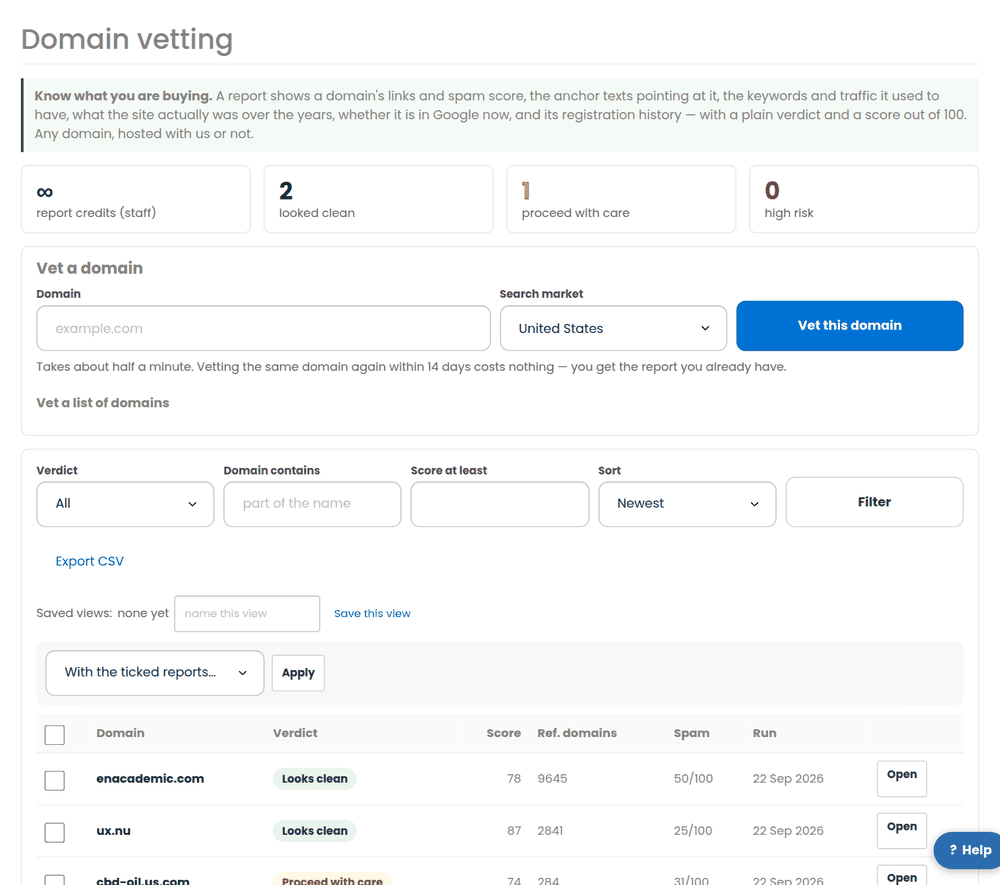
- Search market decides which country’s Google the keyword and traffic figures are read for. The United States is the default; pick the market the domain was built for if it is not an English-language site.
- Vet a list of domains (under the form) takes up to 25 domains at once. They are built in the background and we e-mail you when the run is finished.
- Vetting the same domain twice within the caching window costs nothing: we show you the report you already have instead of charging another credit.
Read the verdict and its reasons
The top of the report gives the score, the verdict and one sentence that sums it up. Under it, every reason is listed with the points it cost — and each one is something you can check for yourself further down the page.
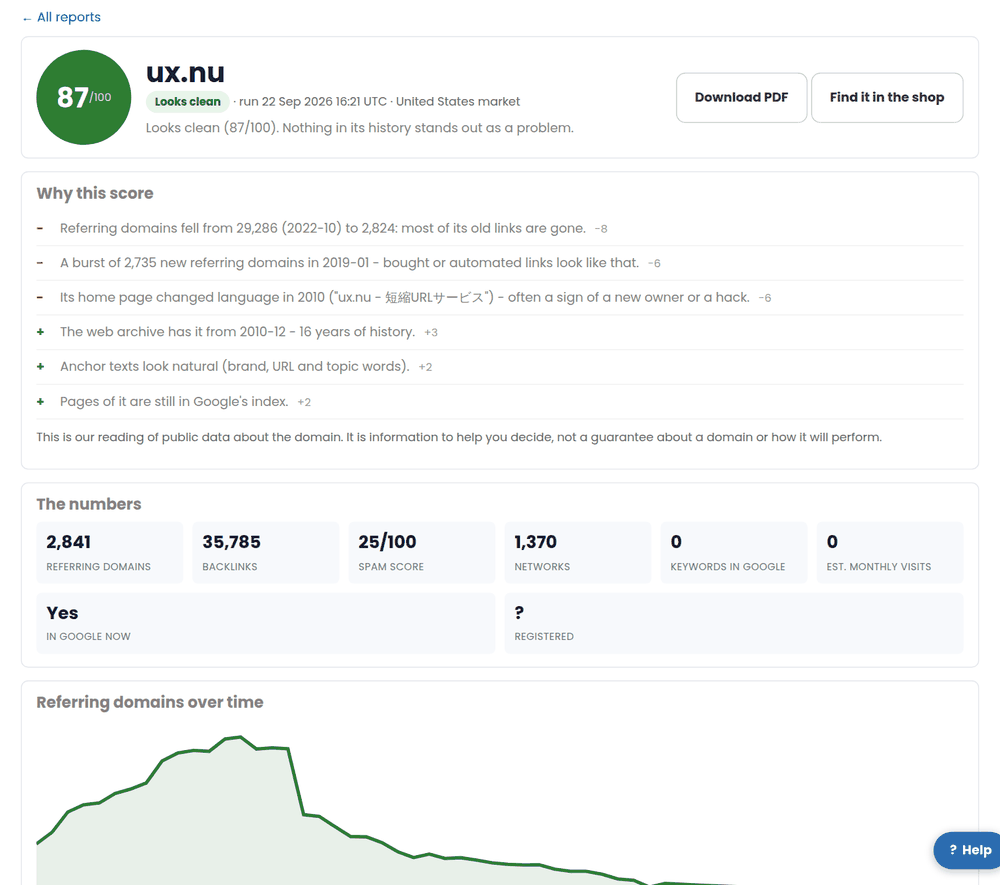
- Link profile and spam score – how many sites link to it, how many separate networks they sit on, and a 0–100 spam score for the profile.
- Referring domains over time – a steady line is healthy; a cliff means the links that made it valuable are gone; a sudden spike of hundreds is a bought profile.
- Anchor texts – the words people used to link to it. Money-niche words (gambling, pharmacy, loans and the like), or a script that does not match the site, are called out with the share of the links they hold.
- Keywords and traffic – what it ranks for now and what it used to, with estimated monthly visits over the last two years.
- Google index status – whether Google still lists any of its pages. Plenty of links and nothing in the index is the classic sign of a penalty.
- What the site used to be – copies of the home page from the public web archive with the titles they carried, so you can see a real business, a parked page or something you would not want near your money site.
- Registration – when it was registered, when it expires, when it last changed, and whether it is already in redemption and about to drop.
Anything we could not read this time is listed as not included instead of counting for or against the domain — the score never pretends to know something it does not.
How report credits work
Reports are paid for with credits, bought in packs on the report credits page. Credits never expire, and the page shows every movement: what you bought, what each report used and any free credits that came with an aged-domain purchase.
- One credit = one full report on one domain.
- A report that fails because a data source was unavailable gives its credit straight back.
- Staff accounts run reports at no charge.
- Pay with PayPal (which also takes cards) or crypto; an invoice is issued automatically and VAT is handled the same way as everything else on your account.
Vet a domain in one click from anywhere
You rarely need to type a domain at all:
- every row of the aged-domain list has a Vet this domain button;
- each aged-domain page has a panel explaining what a report covers, with the same button;
- every domain in a domain alert e-mail links straight to its report.
What to do with the answer
- Looks clean – nothing in its history stands out. Buy it with the usual care and check the registration date and expiry in the report.
- Proceed with care – read the reasons. One messy part (say a burst of links in 2021) may be acceptable for what you are paying.
- High risk – spam anchors, a collapsed profile or a domain Google has dropped. There is usually a cleaner name for the same money.
Every finished report downloads as a PDF from the button at the top, with the verdict, the reasons and the numbers frozen as they were when it ran — useful for a client or your own records. The list page exports every report as a CSV, and saved views keep the filters you use most.
Related
- Domain alerts – be first to the expired domains you want
- Aged domains – buy a domain that already has history
- Domain vetting on pbn.ltd
More about Domain vetting: Domain vetting on pbn.ltd · all SEO tools