
The backlink monitor does two separate jobs. First, it watches individual links: you tell it “this page should link to that page”, and we fetch that page ourselves and check the link is still there, still points where it should, still has the anchor text you agreed, and has not quietly been turned into a nofollow. Second, it watches a whole backlink profile: for any domain, who links to it, who stopped, what anchor text they use and how spammy it looks. You do not need hosting with us – it works for links on any website.
💡 Checking links costs you nothing
Only backlink profile refreshes come out of your monthly allowance. Watching and re-checking individual links is included however often you do it, because we fetch those pages ourselves rather than buying the answer.
Open the backlink monitor
It is under SEO tools in the menu, or go straight to https://app.pbn.ltd/backlinks/. The top of the page shows how many of your links are live, gone, changed or still waiting for their first check, and how much of your monthly allowance you have used.
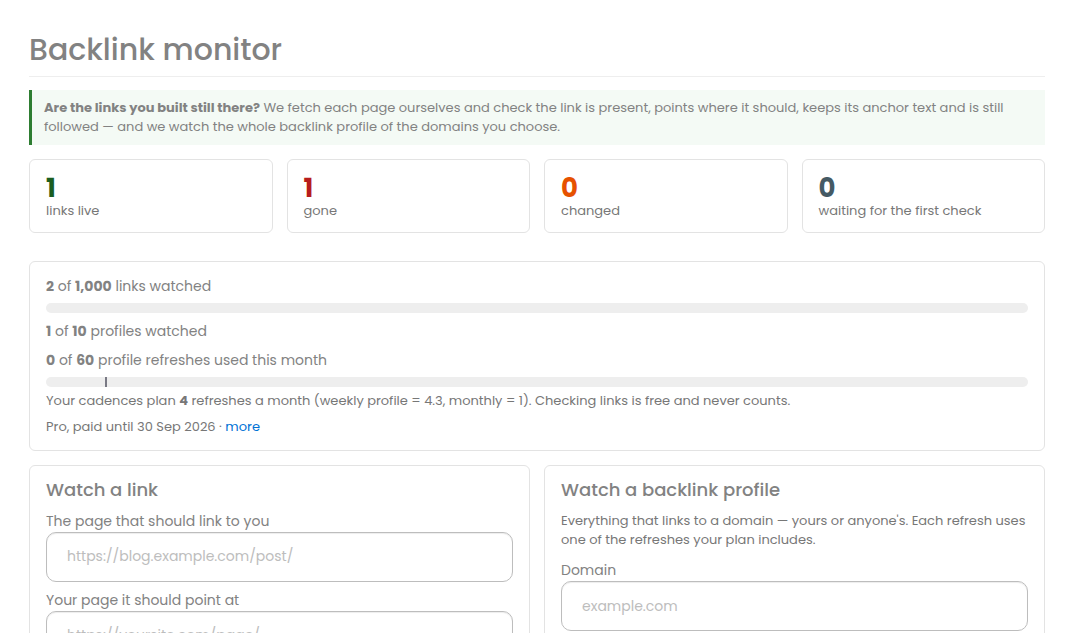
Add the links you want watched
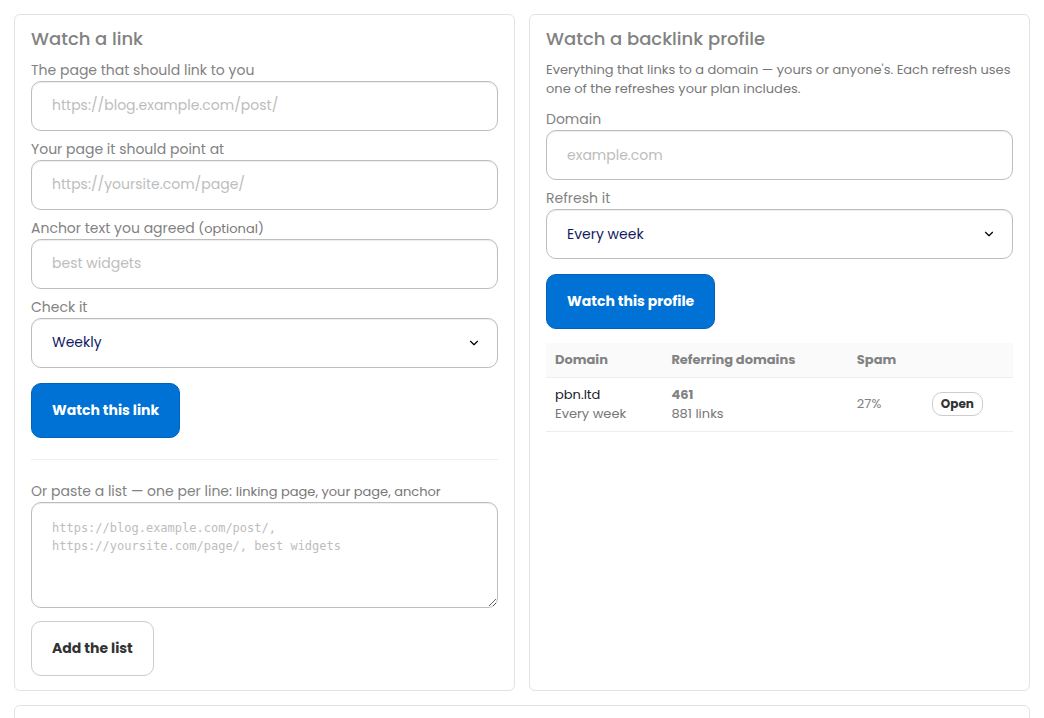
In Watch a link give us two addresses and, if you agreed one, the anchor text:
- The page that should link to you – the guest post, the resource page, the forum thread. Any page on the public web.
- Your page it should point at – the exact URL that was bought.
- Anchor text you agreed – optional. Leave it empty and we accept any anchor; fill it in and we tell you if somebody edits it.
- Check it – daily, weekly or monthly.
The first check runs within a few minutes, so you see the state of a link almost as soon as you add it.
Paste a whole list
Most people already have a spreadsheet. Use the second box and put one link per line: the linking page, your page, and the anchor text, separated by commas, tabs or two spaces. Lines beginning with # are ignored.
For example:
https://blog.example.com/post/, https://yoursite.com/page/, best widgetshttps://news.example/article https://yoursite.com/ yoursite
Anything that is not a usable web address is reported back to you rather than silently dropped, and if the list is longer than your plan allows we tell you how many did not fit instead of adding a random subset.
What the states mean
- Live – the link is there, points at your page, and matches what you asked for.
- Changed – the link is still there but something about it is not what you agreed: the anchor text has been edited, or a
rel="nofollow",ugcorsponsoredhas appeared. The exact problem is written next to it. - Gone – the link is not on that page any more, or the page itself answers 404 or 410. If the page now links to a different page of yours we say so, because that is usually an editor tidying up rather than a removal.
- Could not check – the page did not answer, or the address is not one we are able to fetch. We try again on the next round.
- Not checked yet – you have just added it.
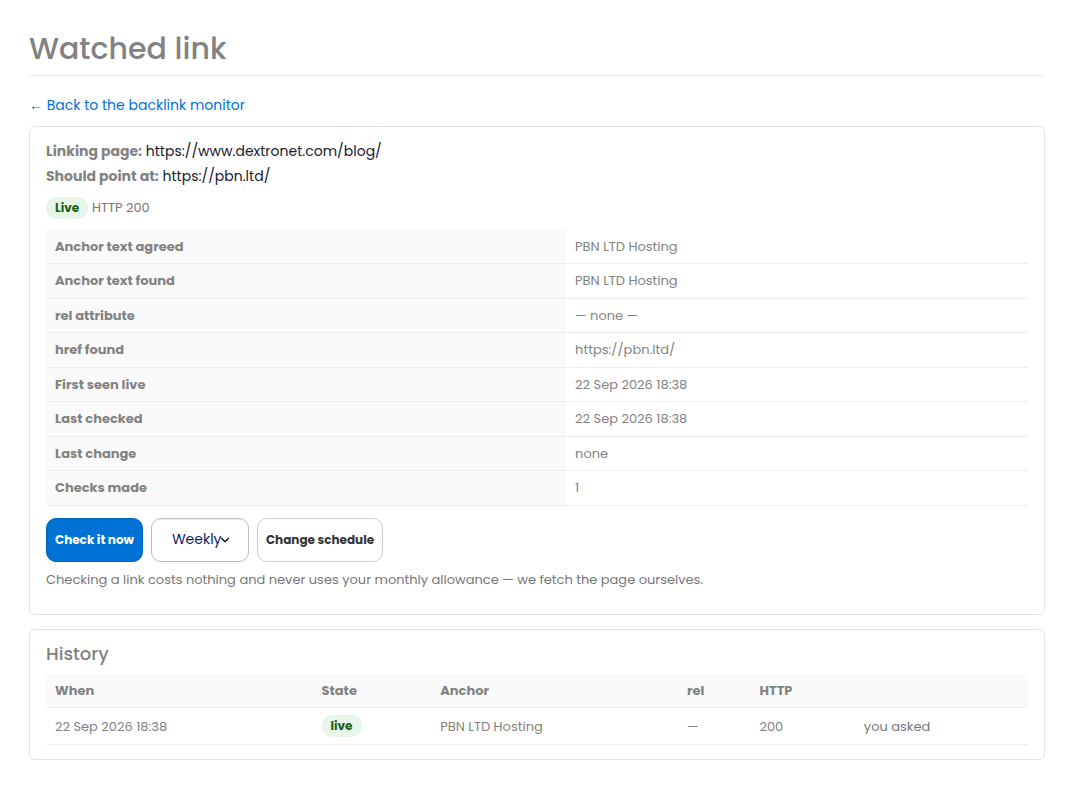
Proof of when something changed
Open any link to see its whole history: one row for every check, with the anchor text and the rel we saw at the time. That is what you send the seller when you ask for a link to be restored – it shows exactly when it changed rather than “it is not there any more”.
Press Check it now on any link to re-read the page immediately. It costs nothing and uses no allowance; it is limited to once every ten minutes per link so a page is never hammered.
Watch a whole backlink profile
The second half of the tool answers a different question: everything that links to a domain, including the links you never knew about. Add a domain under Watch a backlink profile and choose how often it is refreshed.
Each profile shows:
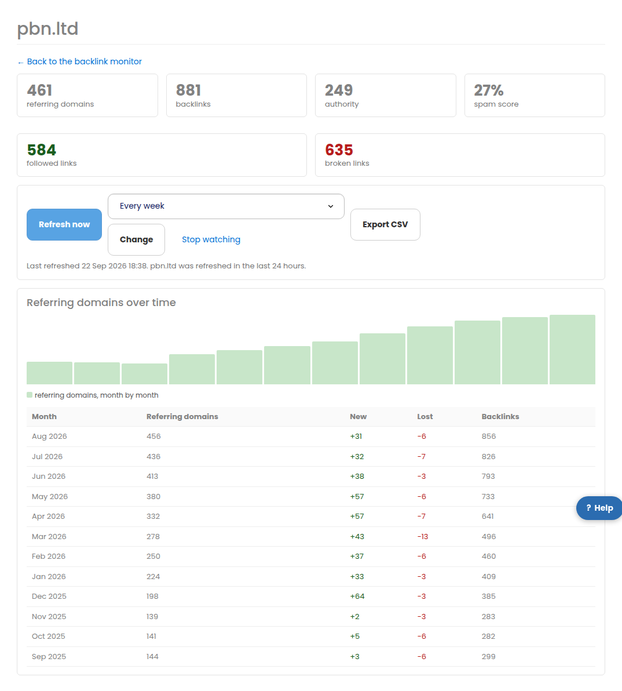
- Referring domains, split into live, newly found and lost, each with its authority, spam score and country.
- Anchor text across the whole profile – a natural profile uses many different anchors, and one phrase on most of your links is the pattern search engines look for.
- The pages people actually link to.
- A month-by-month history of links and referring domains won and lost, drawn as a chart.
How the allowance works
Your plan includes a number of profile refreshes a month. A profile set to refresh every week uses about 4.3 a month; every month uses 1; “Only when I ask” uses none until you press Refresh now.
The dashboard shows two things on the same bar: how much you have used, and a marker for how much your chosen schedules plan to use for the rest of the month. If adding a domain or speeding one up would take you past your allowance we say so before it happens, rather than letting you run out half way through the month.
If you do run out, scheduled refreshes wait for the 1st. Your links carry on being checked as normal, because that never uses the allowance.
Filters, saved views and export
- Filter by state, followed or nofollow, schedule, domain, or any text in an address or anchor.
- Save the filters you use often as a named view – “Lost links”, “Client A”, “Nofollow” – and they become one-click buttons above the list.
- Tick several links and change their schedule, re-check them or stop watching them in one go.
- Export CSV gives you exactly what the filter shows.
E-mails
You get one e-mail at most per day, and only when something actually changed. It lists everything at once – links gone, links changed, referring domains lost and gained – rather than one message per link. If four hundred links disappear overnight, that is one e-mail that says four hundred links disappeared.
Turn the e-mails off, or stop including new referring domains in them, at the bottom of the backlink monitor page.
On your own sites
If you host with us, every site has a Backlinks tab showing the links pointing at that site and their state, whichever platform the site runs – WordPress, Joomla, Drupal, PrestaShop, OpenCart, Grav, MediaWiki, plain PHP or static HTML. The sites list shows the same thing as a short line on each card.
The API
Everything here is in the public API under the Backlink monitor tag: list and add watched links, change a schedule, run a check, read a profile with its referring domains and anchors, and refresh one. See https://app.pbn.ltd/api/docs. The scopes are backlinks:read and backlinks:write.
Related
- Index Checker – is every page of your site in Google?
- Brand mentions – find out who is talking about you
More about Backlink monitor: Backlink monitor on pbn.ltd · all SEO tools