
Shoppers compare prices before they buy. Product price tracking reads Google Shopping and Amazon every week for each of your products and shows whether you are on the shelf, at what position, the cheapest comparable listing and how many percent above it you are — with the history, and one e-mail when something changes. You do not need hosting with us — it works for any shop.
💡 We never tell you “not listed” unless we can tell
Google Shopping shows a seller name next to each price, and Amazon tiles show none at all. So we recognise your own listing by your seller name on Google Shopping and by your ASIN on Amazon. Until you give them, the page says so — it never guesses.
Tell us your seller name
Open Product price tracking (in the menu under SEO tools). In Your seller name on Google Shopping type your shop name exactly as Google Shopping shows it next to your price, and press Save. Sell under more than one name? Separate them with commas.
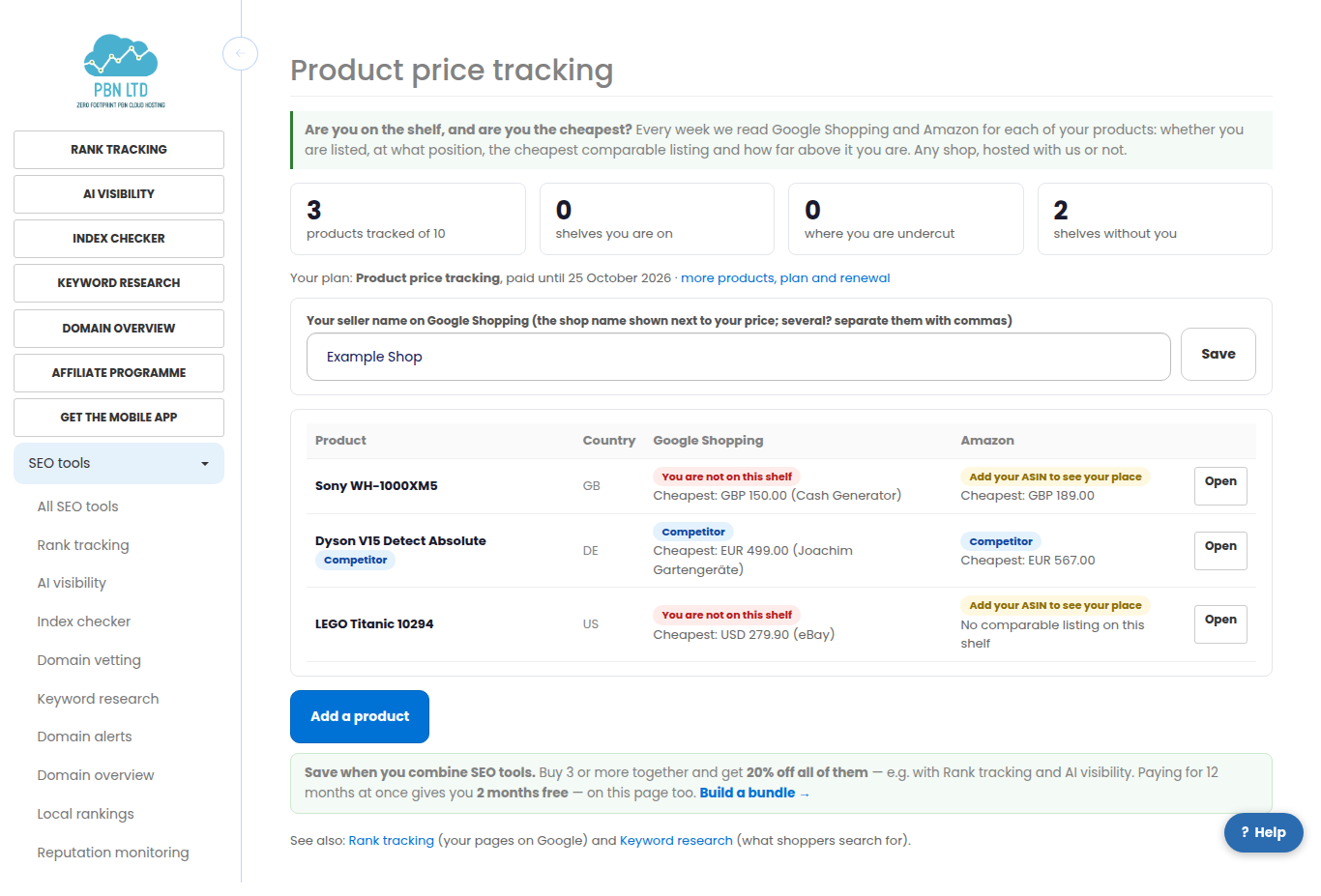
Add a product
Press Add a product. Write the product the way shoppers search for it — brand and model is usually best (“Sony WH-1000XM5”), not your internal name. Choose the country you sell it in; the Amazon marketplace follows the country.
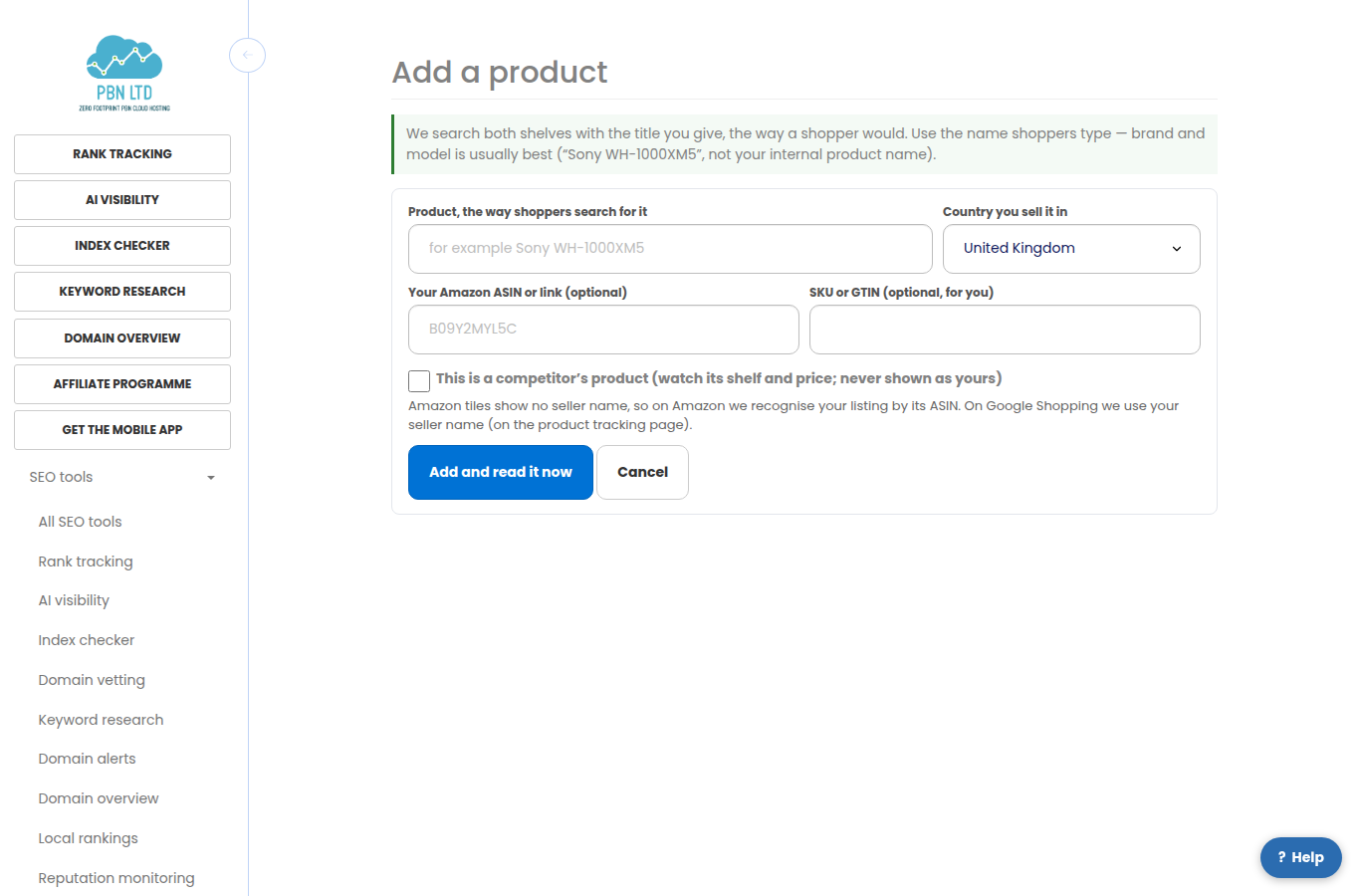
- Amazon ASIN (optional): the 10-character code of your own Amazon listing, or just paste its Amazon link. Without it we still show the Amazon shelf and the cheapest price, but cannot show your place on it.
- SKU or GTIN (optional) is for your own reference.
- Tick This is a competitor’s product to watch somebody else’s product: its shelf and cheapest price are read the same way, and it is never shown as yours.
- Each product counts once for both shelves. The page shows how many your plan covers.
Reading a product
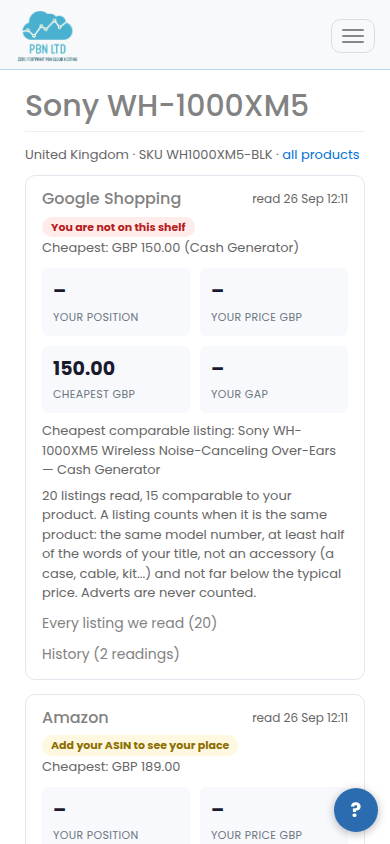
Within a minute or two both shelves are read. Open a product to see, for each shelf: your position, your price, the cheapest comparable listing and your gap — how many percent above the cheapest you are. Every listing we read opens the whole shelf, with your own listing marked Yours and the cheapest marked Cheapest.
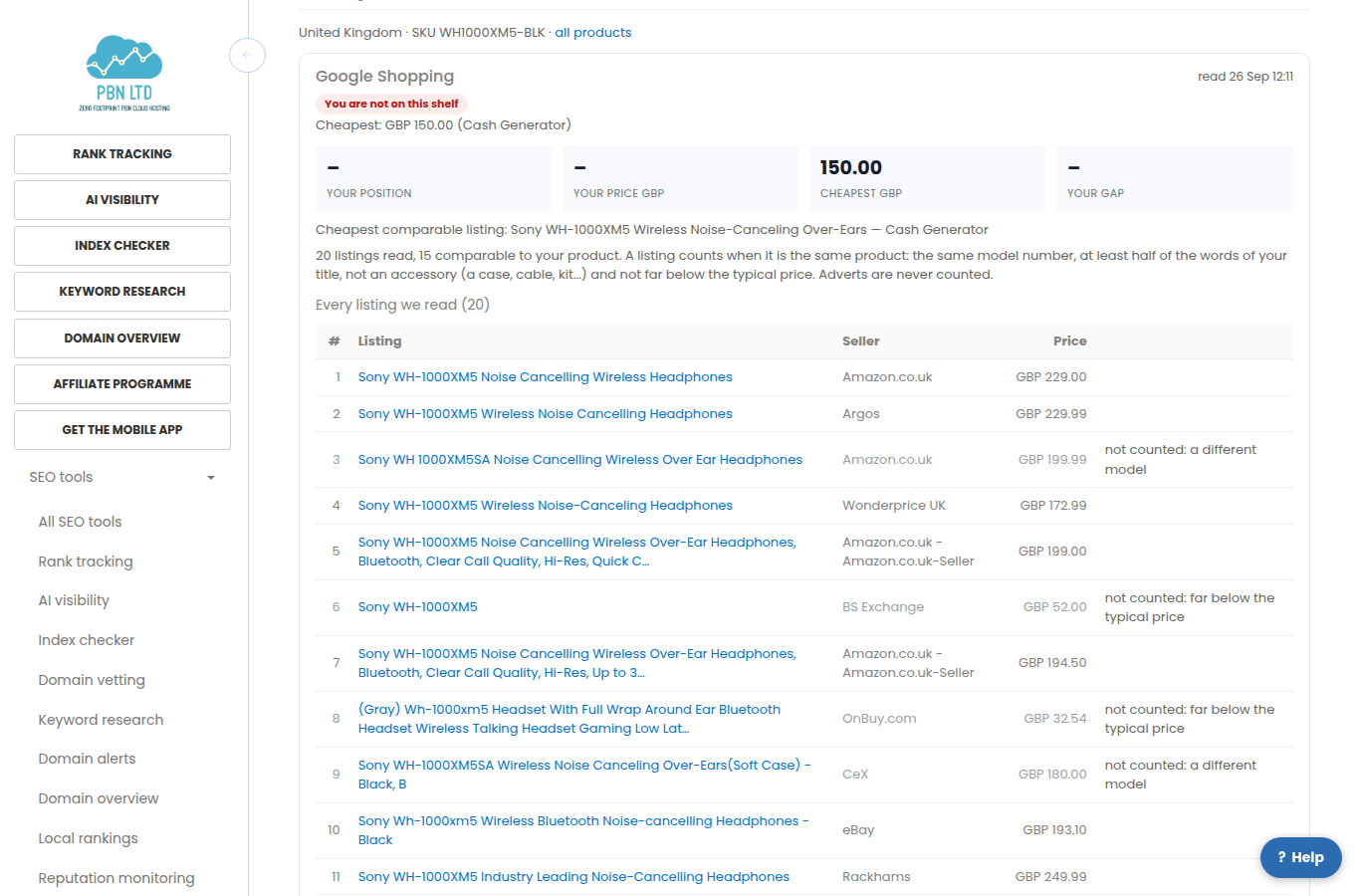
- Cheapest comparable listing: keyword shelves also show accessories, other models and adverts. A listing only counts when it has the same model number, at least half of the words of your title, is not an accessory (a case, cable, kit and so on) and is not far below the typical price. Adverts never count. The reason is shown next to every listing that does not count.
- Prices are compared in one currency only and never converted.
- “You are not on this shelf” appears only when we know your seller name (or ASIN) and it is not there. “Nothing on this shelf” means the marketplace lists nothing for that title.
- A shelf that could not be read one week keeps its last numbers and says so; we try again automatically.
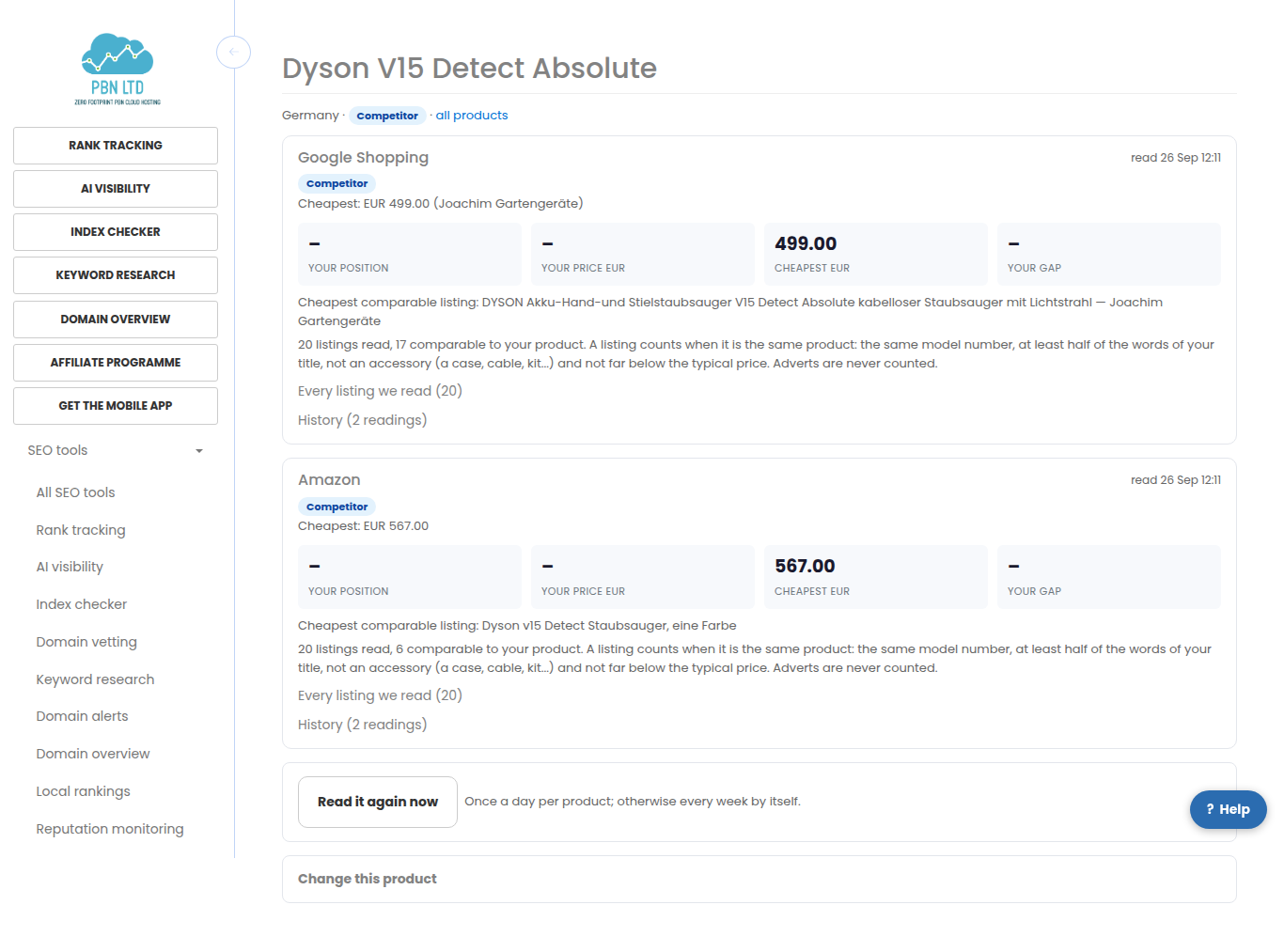
- Everything is read every week. Read it again now asks for a fresh reading once a day per product. History lists every reading.
Watching a competitor
A competitor’s product shows the cheapest comparable listing on each shelf and who sells it, week after week, so you see when prices move.
More products
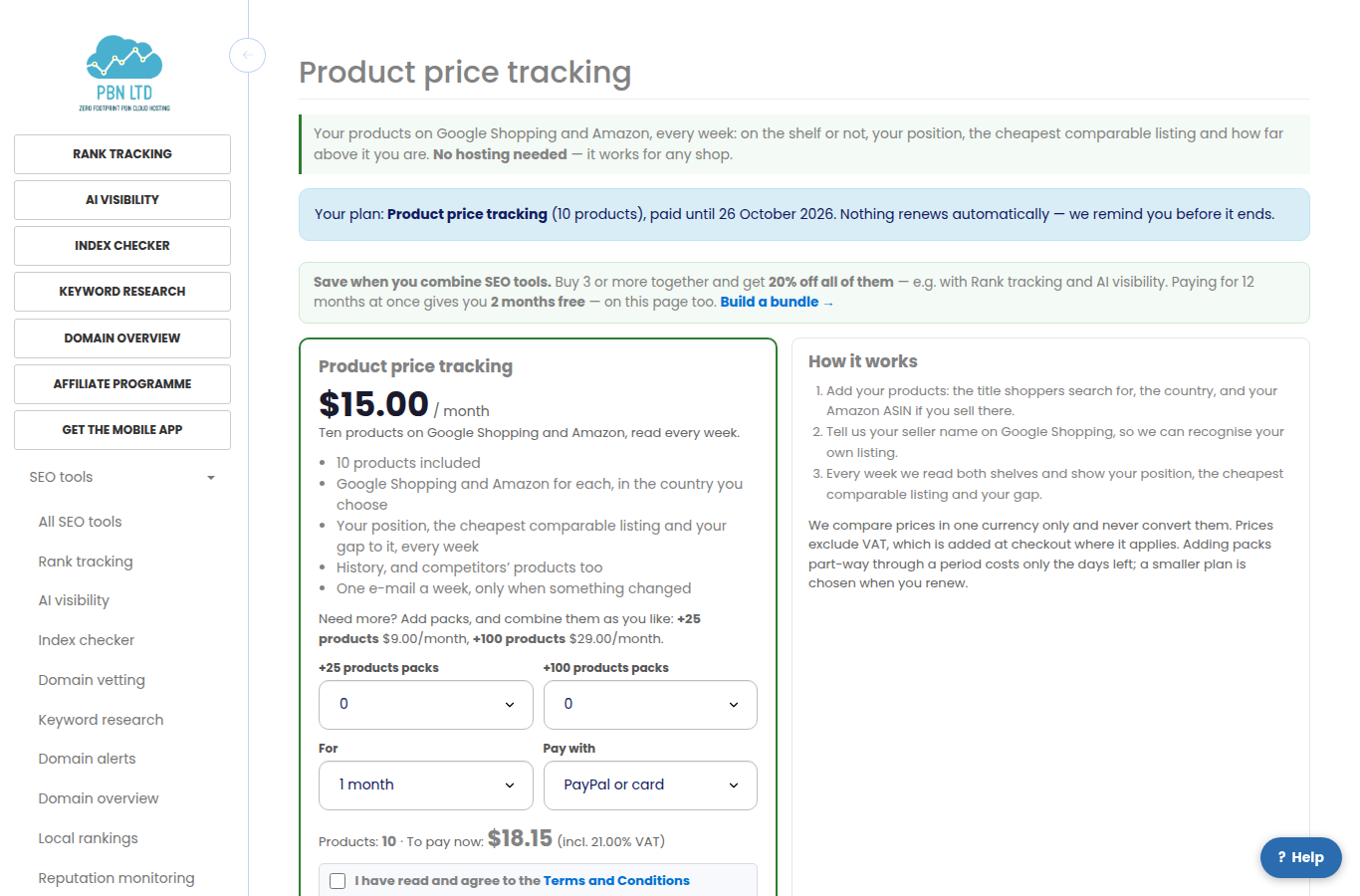
On Plans you can add packs of extra products and combine them as you like. Adding packs part-way through a period costs only the days left; a smaller plan is chosen when you renew. Take three or more SEO tools together and the bundle discount applies.
E-mails
- One e-mail a week at most, and only when something changed: you were undercut, you dropped off a shelf, a new seller appeared below your price, or you are back on the shelf or competitive again.
- The first reading is the starting point, so nothing is e-mailed as news on day one.
- Every e-mail has a one-click link to stop them.
On your phone
Every screen works on a phone: the shelves stack and nothing scrolls sideways.
Related
More about Product price tracking: Product price tracking on pbn.ltd · all SEO tools