
Competitors rarely announce that they are gaining on you. Competitor tracking reads the domains you choose every week — their organic keywords, traffic estimate, the pages that bring them visitors, their domain rank and referring domains — keeps the history, and sends one e-mail when a competitor jumps. Any domain, hosted anywhere, and you do not need hosting with us.
💡 Weekly watch, or a one-off deep dive?
Competitor tracking is the weekly watch with history and alerts. For the full report of a domain on demand — every keyword it ranks for, its competitors and the keyword gap — use Domain overview; every watched domain links straight to it.
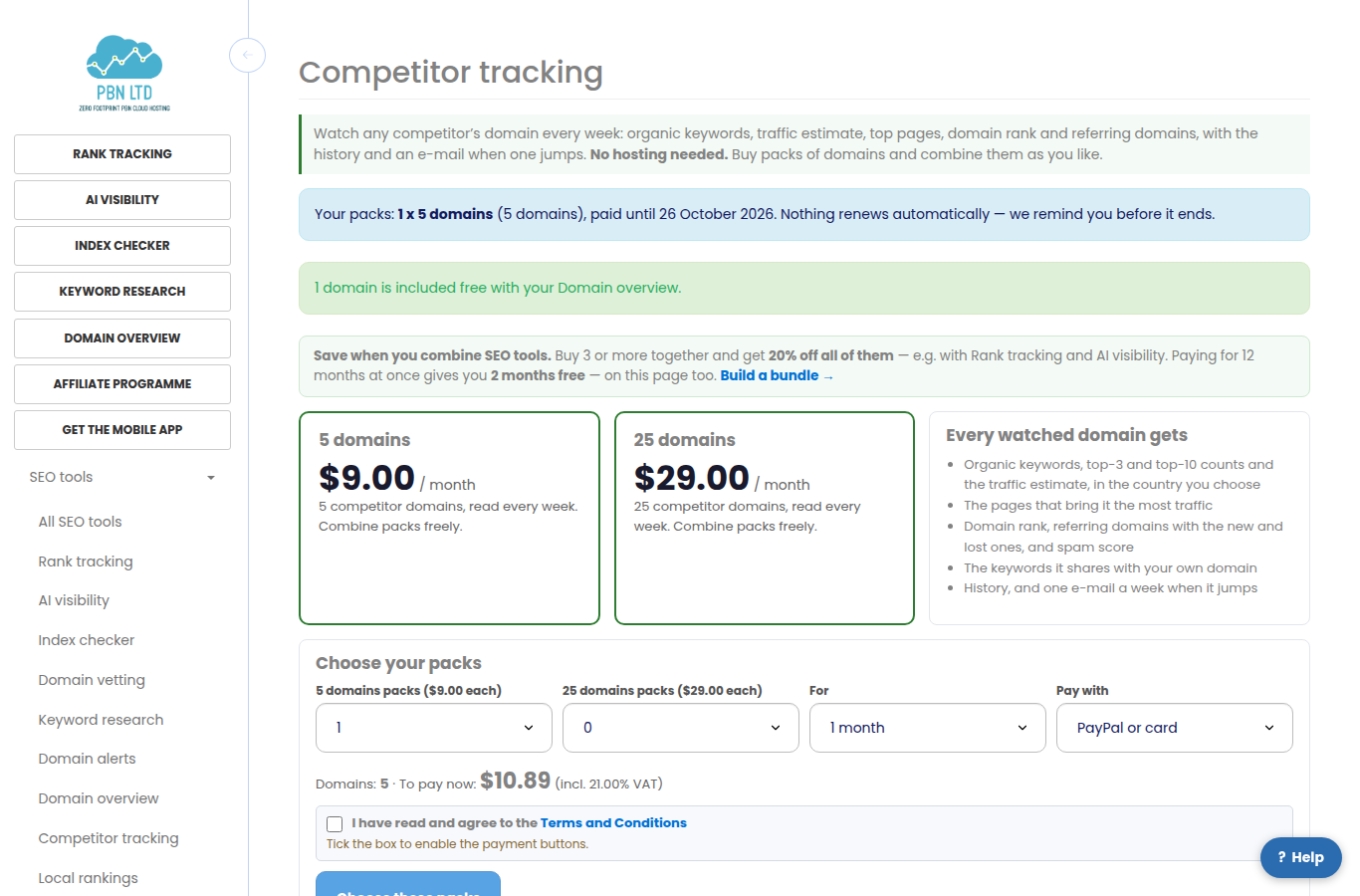
Switch it on
Open Competitor tracking (in the menu under SEO tools). It is sold in packs of domains that you can combine; choose them on Packs. If you already have Domain overview, Backlink monitor or Rank tracking, one domain is included free and you can start straight away.
Add a competitor
Press Add a competitor, type the domain (or paste any address on it) and choose the country whose Google results matter to you. Add a note if you like.
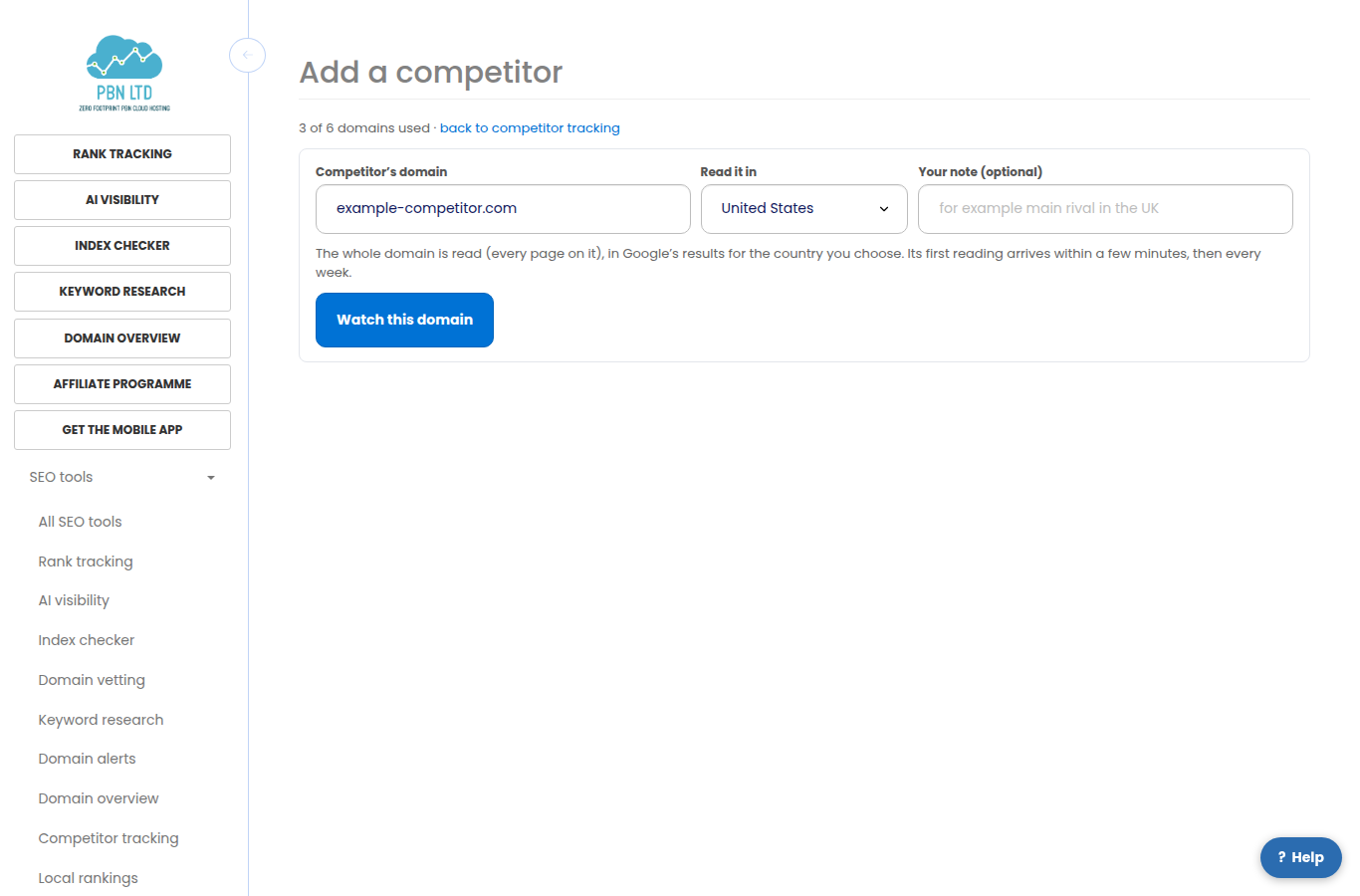
- The first reading arrives within a few minutes; the page refreshes by itself.
- Each domain in each country counts once towards your packs.
- We only read what search engines and the public web show — nothing is ever asked of the competitor, and they cannot tell.
Tell us your own domain
On the Competitor tracking page, type your own domain and press Save. Each competitor then shows how many keywords it shares with you, and Suggest competitors lists the domains that rank for the same keywords as yours — press one to watch it.
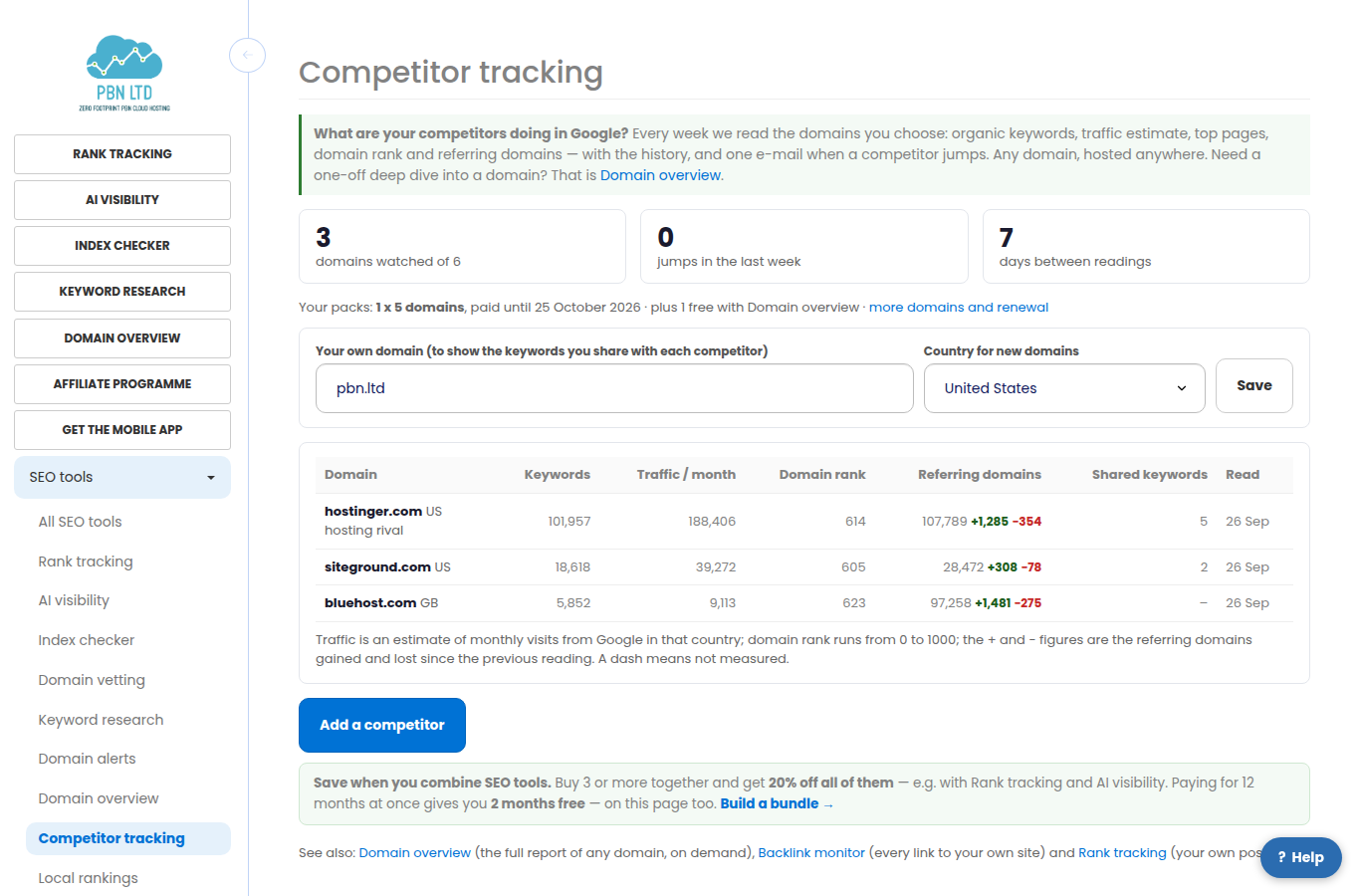
Reading a competitor
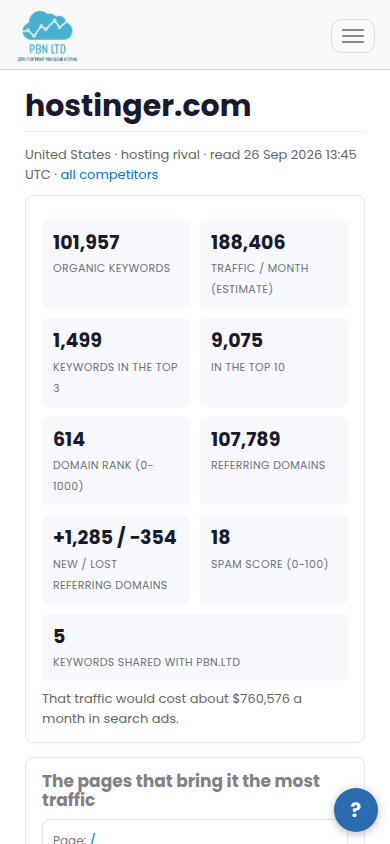
Open a domain to see its latest reading, its trend week by week and the pages that bring it the most traffic.
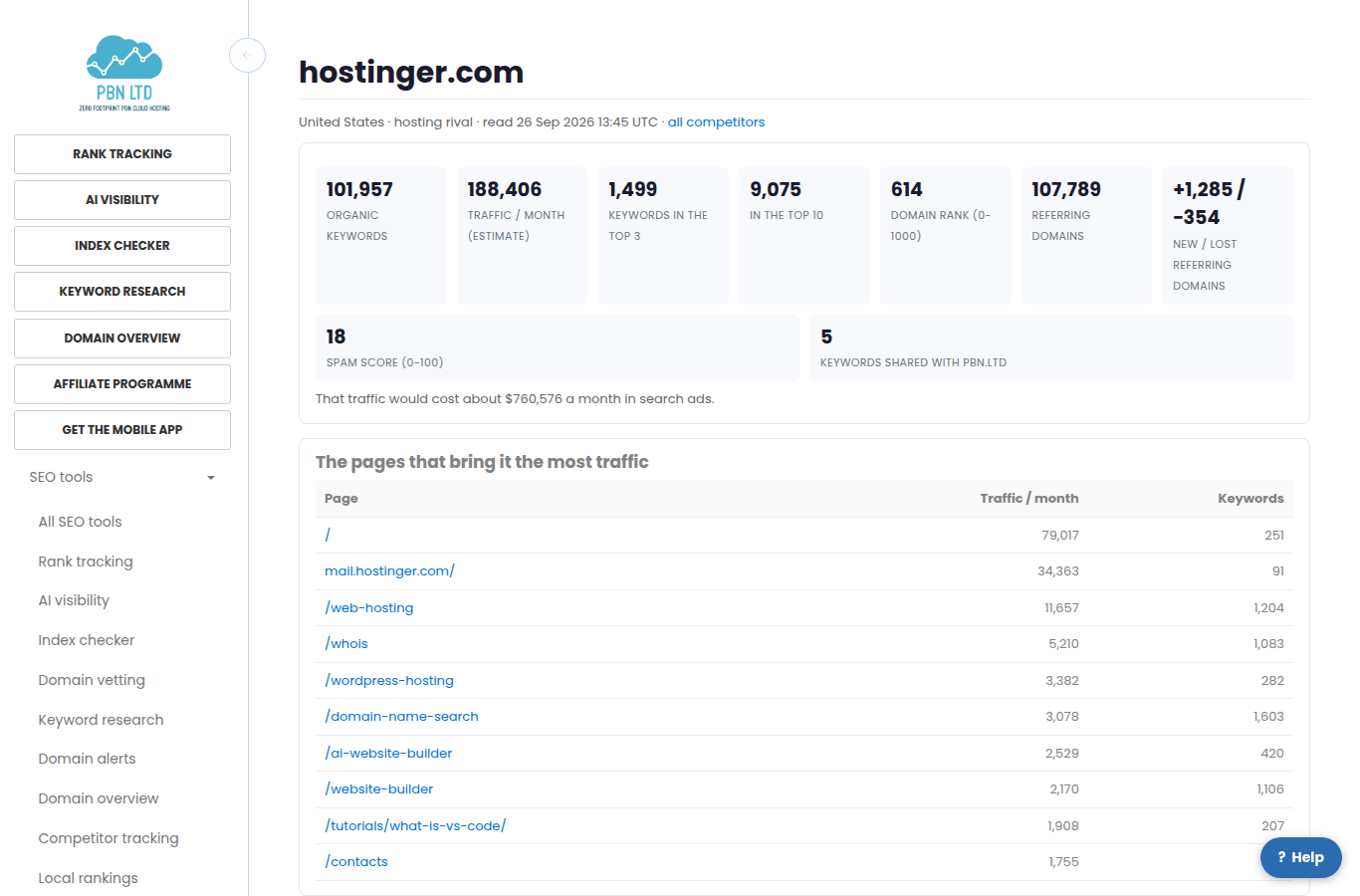
- Organic keywords: how many searches the domain appears for in that country; top 3 and top 10 count the strong positions.
- Traffic / month is an estimate of monthly visits from those searches, and what that traffic would cost in search ads.
- Domain rank runs from 0 to 1000 and reflects the strength of the links to the domain. Referring domains is how many websites link to it, with the ones gained and lost since the previous reading.
- Spam score (0 to 100) shows how much of its link profile looks manipulative.
- A dash means that figure could not be measured this time — never a zero. A reading that could not be taken keeps the last numbers and is tried again automatically.
- Every domain is read every week. Read it again now asks for a fresh reading once a day.
Jumps and e-mails
- A jump is a competitor’s traffic estimate, keywords, referring domains or domain rank moving by more than a set amount between two weekly readings. Very small domains, where a few visits make a big percentage, are not called jumps.
- Jumps are listed on each domain’s page and in one e-mail a week at most, only when something jumped. The first reading is the starting point, so nothing is e-mailed as news on day one.
- Every e-mail has a one-click link to stop them.
More domains, and client reports
Add packs at any time on Packs: adding part-way through a period costs only the days left; fewer packs are chosen when you renew, and your domains and their history are kept either way. Take three or more SEO tools together and the bundle discount applies. If you send white-label client reports, the competitors you watch appear in the report of the client whose domain you entered as your own.
On your phone
Every screen works on a phone: the figures stack and nothing scrolls sideways.
Related
More about Competitor tracking: Competitor tracking on pbn.ltd · all SEO tools