
People read your reviews before they buy. Reputation monitoring reads your star rating, your number of reviews and your latest reviews on Google, Trustpilot and Tripadvisor every week, lists the poor reviews nobody has answered first, and shows you what comes up on the first page of Google when somebody looks you up. You do not need hosting with us — it works for any business.
💡 We only ever read profiles you confirm
A business name can match several profiles — branches, chains, a business with the same name somewhere else. We show you what we found and you tick the ones that are yours, so you never see a stranger’s reviews.
Add your business
Open Reputation monitoring (in the menu under SEO tools) and press Add a business. Type its name as customers know it, choose the country it is in and, if it has one, its website.
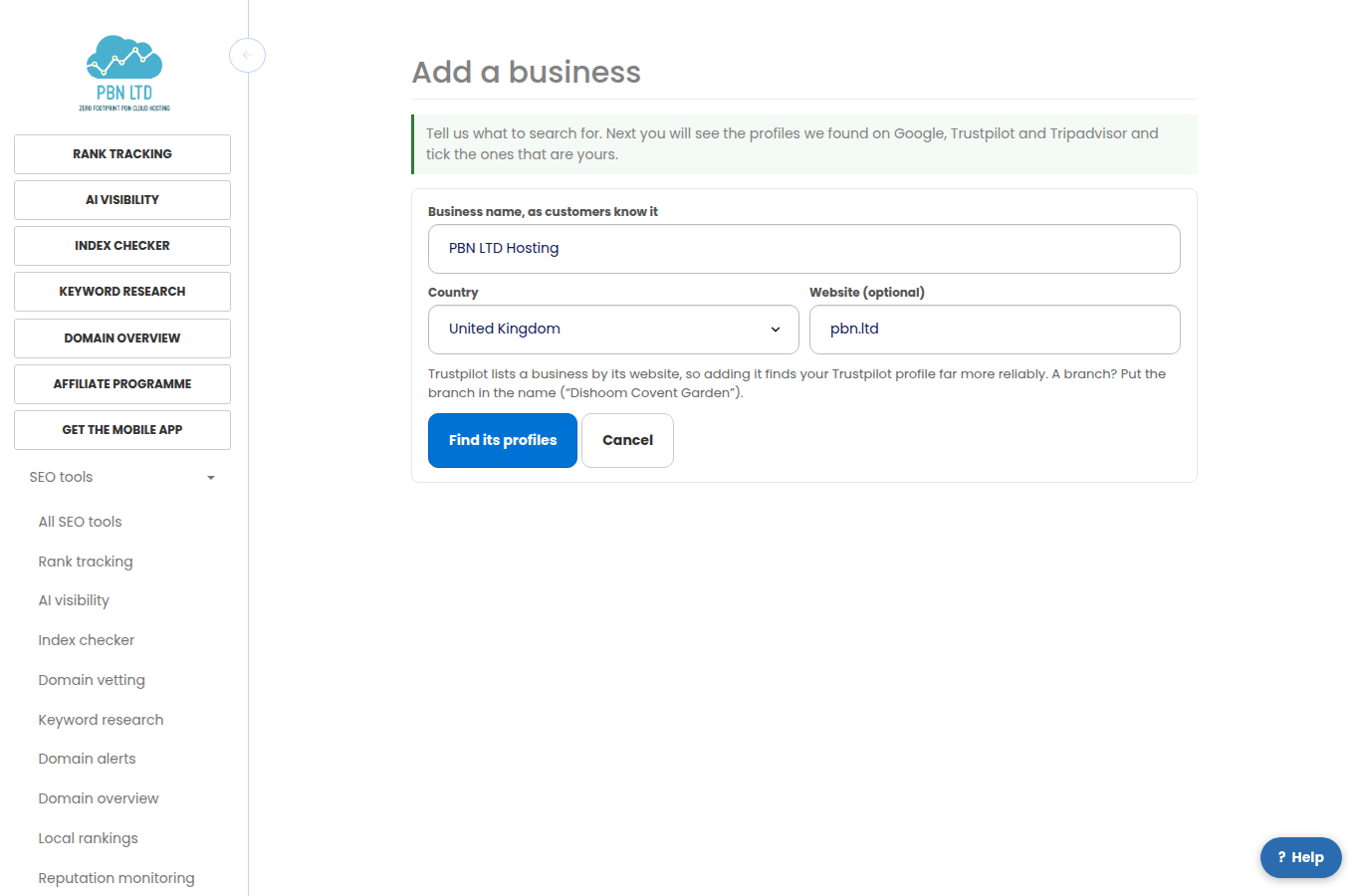
- A branch? Put the branch in the name, for example “Dishoom Covent Garden”.
- Trustpilot lists a business by its website, so giving the website finds your Trustpilot profile far more reliably.
- Your plan covers a number of businesses; the page shows how many you are using.
Confirm which review profiles are yours
Within a minute or two the page shows the profiles we found on each platform, with their rating and number of reviews. Tick the one that is really yours on each platform and press These are mine. If none of them is you, choose None of these and we simply watch the other platforms.
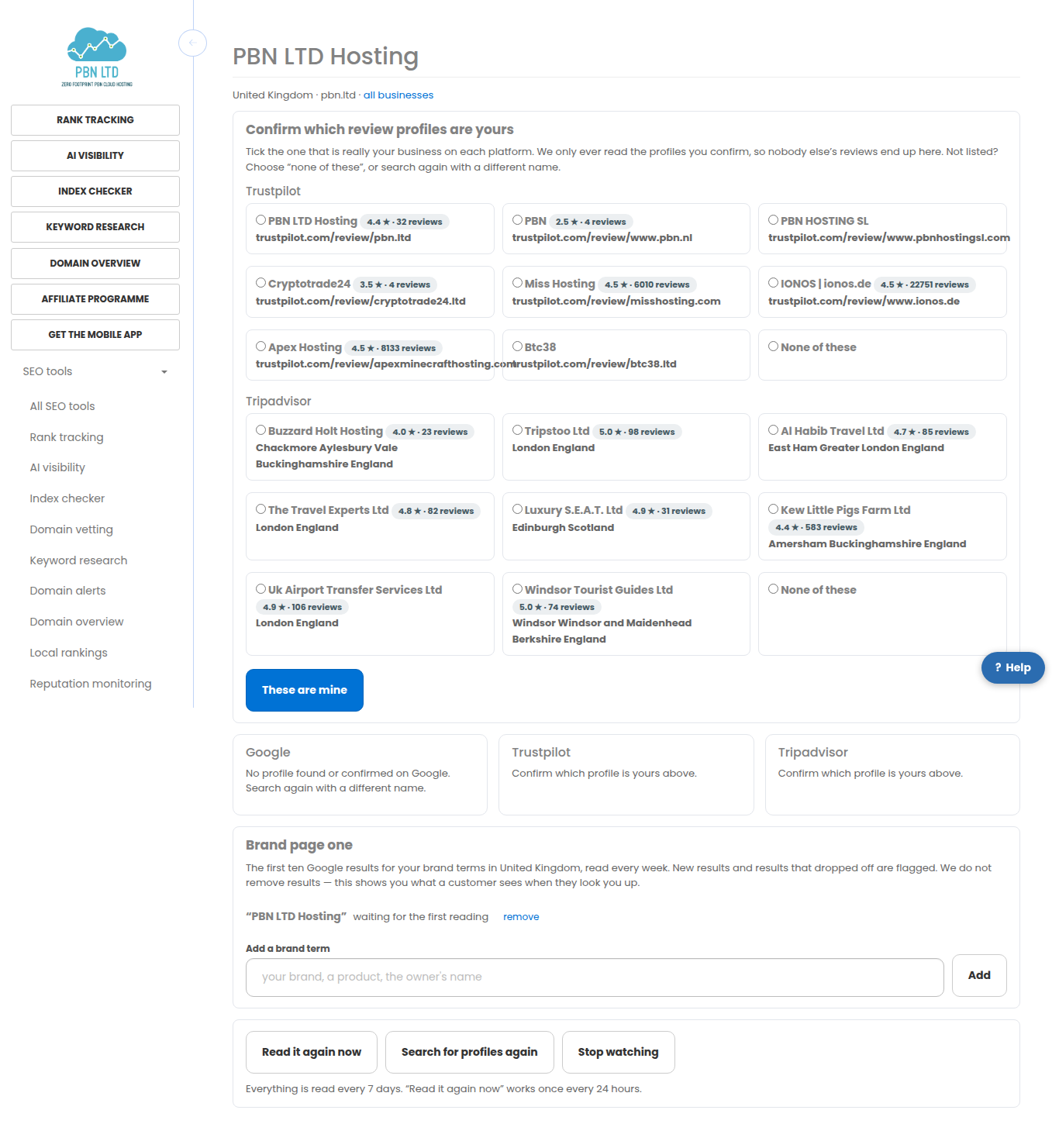
- Not in the list? Press Search for profiles again with a different wording (you can search a few times a day per business).
- Picked the wrong one? Press Not mine — remove under its card and search again.
Reading your reviews
Each platform has a card with the star rating, the number of reviews, when we last read it and how the rating moved. Below, the latest reviews are listed with the poor ones (three stars or fewer) that nobody has replied to first, marked Not answered. Open to reply takes you straight to the review on the platform.
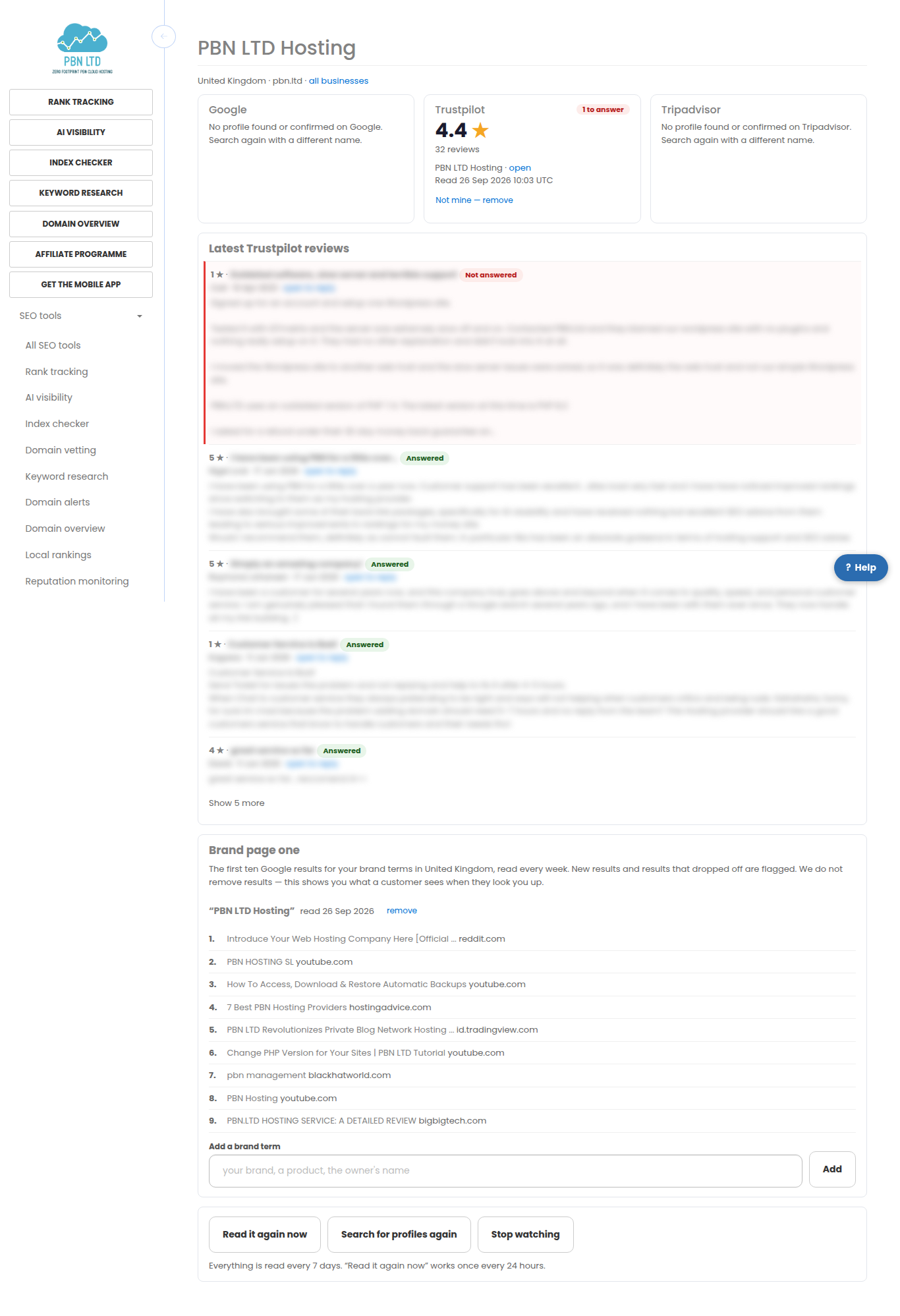
- “No profile found” means exactly that — it is never shown as “no reviews”.
- If a platform cannot be read one week, the card keeps the last numbers and says so; we try again automatically.
- Everything is read every week. Read it again now asks for a fresh reading once a day.
Your brand’s first page of Google
Under Brand page one you see the first ten Google results for your business name, read every week in the country you chose. Add other brand terms — a product, the owner’s name — with Add a brand term.
- Results that are yours (your website or a review profile you confirmed) are marked Yours.
- Results that are new since the last reading are marked New; results that dropped off are shown crossed out.
- We do not remove results; this shows you what a customer sees when they look you up.
E-mails
- One e-mail a week at most, and only when something changed: a new poor review nobody has answered, a star rating that moved, or a new or lost result on page one.
- The first reading is the starting point, so older reviews are never e-mailed as news.
- Every e-mail has a one-click link to stop them.
From the API or your AI assistant
Everything on these pages also works from our API and from any AI assistant connected to your account (ask it, for example, “which of my reviews are poor and unanswered?”). Give the key the reputation permissions; your plan’s limits apply exactly as they do here.
On your phone
Every screen works on a phone: the cards stack, the reviews read top to bottom and nothing scrolls sideways.

Related
- Local Rankings – Get Your Business Onto The Map
- Reputation monitoring on pbn.ltd
- Brand mentions on pbn.ltd
More about Reputation monitoring: Reputation monitoring on pbn.ltd · all SEO tools