
Every website sends its email – contact forms, order confirmations, password resets – through our mail servers, and that needs nothing from you. If you already use an email sending service, you can send a website’s email through your own account there instead: its delivery, its reports and its limits then apply, and it bills you directly. You choose this per website.
💡 Which providers work?
Resend, SendGrid, Brevo, Mailgun, Amazon SES and Postmark are built in: pick one and paste your key. Other SMTP server works with any other service that gives you an SMTP server, user name and password (port 465 or 587).
Where to find it
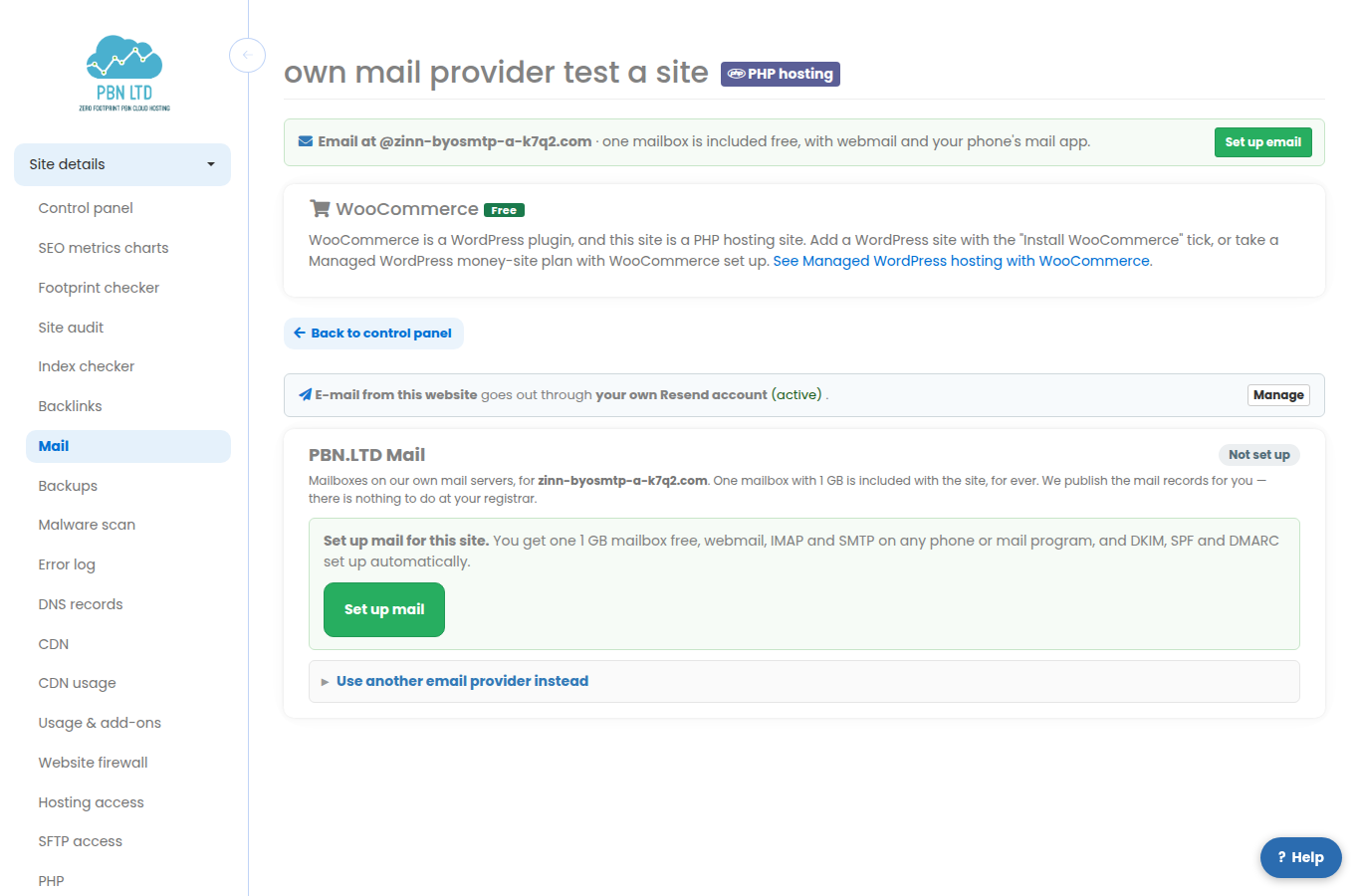
Open Sites, click the website, and open its Mail tab. At the top it says where the website’s email goes out. Press Use my own provider (the same page is in the site menu as E-mail sending). All your websites that use their own provider are listed at app.pbn.ltd/mail-provider/.
Setting it up
- Pick your provider.
- Paste your key. For Resend and SendGrid that is an API key; Postmark uses the Server API token; Brevo, Mailgun and Amazon SES use an SMTP login and SMTP key/password (Amazon SES and Mailgun also ask for the region). The page tells you where to find each one at your provider.
- Check Send as: the address your website sends from. It must be at a domain you have verified with your provider. Leave Always send as this address ticked – providers refuse email from addresses they have not verified; replies still go where your forms set them.
- Press Save and switch on. It is live within a minute.
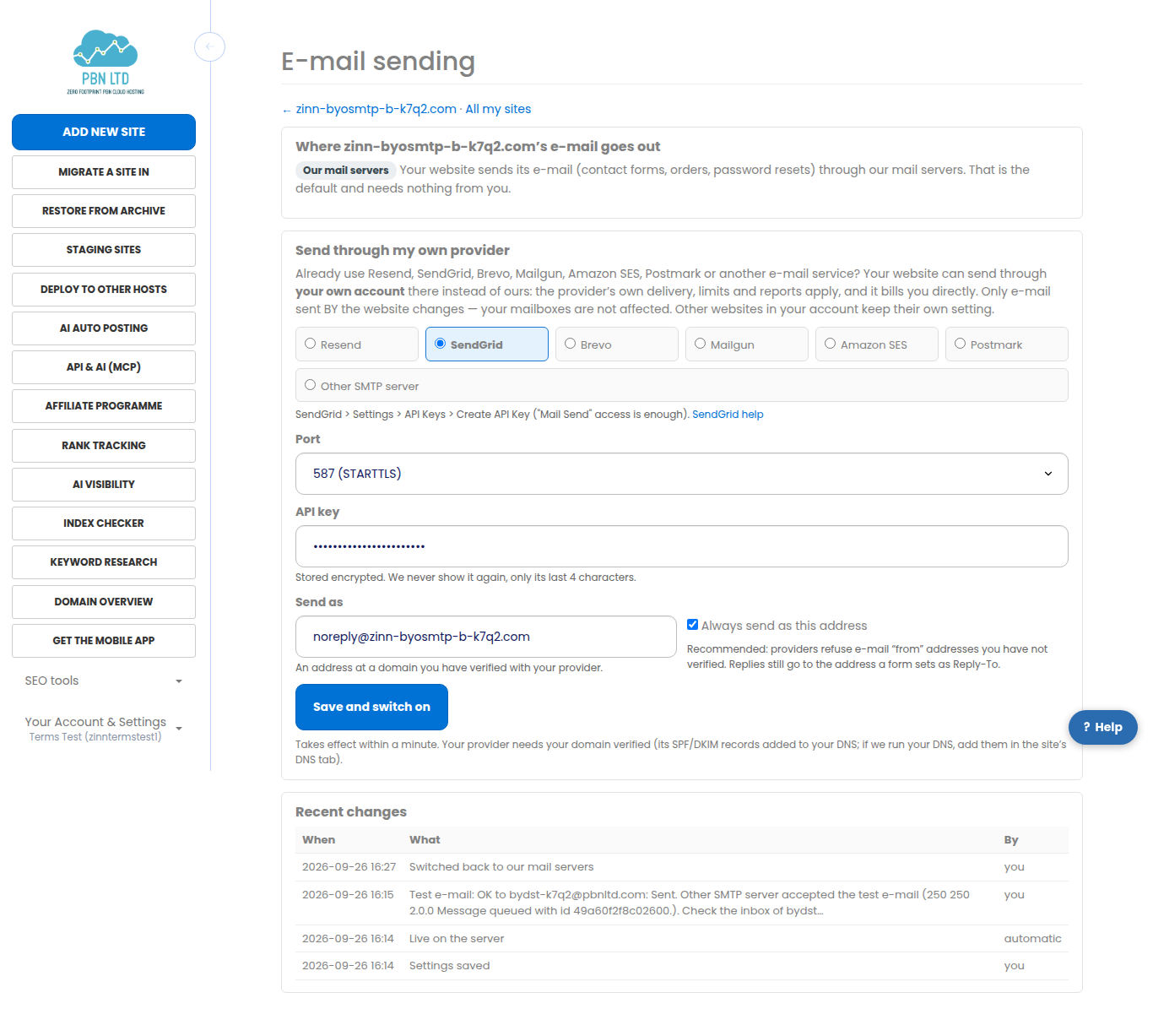
Your key is stored encrypted. We never show it again – only its last 4 characters – and leaving the field empty when you change other settings keeps the saved one.
Sending a test email
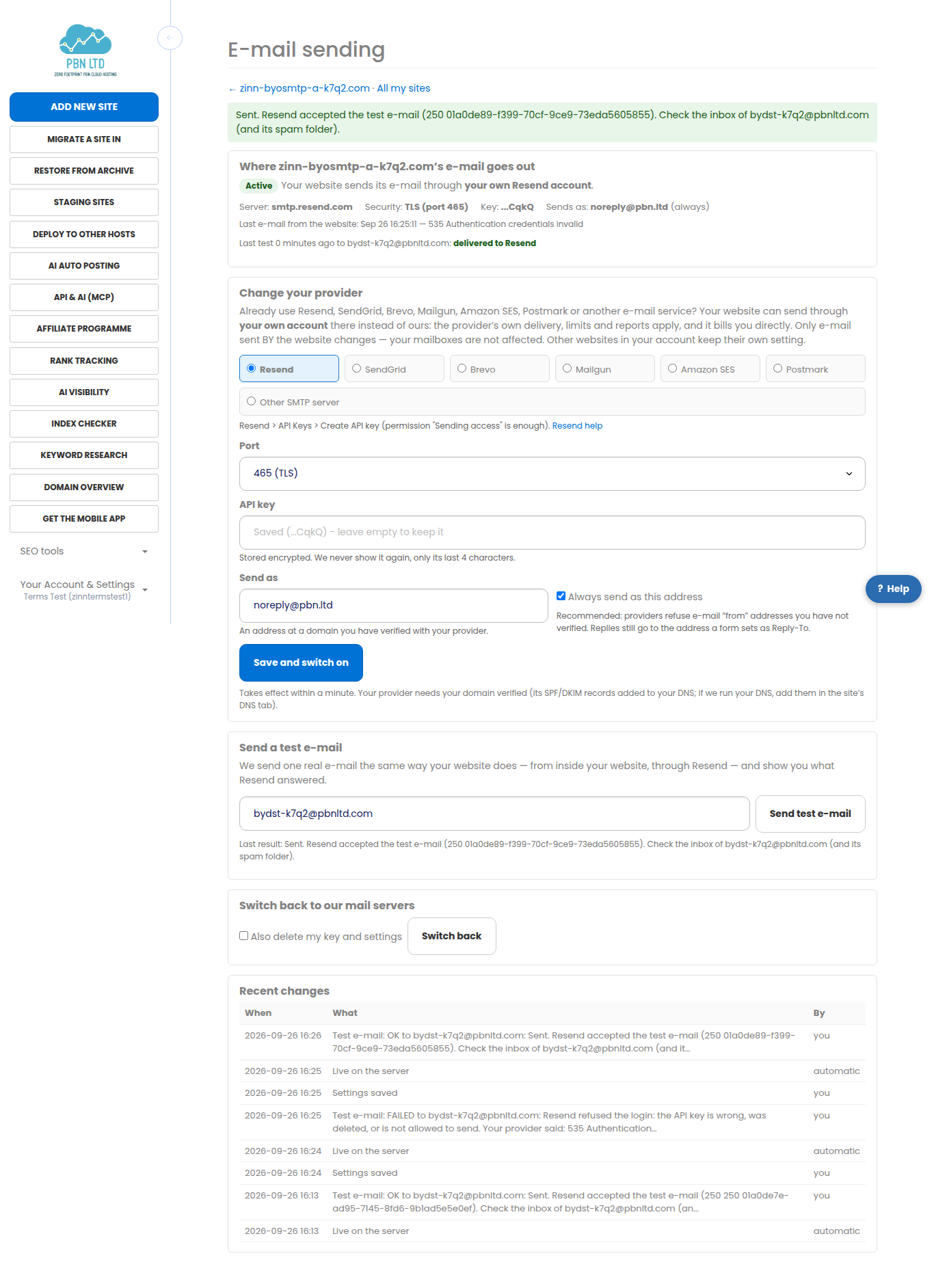
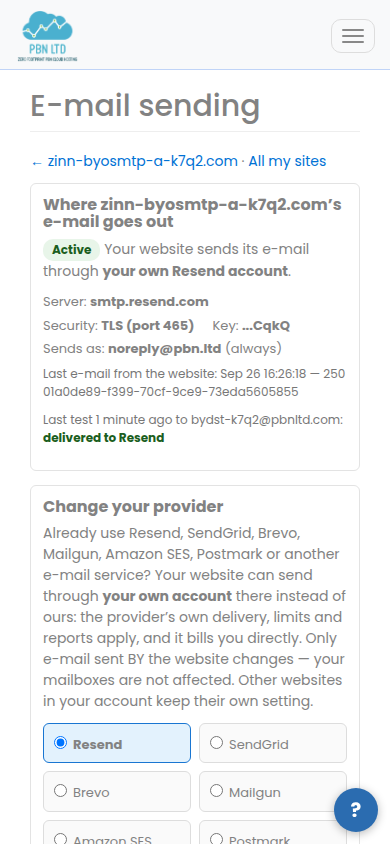
Press Send test e-mail. We send one real email the same way your website does – from inside the website, through your provider – and show you what the provider answered in plain words: for example that it was accepted, that the key is wrong, or that the sending domain is not verified at the provider yet.
Your provider needs your domain verified
Before a provider sends for your domain it asks you to add a few DNS records (usually for SPF and DKIM). Your provider shows them in its dashboard. If we run your domain’s DNS, add them on the site’s DNS records tab; otherwise add them where your DNS is kept. Add only the records your provider gives you and keep one SPF record per domain.
Good to know
- It works for every type of website we host (WordPress, static HTML, PHP, Joomla, Drupal, PrestaShop, OpenCart, Grav and MediaWiki) – it covers the email the website sends itself.
- Each website has its own setting. Your other websites keep sending through our mail servers.
- Your mailboxes are not affected – this is only the email your website sends.
- A plugin that already has its own SMTP settings (for example an SMTP plugin in WordPress) keeps using those.
- Your provider’s own limits, reports and prices apply.
- Switch back at the bottom of the page returns the website to our mail servers at any time; tick Also delete my key and settings to remove them completely.
- You can also do all of this from the API and with AI assistants (MCP): GET, PUT and DELETE /sites/{id}/mail-sending and POST /sites/{id}/mail-sending/test.