
Security is built into our hosting platform, not sold as an add-on. The protections below run automatically, around the clock, on every site you host with us, on every plan and at no extra cost. You do not need to install a security plugin or switch anything on. This guide explains what each one does, when we e-mail you, and where to see it on your dashboard.
💡 Nothing to set up
Everything in this guide is already on for your sites. The overview is on our Security & protection page.
What’s in this guide
- Automatic malware removal
- The Malware scan tab
- Flood guard
- Website firewall
- Login protection and a bot check for your forms
- Bad plugins, back doors and unsafe updates
- Sites that repair themselves
- Walled off from other customers
- Your domain’s e-mail reputation
- Backups, and restores we have actually tested
- Taking control yourself
- What it costs
Automatic malware removal
- Checked every hour, and every day. Every file that changes on your sites is checked within the hour, and every file of every site is checked again each day.
- Known malware is taken off for you. A file that exactly matches known malware – a back door, a fake plugin, a hidden crypto-miner – is removed from the site straight away and kept safely aside, so nothing is destroyed. Known malicious programs started from a site’s files are stopped within minutes.
- You are told once, in plain words. We e-mail you which site it was, what we found, what we took off and what to do next (usually: change the admin passwords and update or remove old plugins).
- Your other sites are checked too. When malware turns up on one site, every other site on your account gets an automatic deep check straight away, and known malware found there is taken off the same way.
Anything less certain than an exact match is never removed automatically: it is listed on the site’s Malware scan tab for you to decide.
The Malware scan tab
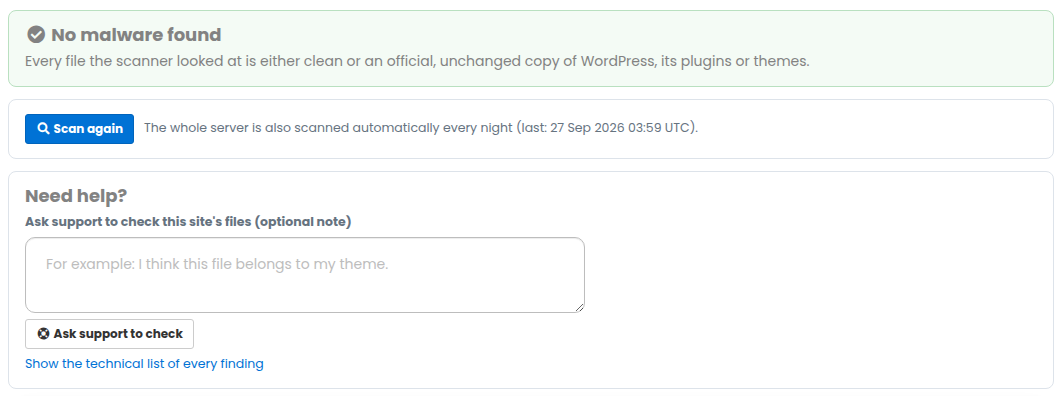
Every site also gets a full malware scan every night, whatever its type. Open the site, then Malware scan in the left menu, to see the result, scan again at any time, quarantine or restore a file, put back official core files, or ask support to check a file for you. Official, unchanged copies of WordPress, plugins, themes, Joomla and Drupal are never reported. Full details: Malware scan – what we check and what to do.
Flood guard
If a site is hit by a flood of fake traffic (a DDoS attack), flood guard spots it within minutes and puts limits on that site only: each visitor, and the site as a whole, can only make so many requests a second. On a site that uses Cloudflare it also refuses traffic that tries to go round Cloudflare and turns on “I’m Under Attack” mode for a few hours. The site stays online, perhaps a little slower, your other sites are not affected, we e-mail you when it acts, and the limits come off by themselves once the flood stops.
More: My site is under a DDoS attack – what should I do?
Website firewall
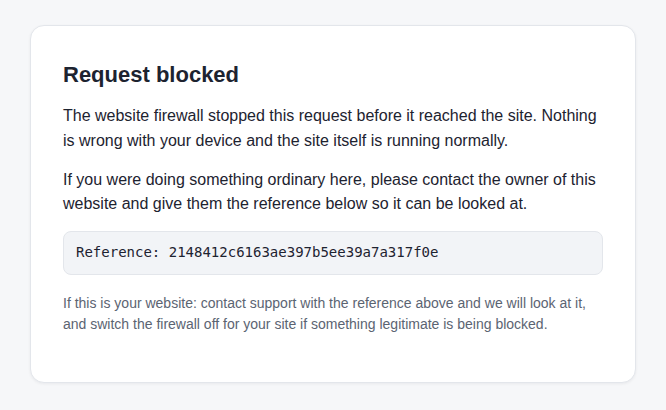
Requests to your site are checked before your site sees them. Break-in attempts – reading private configuration files, injecting database commands, climbing out of the site folder, smuggling commands into a web address – are refused with a short page and a reference number. Signing in, editing, uploads, plugin and theme installs, the database tool, the file manager, payment callbacks and scheduled tasks are left alone. Each site has a Website firewall tab. More: Website firewall – what it blocks and what to do.
Login protection and a bot check for your forms
Login protection: password-guessing attacks on WordPress logins and XML-RPC are slowed at the server, before they reach your site. Real sign-ins and the one-click Admin login on your dashboard are not affected.
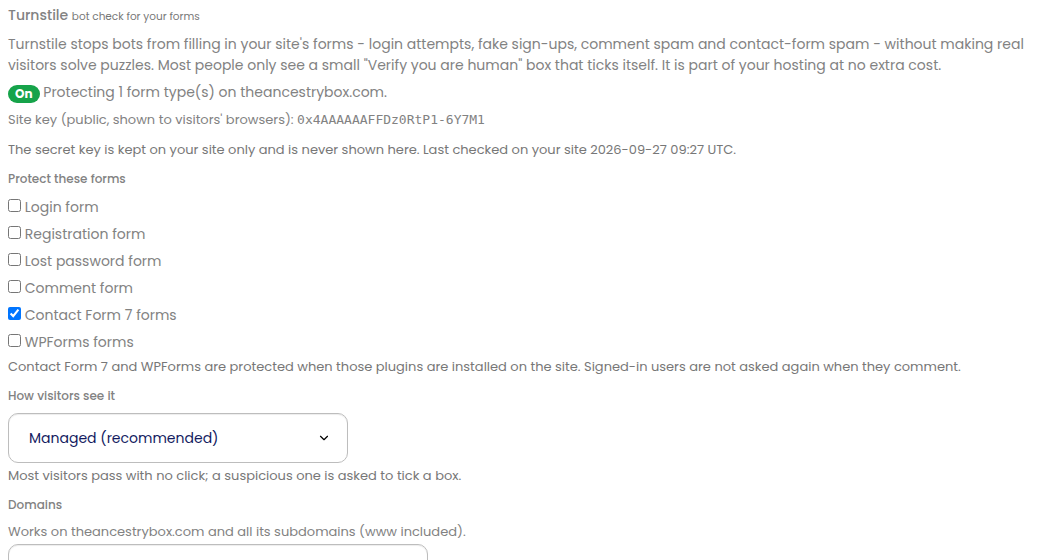
Bot check for forms (Turnstile): a “verify you are human” check for WordPress login, sign-up, lost-password, comment and contact forms, switched on from the site’s Turnstile tab. If a site’s forms start being abused by spam bots, we switch it on for you and e-mail you, and new WordPress sites with a contact form get it from the start. You can change the forms or turn it off at any time. More: Turnstile bot check for WordPress forms.
Bad plugins, back doors and unsafe updates
- Backdoor and bad-plugin guard: known back doors, fake or malicious plugins and phishing kits are refused the moment they land, whether they arrive through WordPress, the File Manager, an upload or a restore.
- Updates that cannot take you offline: WordPress sites are kept up to date automatically, and we load each site before and after every update. An update that would break it is put straight back and the rest are kept. More: Safe automatic plugin updates.
Sites that repair themselves
- Site integrity guard: every hour, WordPress, Joomla and Drupal sites are checked for tampering and breakage – a changed site address, damaged settings, altered core files. What can be fixed is repaired automatically, with a backup taken first, and we e-mail you what we put right. See Site health check & repair.
- Broken sites fixed for you: common faults that take a site offline – an endless redirect loop, a missing theme, a broken line in the site’s .htaccess file – are found and fixed automatically, keeping a backup of anything we change, and we tell you what we did.
- Told when it is on your side: if a site goes offline for a reason only you can fix, we e-mail you what is wrong and how to fix it.
Walled off from other customers
Each account’s sites run in their own separate containers, with their own PHP and their own databases. Other customers’ sites cannot reach your databases, and a flood or a hacked site on someone else’s account stays on their account.
Your domain’s e-mail reputation
E-mail your sites send (contact forms, orders, password resets) is signed as your own domain with DKIM, and a DMARC record is added where we run your DNS, so it reaches inboxes instead of junk. Outgoing mail is checked on the way out, and obvious spam – for example a bot abusing a contact form – is held back instead of being sent in your domain’s name. More: Make sure email from your website is delivered.
Backups, and restores we have actually tested
Every site is backed up automatically every day, and you can restore it in one click from its Backups tab. Hourly backups are an optional extra when you want to roll back to any hour. Behind that, we regularly restore real sites from our own backups to prove they work, rather than hoping they do. More: How to access automatic backups.
Taking control yourself
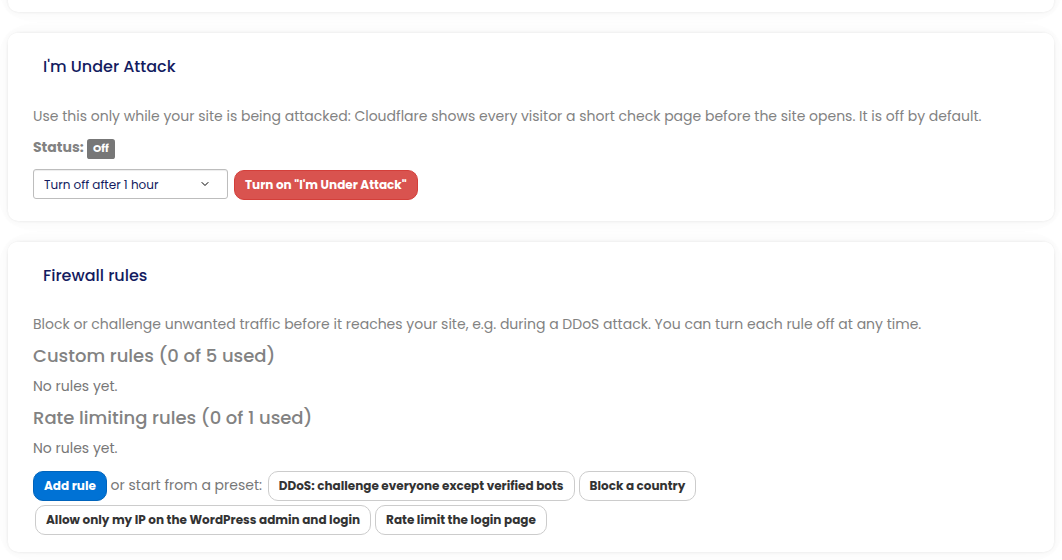
Everything above is automatic, but you can add more whenever you like. On sites that use Cloudflare, the site’s Security tab has “I’m Under Attack” mode, your own firewall rules (with ready-made presets such as “Rate limit the login page”) and bot protection. See Site security: Under Attack mode, firewall rules and bot blocking.
What it costs
Nothing extra. Every protection in this guide is included with your hosting on every plan, for every site type. The only related paid option is hourly backups.